

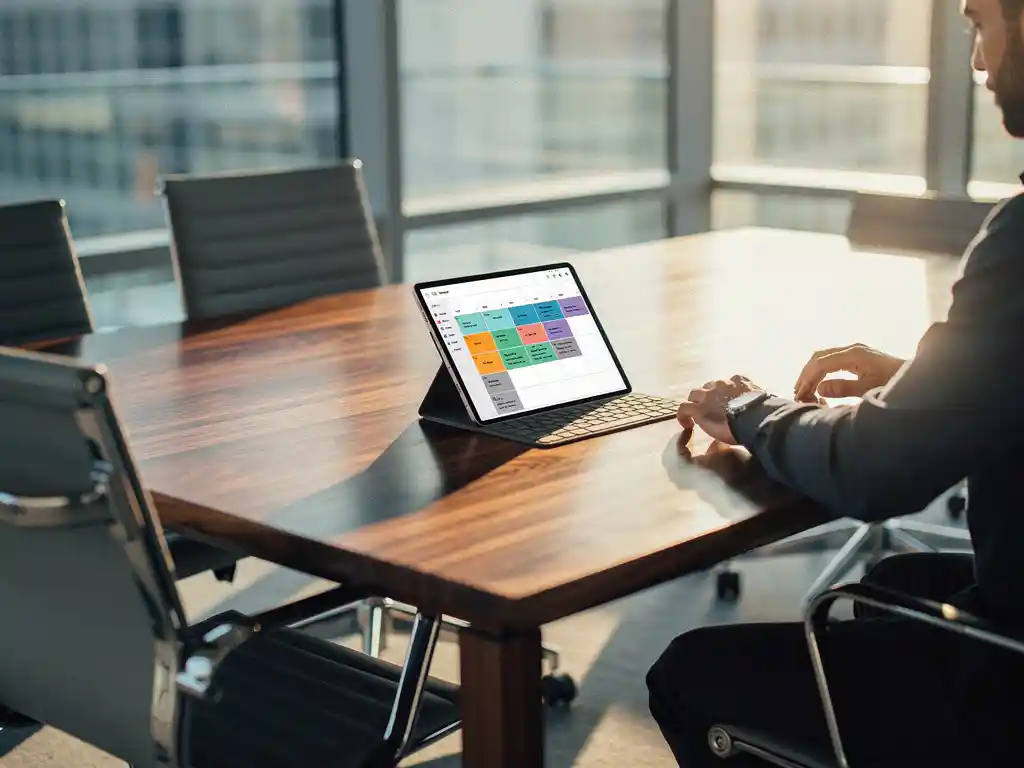
The shift to hybrid work has fundamentally changed the way we use office spaces. Whereas workspaces used to be permanently assigned to individual employees, there is now a growing need for flexibility and optimal use of space. An office desk booking system with automated policies offers the solution to this challenge.
Automated workspace booking policies enable organizations to manage their office space efficiently without manual intervention. By setting up smart rules and systems, companies can ensure that workspaces are used optimally, employees always find a suitable spot, and the administrative burden is kept to a minimum.
What is an automated workspace booking policy, and why do you need it?
An automated workspace booking policy is a system that automatically applies rules for reserving, assigning, and managing workspaces without manual intervention. The system uses predefined criteria to make decisions regarding the availability and assignment of workspaces.
The need for automation arises from various factors in the modern workplace. Hybrid work has led to fluctuating office attendance, making traditional fixed workstations inefficient. Manually managing flexible workstations is time-consuming and often leads to errors or double bookings.
Automation offers tangible benefits for both employers and employees. For organizations, it means optimal use of space, lower real estate costs, and insight into workspace utilization. Employees benefit from a seamless experience, allowing them to always find a suitable workspace that meets their specific needs and preferences.
How does an automated workspace booking system work in practice?
An automated workspace booking system uses algorithms and predefined rules to assign workspaces based on availability, user preferences, and company policies. The system integrates with calendars and other business systems to provide a seamless user experience.
In practice, the system operates through various channels. Employees can reserve a workspace via a smartphone app, a web portal, or even their Outlook calendar. The system automatically checks availability, applies company policies, and confirms or declines the reservation within seconds.
Smart sensors and IoT technology further enhance functionality. These sensors detect actual workplace usage and can automatically cancel no-show reservations. Some systems even automatically adjust workplace settings—such as desk height and lighting preferences—based on user profiles.
What rules can you set in your workspace booking policy?
A workspace booking policy may include various automated rules, such as time limits for reservations, priority rules for specific user groups, automatic cancellation for no-shows, and restrictions based on team membership or project requirements.
Time-based rules form the foundation of any booking policy. You can set maximum booking periods, such as booking up to three days in advance, or daily time limits of eight hours. Automatically releasing workstations after a certain period of inactivity prevents them from remaining occupied unnecessarily.
User-centric rules ensure fair allocation and prioritization. For example, VIP users can be given priority access to popular workstations, while team members are automatically seated together. Guest accounts can be granted limited access to specific areas, and frequent users can be rewarded with better workstations.
Space-specific rules optimize the use of different zones. Quiet workspaces can be automatically assigned to users who need to concentrate, while collaboration spaces remain available for team activities. Capacity management ensures that social distancing is maintained when required.
How do you implement workplace automation step by step?
The implementation of workplace automation begins with a thorough analysis of current workplace usage and needs, followed by the selection of a suitable platform, the development of policies, system configuration, and a phased rollout that includes user training.
The first step involves a comprehensive assessment of your current situation. Analyze workplace usage over different periods, identify bottlenecks, and gather feedback from employees about their preferences and needs. This data will form the basis for your automation rules.
System selection and configuration follow below. Select a desk booking system that integrates with your existing IT infrastructure and supports the automation rules you need. Configure user groups, workstation types, and policy rules according to your organizational structure.
A pilot phase with a limited group of users will test the configuration in practice. Gather feedback, refine rules, and resolve technical issues before rolling out the system organization-wide. Ensure adequate training and clear communication about new processes and expectations.
What problems does automated desktop management solve?
Automated workspace management solves critical problems, such as inefficient use of space, administrative overhead, user frustration caused by double bookings, a lack of insight into workspace utilization, and an unfair distribution of popular workspaces among employees.
Automation drastically improves space efficiency. Traditional offices often have an occupancy rate of only 60–70%, while automated systems can increase this to 85–90%. No-show detection and automatic reallocation ensure that workspaces are utilized to their fullest potential.
Automation largely eliminates administrative burdens. Facility managers no longer need to manually manage reservations, resolve conflicts, or compile reports. The system automatically generates insights into space utilization, peak times, and opportunities for optimization.
Predictability and fairness significantly enhance the user experience. Employees can be certain that their reserved workspace will be available and can rely on consistent enforcement of the policy. Personal preferences are remembered, making every reservation a personalized experience.
How Wout Monseurs Helps with Workplace Automation
At Wout Monseurs, we understand that successful workplace automation goes beyond simply implementing software. Our Smart Office solutions combine cutting-edge technology with our 60+ years of experience in office design to create a comprehensive package that really works.
Our approach to automated workplace management includes:
- Deskbooking tools that allow reservations to be made with a single click via smartphone or computer
- Smart sensors that monitor actual workspace usage and automatically make adjustments
- Integration with existing systems such as Outlook and Teams for a seamless user experience
- Personalized desktop settings that are automatically configured based on user profiles
- Real-time reporting on space utilization and optimization opportunities
As a full-service project designer, we ensure that technology integrates seamlessly with your physical workspace. From ergonomic workstations that adjust automatically to smart lighting that responds to occupancy, we create a workspace that is truly intelligent.
Discover how automated workplace management can transform your organization. Contact us for a no-obligation consultation about your Smart Office options.
Frequently asked questions
What is the cost of implementing an automated desk booking system?
Costs vary depending on the size of your organization and the features you need, but you can expect to pay €5–15 per employee per month for the software. In addition, there are one-time implementation costs and any hardware expenses, such as sensors. The investment typically pays for itself within 6–12 months through more efficient use of space and lower real estate costs.
How long does it take for employees to get used to the new system?
Most employees are fully accustomed to the new system within 2–4 weeks. Successful adoption depends on clear communication, proper training, and the gradual introduction of new rules. Start with simple features and expand as users become more familiar with the system.
What happens if the system goes down or there are technical issues?
Professional desk booking systems typically have a 99.9% uptime and include backup procedures. In the event of an outage, employees can temporarily work according to an emergency protocol that assigns fixed workstations or operates on a first-come, first-served basis. Always ensure you have a clear escalation plan in place and communicate it to your team in advance.
Can we customize the system to fit our specific corporate culture and policies?
Yes, modern desk booking systems are highly flexible and can be adapted to virtually any corporate culture. You can set specific rules for different teams, departments, or project groups. Personal preferences, work styles, and organizational structures can also be incorporated into the automation policy.
How can we ensure that popular workspaces are distributed fairly?
Implement a rotation system that automatically assigns popular workstations to different users. You can also introduce a points system where frequent users earn points for better workstations, or set time limits for premium workstations. Transparent rules and fair algorithms help prevent frustration among employees.
What integrations are available with our existing software, such as Outlook and Teams?
Most modern desk booking systems integrate seamlessly with Microsoft 365, Google Workspace, and other popular business software. Employees can reserve workstations directly from their calendars, link automatic meeting room bookings to workstations, and even sync their availability with their Teams status. This creates a fully integrated work experience.
How do we measure the success of our automated workplace management?
Monitor key performance indicators such as occupancy rates (aim for 85–90%), user satisfaction through surveys, reduction in administrative time, and cost savings per square meter. The number of no-shows, average booking time, and peak times also provide insight into effectiveness. Monthly reports help optimize policies and space allocation.