

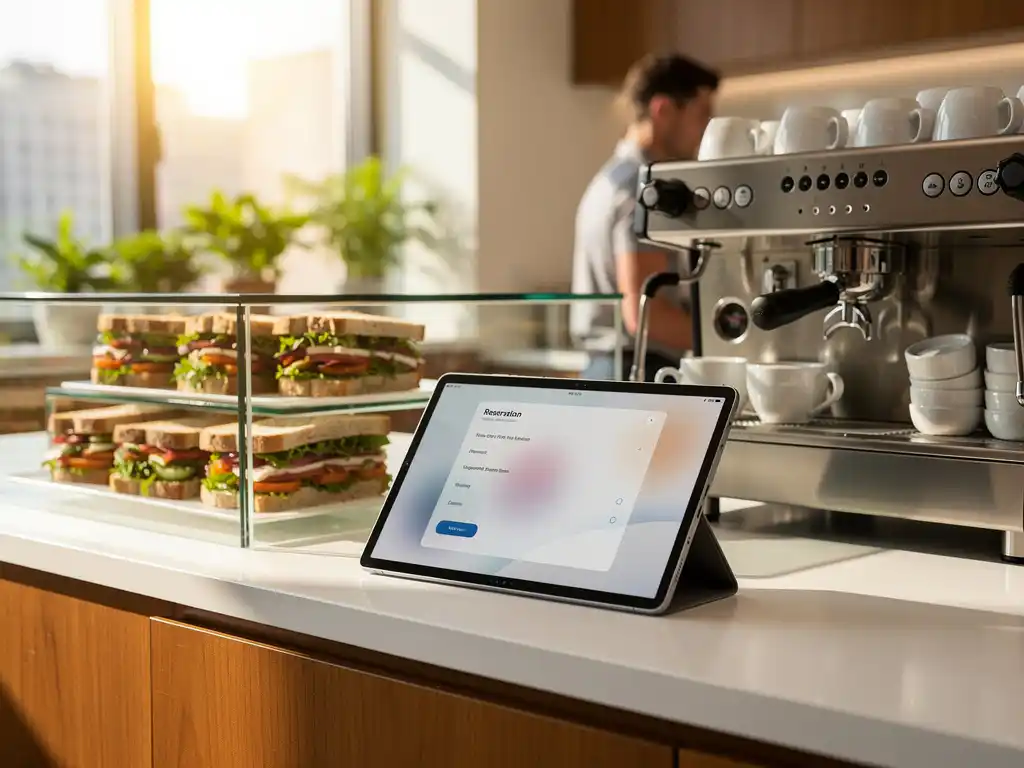
Moderne kantoren evolueren snel naar intelligente werkomgevingen waarin technologie dagelijkse processen vereenvoudigt. Een van de meest praktische toepassingen van intelligente kantoorautomatisering is het automatiseren van catering- en kantinereserveringen. Dit systeem elimineert handmatige processen, vermindert verspilling en verbetert de werknemerservaring aanzienlijk.
Door slimme reserveringssystemen te implementeren, kunnen organisaties niet alleen operationele kosten besparen, maar ook bijdragen aan een duurzamere bedrijfsvoering. De kantine functioneert immers als het sociale hart van een kantoor, waar teamdynamiek en een positieve werksfeer vorm krijgen.
Wat is geautomatiseerde catering- en kantinereservering?
Geautomatiseerde catering- en kantinereservering is een digitaal systeem dat werknemers in staat stelt maaltijden, vergaderruimtes met catering en kantinefaciliteiten te reserveren via een app, website of intranet. Het systeem verwerkt reserveringen automatisch, stuurt bevestigingen en beheert de capaciteit zonder handmatige tussenkomst.
Deze intelligente kantoorautomatisering gaat verder dan eenvoudige reserveringen. Moderne systemen integreren met personeelsplanningen, dieetvoorkeuren en budgetbeheer. Ze kunnen voorspellen hoeveel eten er nodig is op basis van historische data en leveranciers automatisch informeren over bestellingen.
Het systeem werkt doorgaans via een gebruiksvriendelijke interface waarin werknemers hun voorkeuren instellen, maaltijden selecteren en reserveringen beheren. Beheerders krijgen realtime inzicht in bezetting, populaire gerechten en voedselverspilling, waardoor ze datagedreven beslissingen kunnen nemen.
Welke voordelen biedt automatisering van kantinereserveringen?
Automatisering van kantinereserveringen biedt drie hoofdvoordelen: kostenbesparing door minder voedselverspilling, een verbeterde werknemerservaring door gemak en flexibiliteit, en efficiëntere operationele processen voor facilitair management. Organisaties rapporteren tot 30% minder voedselverspilling na implementatie.
De kostenbesparing ontstaat doordat het systeem nauwkeurig voorspelt hoeveel eten er dagelijks nodig is. Werknemers reserveren van tevoren, waardoor de keuken precies weet hoeveel porties er bereid moeten worden. Dit vermindert niet alleen verspilling, maar ook inkoop- en bereidingskosten.
Voor werknemers betekent automatisering meer gemak en keuze. Ze kunnen thuis al hun lunch reserveren, dieetwensen doorgeven en favoriete gerechten opslaan. Dit verkort de wachttijd in de kantine en zorgt ervoor dat populaire gerechten niet uitverkocht raken voordat iedereen de kans heeft gehad om te bestellen.
Facilitair managers profiteren van gedetailleerde rapportages over eetpatronen, populaire gerechten en bezettingsgraden. Deze data helpt bij het optimaliseren van menu’s, het plannen van personeel en het onderhandelen met leveranciers over betere prijzen.
Hoe kies je het juiste reserveringssysteem voor jouw kantoor?
Het juiste reserveringssysteem kies je door eerst de grootte van je organisatie, je budget en de gewenste functionaliteiten in kaart te brengen. Zoek naar systemen die integreren met je bestaande IT-infrastructuur, gebruiksvriendelijk zijn voor alle leeftijdsgroepen en schaalbaar zijn voor toekomstige groei.
Begin met het bepalen van je basisvereisten. Hoeveel werknemers moeten het systeem gebruiken? Heb je meerdere locaties? Welke betaalmethoden wil je ondersteunen? Heb je informatie nodig over speciale dieetvereisten of allergieën? Deze vragen helpen je bij het filteren van beschikbare oplossingen.
Belangrijke functionaliteiten om naar te zoeken zijn:
- Mobiele app voor eenvoudige toegang
- Integratie met personeelssystemen en agenda’s
- Rapportagemogelijkheden voor management
- Flexibele betaalopties (saldo, creditcard, factuur)
- Ondersteuning voor verschillende talen
- Notificaties en herinneringen
Test altijd een demo of proefversie voordat je een definitieve keuze maakt. Betrek verschillende gebruikersgroepen bij de evaluatie: werknemers, kantinepersoneel en IT-beheerders. Hun feedback is cruciaal voor een succesvolle implementatie.
Hoe implementeer je automatisering van cateringreserveringen stap voor stap?
De implementatie van geautomatiseerde cateringreserveringen verloopt in vijf stappen: behoefteanalyse en systeemselectie, technische installatie en configuratie, een pilottest met een kleine groep, training van alle gebruikers, en volledige uitrol met monitoring en optimalisatie.
Stap 1 begint met een grondige analyse van je huidige processen. Documenteer hoe reserveringen nu verlopen, waar knelpunten zitten en wat werknemers en beheerders graag zouden willen verbeteren. Deze informatie vormt de basis voor je systeemvereisten.
In stap 2 installeer je het gekozen systeem en configureer je alle instellingen. Dit omvat het instellen van menu’s, prijzen, gebruikersgroepen en betaalmethoden. Zorg ervoor dat je IT-afdeling betrokken is bij de technische integratie met bestaande systemen.
Stap 3 is cruciaal voor succes: start een pilottest met een representatieve groep werknemers. Laat hen het systeem enkele weken gebruiken en verzamel feedback over gebruiksvriendelijkheid, functionaliteit en eventuele problemen. Gebruik deze periode om kleine aanpassingen door te voeren.
Organiseer in stap 4 uitgebreide training voor alle gebruikers. Maak instructievideo’s, organiseer lunchsessies en zorg voor helpdeskondersteuning tijdens de eerste weken. Communiceer duidelijk over de voordelen en het belang van het nieuwe systeem.
Stap 5 behelst de volledige uitrol en continue monitoring. Houd de eerste maanden nauwlettend in de gaten hoe het systeem presteert, los problemen snel op en optimaliseer processen op basis van gebruiksdata en feedback.
Hoe Wout Monseurs helpt met intelligente kantoorautomatisering
Wij bij Wout Monseurs integreren geautomatiseerde reserveringssystemen als onderdeel van onze complete Smart Office-oplossingen. Onze aanpak combineert meer dan 60 jaar ervaring in kantoorinrichting met geavanceerde technologie voor moderne werkomgevingen.
Onze Smart Office-diensten voor cateringautomatisering omvatten:
- Analyse van uw huidige kantineprocessen en gebruikersbehoeften
- Selectie en implementatie van het meest geschikte reserveringssysteem
- Integratie met bestaande IT-infrastructuur en kantoorinrichting
- Training van werknemers en beheerders
- Continue ondersteuning en optimalisatie
Als complete projectinrichter kijken wij naar de totale kantoorervaring, waarbij technologie naadloos samenwerkt met ergonomische meubels, akoestische oplossingen en duurzame inrichting. Onze persoonlijke aanpak zorgt ervoor dat elk systeem perfect aansluit bij uw organisatiecultuur en werkprocessen. Neem contact op voor een vrijblijvend adviesgesprek over intelligente kantoorautomatisering voor uw organisatie.
Veelgestelde vragen
Wat zijn de typische kosten voor het implementeren van een geautomatiseerd kantinereserveringssysteem?
De kosten variëren sterk afhankelijk van de grootte van uw organisatie en gewenste functionaliteiten, maar liggen doorgaans tussen €2-8 per gebruiker per maand voor cloudgebaseerde oplossingen. Eenmalige implementatiekosten kunnen €5.000-25.000 bedragen. De investering verdient zichzelf meestal binnen 6-12 maanden terug door verminderde voedselverspilling en efficiëntere processen.
Hoe lang duurt het voordat werknemers gewend zijn aan het nieuwe systeem?
De meeste werknemers zijn binnen 1-2 weken volledig vertrouwd met het systeem, mits er goede training en ondersteuning wordt geboden. Ervaring leert dat jongere werknemers het sneller oppikken, terwijl oudere collega’s soms wat meer begeleiding nodig hebben. Het is belangrijk om gedurende de eerste maand extra helpdesk-ondersteuning te bieden en regelmatig feedback te verzamelen.
Kan het systeem omgaan met complexe dieetvereisten en allergieën?
Ja, moderne reserveringssystemen kunnen uitgebreide dieetprofielen beheren, inclusief allergieën, vegetarische/veganistische voorkeuren en religieuze dieetbeperkingen. Werknemers kunnen hun profiel eenmalig instellen, waarna het systeem automatisch alleen geschikte gerechten toont. Sommige systemen kunnen zelfs kruisbesmetting waarschuwen en alternatieve suggesties doen.
Wat gebeurt er als het systeem uitvalt tijdens lunchtijd?
Betrouwbare systemen hebben ingebouwde backup-procedures en offline functionaliteiten. De meeste cloudoplossingen hebben een uptime van 99,9%, maar het is verstandig om een noodplan te hebben met papieren reserveringen of een eenvoudig backup-systeem. Zorg ervoor dat uw leverancier 24/7 technische ondersteuning biedt en duidelijke escalatieprocedures heeft.
Hoe voorkom je dat populaire gerechten te snel uitverkocht raken?
Het systeem kan reserveringslimieten instellen per gerecht en wachtlijsten beheren voor populaire opties. Daarnaast kunnen beheerders historische data gebruiken om betere voorspellingen te maken over vraag en aanbod. Sommige systemen bieden ook ‘early bird’ reserveringen aan voor trouwe gebruikers of roteren populaire gerechten strategisch door de week.
Is het mogelijk om het reserveringssysteem te koppelen aan bestaande personeelssystemen?
Ja, de meeste professionele reserveringssystemen bieden API-koppelingen met populaire HR-systemen, Active Directory en personeelsplanningssoftware. Dit zorgt voor automatische gebruikersaanmaak, budget-toewijzingen en integratie met verlofplanningen. Bespreek tijdens de selectiefase welke koppelingen mogelijk zijn met uw huidige IT-infrastructuur.
Hoe meet je het succes van je geautomatiseerde kantinereservering?
Belangrijke KPI’s zijn: reductie in voedselverspilling (streef naar 20-30%), gebruikerstevredenheid via enquêtes, gemiddelde wachttijd in de kantine, en kostenbesparing op inkoop en personeel. Monitor ook het gebruikspercentage van het systeem en de nauwkeurigheid van voorspellingen. De meeste systemen bieden ingebouwde dashboards voor deze metingen.