

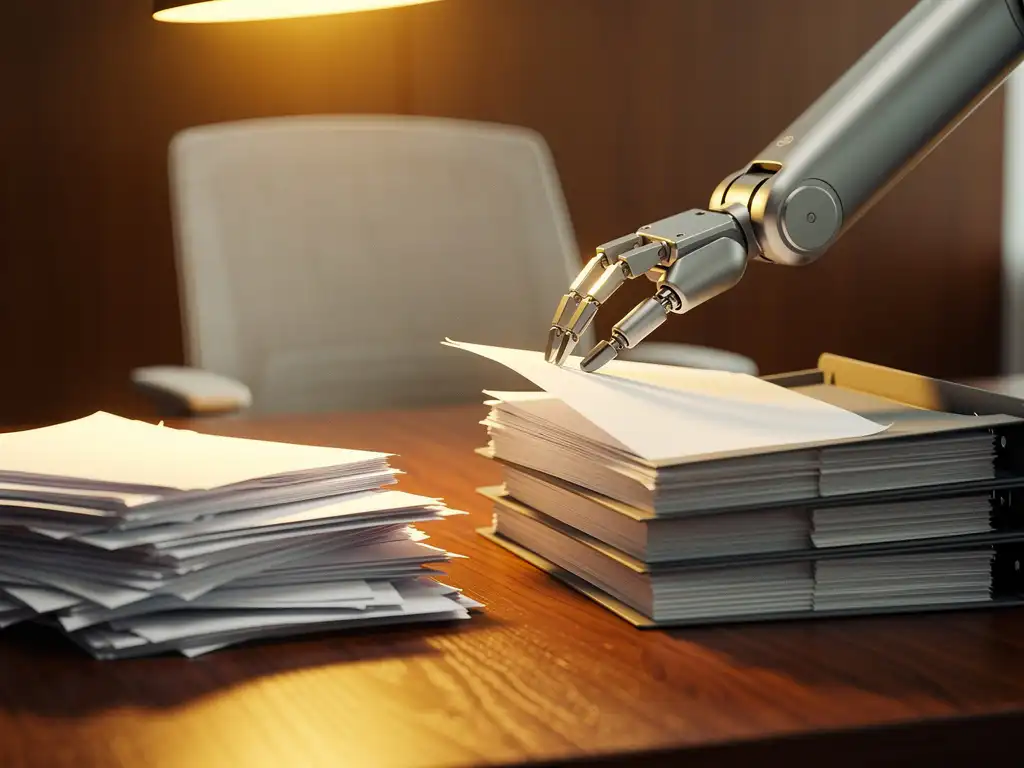
Modern offices face the challenge of efficiently managing large volumes of documents, while employees spend an increasing amount of time searching for information. Intelligent office automation powered by AI technology offers a revolutionary solution to this challenge by fully automating document processes.
From automatic classification to smart storage and retrieval: AI is transforming the way organizations manage their document workflows. This technology makes it possible to eliminate manual tasks and free up employees’ time for strategic activities.
What is AI-driven document management automation?
AI-driven document management automation is a technology that uses artificial intelligence to fully automate document processes, from classification and storage to search and archiving. The system learns from document patterns and can make independent decisions regarding document processing.
This intelligent office automation solution combines machine learning, natural language processing, and optical character recognition (OCR) to understand, categorize, and process documents without human intervention. The system recognizes document types, extracts relevant information, and automatically places files in the appropriate folders.
AI-powered document management goes beyond traditional digital archives by understanding context and content. It can establish connections between documents, identify duplicates, and even predict which documents employees need based on their work patterns.
What are the benefits of AI-powered automated document management?
AI-powered document management increases productivity by an average of 40% by drastically reducing search times and eliminating manual administrative tasks. Employees can find documents in seconds instead of minutes.
The key benefits of intelligent office automation in document management include:
- Time savings: Automatic classification and storage eliminate the need for manual sorting
- Improved compliance: Automatic archiving in accordance with legal requirements
- Cost reduction: Fewer staff required for administrative tasks
- Better collaboration: Real-time access to the latest document versions
- Error reduction: Eliminating human error in document processing
AI systems operate 24/7 and process documents immediately upon receipt. This means that contracts, invoices, and other important documents are immediately available to the appropriate employees, which speeds up decision-making.
How does AI work when automatically classifying documents?
AI automatically classifies documents by recognizing patterns in text, layout, and metadata and comparing them to previously learned examples. The system uses machine learning algorithms to identify document types and assign them to the appropriate categories.
The classification process begins with optical character recognition (OCR), which extracts text from scanned documents. The AI then analyzes the content using natural language processing to identify keywords, sentence structures, and document characteristics.
How AI Classification Works
The AI uses various techniques for accurate document classification. Computer vision analyzes the visual layout and structure of documents, while text analysis determines their semantic meaning. The system continuously learns from user feedback and improves its accuracy over time.
Advanced AI systems can even interpret handwritten notes and process documents in multiple languages. They also recognize relationships between documents and can automatically group related files for better organization.
What AI tools are available for document management automation?
Popular AI tools for document management automation include Microsoft SharePoint with AI features, Google Workspace with intelligent search capabilities, and specialized platforms such as M-Files and DocuWare. These tools offer varying levels of automation and integration capabilities.
Enterprise solutions such as IBM Watson Discovery and Adobe Document Cloud offer advanced AI capabilities for large organizations. These platforms can automate complex document workflows and integrate with existing business systems.
Criteria for tool selection
When choosing AI-powered document management tools, you should consider scalability, integration capabilities, and security. You should also consider the learning curve for employees and the availability of technical support.
Cloud-based solutions often offer faster implementation and lower startup costs, while on-premises systems provide greater control over data and security. Hybrid solutions combine the benefits of both approaches.
How do you implement AI-powered document management in your office?
Implementing AI-powered document management begins with a thorough analysis of current document processes, followed by selecting the right AI tool and a phased rollout that includes training for employees. Start with a pilot project to test and refine the system.
A successful implementation follows these steps:
- Process Analysis: Identify current document workflows and bottlenecks
- Tool Selection: Choose an AI platform that suits your organization
- Data Preparation: Organize and digitize existing documents
- Pilot phase: Test the system with a limited group of users
- Training: Train employees on how to use the new system
- Rollout: Implement in phases across the entire organization
Ensure adequate change management and communication during implementation. Employees need to understand how AI improves their work rather than threatening it. Set clear goals and measure the results to demonstrate success.
What challenges do you face with AI-powered document management automation?
The main challenges in AI-driven document management automation include data security, initial implementation costs, employee resistance to change, and the need for high-quality data to effectively train the AI system.
Security concerns are often the top priority for organizations. AI systems process sensitive business information, which requires strict security measures and compliance with privacy laws. Ensure encryption, access controls, and regular security audits.
Overcoming Implementation Challenges
Data quality is crucial to the success of AI. Poor or inconsistent data leads to inaccurate classification and user frustration. Invest time in cleaning up and structuring existing documents before implementing the AI system.
You can overcome resistance to change by involving employees in the process early on and clearly communicating the benefits. Provide concrete examples of how AI improves their daily work and frees up time for more important tasks.
How Wout Monseurs Helps with Smart Office Automation
At Wout Monseurs, we integrate AI-powered document management into our Smart Office solutions to transform modern workplaces into intelligent, efficient environments. Our expertise in office automation helps organizations make a smooth transition to AI-driven document processes.
Our Smart Office services include:
- Implementation of AI-powered document management systems that integrate seamlessly with existing workflows
- Training and support for employees during the transition to automated processes
- Integration with smart reservation systems and conference solutions
- Ongoing technical support and system optimization
With over 60 years of experience in office design, we combine traditional expertise with cutting-edge technology. Contact us to discover how intelligent office automation can revolutionize your document management and make your team more productive.
Frequently asked questions
How long does it take to fully implement an AI-powered document management system?
A full implementation typically takes 3–6 months, depending on the size of your organization and the number of existing documents. The pilot phase usually takes 4–6 weeks, followed by a phased rollout by department. Smaller companies can often be fully operational within 6–8 weeks.
Can AI-powered document management work with our existing software, such as ERP or CRM systems?
Ja, moderne AI-documentbeheertools zijn ontworpen om te integreren met bestaande bedrijfssystemen via API’s en standaard connectoren. Populaire platforms ondersteunen direct integratie met SAP, Salesforce, Microsoft Dynamics en andere enterprise software. Dit zorgt voor naadloze datauitwisseling en workflow-automatisering.
What happens to documents that the AI system cannot classify correctly?
Documenten die niet automatisch geclassificeerd kunnen worden, landen in een ‘review queue’ waar medewerkers handmatig kunnen controleren en labelen. Het systeem leert van deze correcties en wordt steeds nauwkeuriger. De meeste systemen bereiken na 2-3 maanden een nauwkeurigheid van 95% of hoger.
Are there specific requirements for document quality before AI processing can take place?
For optimal results, documents should be legible with a minimum resolution of 300 DPI for scanned files. Handwritten text should be clear and well-structured. The system can still function with lower quality, but this reduces accuracy. Preprocessing, such as contrast enhancement, can significantly improve the results.
What about privacy and GDPR compliance in AI-powered document processing?
AI document management systems can be configured to be fully GDPR-compliant through data encryption, access controls, and audit logs. Choose European cloud providers or on-premises solutions for sensitive data. Establish clear privacy policies and inform employees about data processing. Many platforms offer built-in compliance tools.
What kind of ROI can I expect from AI-powered document management automation?
On average, organizations see a return on investment (ROI) of 200–400% within the first year due to time savings, reduced administrative costs, and improved productivity. An employee who spends two hours a day searching for documents can reduce that time to 15–20 minutes. The investment typically pays for itself within 6–12 months.
What if employees are resistant to the new AI system?
Start with a small group of early adopters who are enthusiastic about technology and have them serve as ambassadors. Organize hands-on workshops where employees can immediately experience the time savings. Make it clear that AI supports their work, not replaces it, and provide concrete examples of how it improves their daily tasks.