

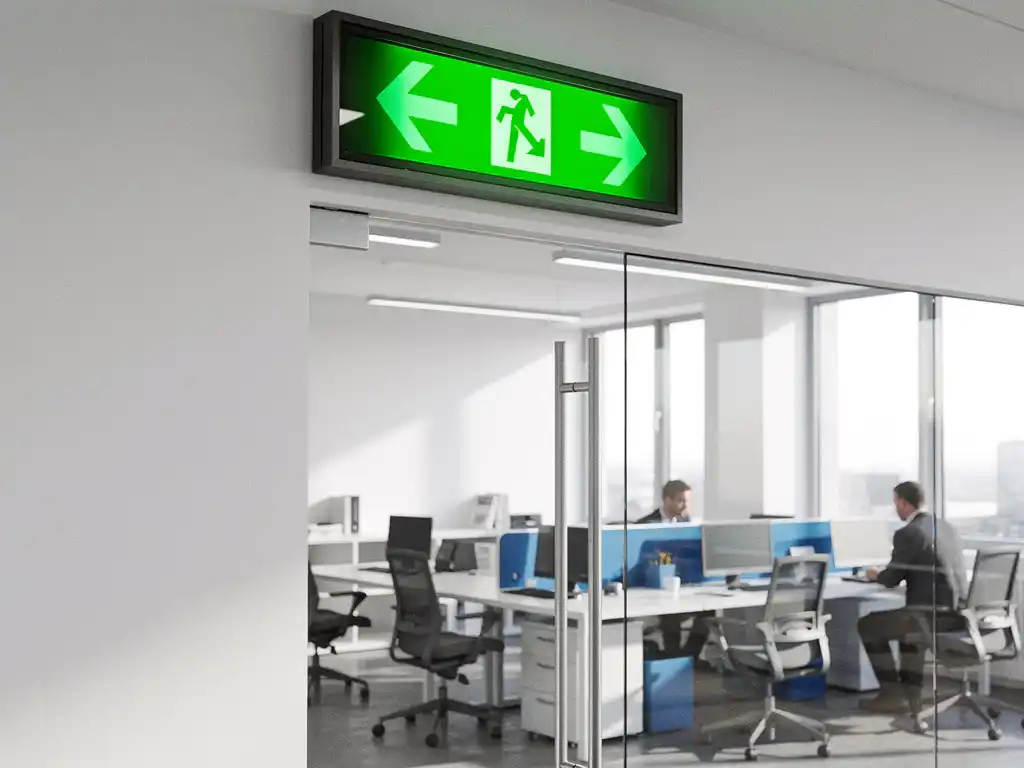
Geautomatiseerde ontruimingsprocedures worden steeds belangrijker in moderne gebouwen, waar veiligheid en efficiëntie hand in hand gaan. Met de opkomst van intelligente kantoorautomatisering kunnen bedrijven hun ontruimingsprocessen transformeren van handmatige, foutgevoelige procedures naar slimme systemen die levens kunnen redden.
Deze technologische vooruitgang biedt organisaties de mogelijkheid om hun veiligheidsprocedures te optimaliseren, terwijl ze tegelijkertijd kosten besparen en de responstijd bij noodsituaties drastisch verkorten. Van geautomatiseerde alarmsystemen tot realtime monitoring van evacuatieroutes: de mogelijkheden zijn eindeloos.
Wat zijn geautomatiseerde ontruimingsprocedures en waarom zijn ze belangrijk?
Geautomatiseerde ontruimingsprocedures zijn digitale systemen die bij noodsituaties automatisch worden geactiveerd om mensen veilig en efficiënt uit gebouwen te leiden. Deze systemen combineren sensoren, alarmen, communicatietechnologie en routeoptimalisatie om menselijke fouten te minimaliseren en evacuatietijden te verkorten.
Het belang van deze systemen ligt in hun vermogen om levens te redden door snellere responstijden en betere coördinatie. Traditionele ontruimingsprocedures zijn afhankelijk van handmatige activering en menselijke besluitvorming, wat kostbare tijd kan kosten. Geautomatiseerde systemen daarentegen kunnen binnen seconden reageren op gevaarlijke situaties zoals brand, gaslekkages of beveiligingsbedreigingen.
Moderne kantooromgevingen profiteren in het bijzonder van deze intelligente kantoorautomatisering, omdat ze complexe lay-outs hebben met meerdere verdiepingen en verschillende zones. Een geautomatiseerd systeem kan realtime bepalen welke evacuatieroutes het veiligst zijn en mensen dienovereenkomstig leiden, rekening houdend met factoren zoals rookverspreiding of geblokkeerde uitgangen.
Welke technologieën worden gebruikt voor automatische ontruiming?
Moderne ontruimingssystemen integreren verschillende geavanceerde technologieën: IoT-sensoren voor rookdetectie, AI-gestuurde routeoptimalisatie, geautomatiseerde communicatiesystemen, slimme verlichtingssystemen voor evacuatiebegeleiding en realtime locatietracking via smartphones of badges.
Sensortechnologie en detectiesystemen
IoT-sensoren vormen de ruggengraat van geautomatiseerde ontruimingssystemen. Deze sensoren kunnen rook, warmte, gas of ongewone bewegingspatronen detecteren en onmiddellijk alarmsignalen versturen naar het centrale controlesysteem. Geavanceerde sensoren kunnen zelfs onderscheid maken tussen verschillende soorten gevaren, waardoor het systeem specifieke ontruimingsprotocollen kan activeren.
Moderne sensoren zijn draadloos en kunnen eenvoudig worden geïnstalleerd zonder grote infrastructurele aanpassingen. Ze communiceren via meshnetwerken, wat betekent dat als één sensor uitvalt, andere sensoren het signaal kunnen doorgeven.
Communicatie en waarschuwingssystemen
Geautomatiseerde communicatiesystemen zorgen voor onmiddellijke waarschuwing van alle aanwezigen via meerdere kanalen. Dit omvat traditionele alarmbellen, spraakberichten door het gebouw, pushnotificaties naar smartphones en digitale displays die evacuatie-instructies tonen. Deze multichannelbenadering zorgt ervoor dat iedereen, ongeacht de locatie of eventuele gehoorproblemen, wordt geïnformeerd.
Slimme navigatie en routeoptimalisatie
AI-gestuurde systemen analyseren realtime data om de veiligste en snelste evacuatieroutes te bepalen. Deze systemen kunnen rekening houden met de huidige locatie van personen, de aard van het gevaar en de capaciteit van verschillende uitgangen. Slimme verlichtingssystemen kunnen vervolgens mensen fysiek naar de optimale uitgang leiden door middel van gekleurde verlichting of richtingaanwijzers.
Hoe implementeer je een geautomatiseerd ontruimingssysteem stap voor stap?
De implementatie van een geautomatiseerd ontruimingssysteem vereist een systematische aanpak in vijf hoofdstappen: risicoanalyse en planning, technologieselectie, installatie van hardware, softwareconfiguratie en integratie, en tot slot training en testen van het complete systeem.
Stap 1: Risicoanalyse en systeemontwerp
Begin met een grondige analyse van het gebouw en identificeer potentiële gevaren, evacuatieroutes en knelpunten. Bepaal waar sensoren geplaatst moeten worden, welke communicatiemiddelen nodig zijn en hoe het systeem moet reageren op verschillende scenario’s. Deze fase omvat ook het opstellen van een gedetailleerd implementatieplan en budget.
Betrek veiligheidsexperts en gebouwbeheerders bij deze analyse om ervoor te zorgen dat alle aspecten worden meegenomen. Overweeg factoren zoals de dagelijkse bezetting, speciale behoeften van gebruikers en bestaande veiligheidsinfrastructuur.
Stap 2: Hardware-installatie en netwerkopzet
Installeer de fysieke componenten van het systeem, inclusief sensoren, alarmen, communicatieapparatuur en netwerkinfrastructuur. Zorg voor een robuust draadloos netwerk dat bestand is tegen storingen en interferentie. Test alle hardwarecomponenten individueel voordat je overgaat tot systeemintegratie.
Stap 3: Softwareconfiguratie en testen
Configureer de software om alle hardwarecomponenten te verbinden en programmeer de verschillende ontruimingsscenario’s. Test het volledige systeem uitgebreid met gesimuleerde noodsituaties om ervoor te zorgen dat alle onderdelen correct samenwerken. Voer ook regelmatige onderhoudstests uit om de betrouwbaarheid te waarborgen.
Stap 4: Training en implementatie
Train alle gebruikers en beheerders in het gebruik van het nieuwe systeem. Organiseer evacuatieoefeningen om ervoor te zorgen dat iedereen weet hoe te reageren wanneer het systeem wordt geactiveerd. Stel duidelijke procedures op voor systeembeheer en onderhoud.
Wat zijn de kosten van automatisering van ontruimingsprocedures?
De kosten voor automatisering van ontruimingsprocedures variëren tussen €50 en €200 per vierkante meter, afhankelijk van de complexiteit van het gebouw, de gekozen technologieën en de gewenste functionaliteiten. Voor een gemiddeld kantoorgebouw van 1000 vierkante meter ligt de investering tussen €50.000 en €150.000.
Deze investering omvat verschillende kostencategorieën die elk een significant deel uitmaken van het totale budget. Hardwarekosten, zoals sensoren, alarmsystemen en communicatieapparatuur, vormen meestal 40-50% van de totale investering. Softwarelicenties en configuratie vertegenwoordigen ongeveer 20-30% van de kosten.
Installatie- en implementatiekosten, inclusief bekabeling, netwerkconfiguratie en systeemintegratie, maken ongeveer 25-35% uit van het totale budget. Daarnaast moeten organisaties rekening houden met jaarlijkse onderhoudskosten van ongeveer 10-15% van de initiële investering voor software-updates, hardwareonderhoud en systeemmonitoring.
Kostenbesparing op lange termijn
Hoewel de initiële investering aanzienlijk kan zijn, bieden geautomatiseerde ontruimingssystemen significante besparingen op lange termijn. Verminderde verzekeringspremies, lagere aansprakelijkheidsrisico’s en verbeterde operationele efficiëntie kunnen de investering binnen 3-5 jaar terugverdienen.
Bovendien kunnen moderne systemen worden geïntegreerd met andere gebouwbeheersystemen, wat additionele besparingen oplevert door geoptimaliseerd energieverbruik en verbeterde ruimtebenutting. De mogelijkheid om realtime data te verzamelen over gebouwgebruik biedt ook waardevolle inzichten voor toekomstige optimalisaties.
Hoe Wout Monseurs helpt met intelligente ontruimingssystemen
Wij bij Wout Monseurs integreren geautomatiseerde ontruimingsprocedures als onderdeel van onze Smart Office-oplossingen, waarbij we meer dan 60 jaar ervaring in kantoorinrichting combineren met geavanceerde veiligheidstechnologie. Onze aanpak omvat een complete analyse van uw gebouw en het ontwerpen van maatwerkoplossingen die naadloos aansluiten bij uw bestaande infrastructuur.
Onze Smart Office-dienstverlening biedt de volgende voordelen voor de automatisering van ontruimingsprocedures:
- Volledige integratie met bestaande gebouwbeheersystemen en slimme kantoortechnologie
- Realtime monitoring en analytics voor continue optimalisatie van veiligheidsprocedures
- Naadloze koppeling met reserveringssystemen en toegangscontrole voor een accurate personeelslocatie
- Gebruiksvriendelijke interfaces die aansluiten bij uw bestaande werkprocessen
- Uitgebreide training en ondersteuning voor uw facilitymanagementteam
Als complete projectinrichter kunnen we ontruimingssystemen integreren in uw totale kantoorinrichting, van het eerste ontwerp tot de eindoplevering. Onze turnkey-aanpak betekent dat u zich kunt concentreren op uw kernactiviteiten, terwijl wij zorgen voor een veilige, intelligente werkomgeving.
Wilt u meer weten over hoe intelligente kantoorautomatisering uw veiligheidsprocedures kan verbeteren? Neem contact met ons op voor een vrijblijvend adviesgesprek en ontdek de mogelijkheden voor uw organisatie.
Veelgestelde vragen
Hoe lang duurt het om een geautomatiseerd ontruimingssysteem volledig te implementeren?
De implementatie duurt gemiddeld 3-6 maanden, afhankelijk van de grootte en complexiteit van het gebouw. Dit omvat 2-4 weken voor analyse en planning, 4-8 weken voor installatie, en 2-4 weken voor configuratie, testen en training van personeel.
Kunnen bestaande alarmsystemen worden geïntegreerd met nieuwe automatiseringssoftware?
Ja, de meeste moderne automatiseringssystemen zijn ontworpen om te integreren met bestaande veiligheidsinfrastructuur. Oudere systemen kunnen vaak worden geüpgraded met IoT-adapters of gateways. Een technische analyse bepaalt welke componenten behouden kunnen blijven en welke vervangen moeten worden.
Wat gebeurt er als het systeem uitvalt tijdens een echte noodsituatie?
Professionele systemen hebben meerdere failsafes ingebouwd: batterij-backup voor minimaal 24 uur werking, redundante communicatiepaden, en automatische terugval naar handmatige procedures. Bovendien blijven traditionele nooduitgangen en handmatige alarmen altijd functioneel als laatste vangnet.
Hoe vaak moeten ontruimingsoefeningen worden gehouden met een geautomatiseerd systeem?
Wij adviseren maandelijkse systeemtests en driemaandelijkse volledige evacuatieoefeningen. Dit is frequenter dan bij traditionele systemen omdat personeel moet wennen aan automatische richtingaanwijzers en digitale instructies. Regelmatige oefening zorgt voor optimale responstijden in echte noodsituaties.
Welke privacy-aspecten moet ik overwegen bij locatietracking van medewerkers?
Locatietracking voor veiligheidsdoeleinden vereist transparante communicatie en opt-in toestemming van medewerkers. Data moet worden geanonimiseerd, alleen gebruikt voor veiligheidsdoeleinden, en na een bepaalde periode automatisch worden gewist. Overleg altijd met uw privacy officer en juridische afdeling.
Kunnen kleine kantoorpanden ook profiteren van automatisering, of is dit alleen voor grote gebouwen?
Automatisering is zeker zinvol voor kleinere panden vanaf 200-300 vierkante meter. Voor kleine kantoren zijn er kosteneffectieve pakketoplossingen beschikbaar die de essentiële functies bieden zonder de complexiteit van grote systemen. De ROI is vaak zelfs sneller door lagere implementatiekosten.
Hoe onderhoud ik het systeem en wat zijn de signalen dat onderhoud nodig is?
Modern systemen voeren zelfdiagnoses uit en sturen automatisch onderhoudsalerts. Let op signalen zoals valse alarmen, trage responstijden, of communicatiefouten. Plan preventief onderhoud elke 6 maanden, inclusief sensorcalibratie, software-updates en batterijvervanging. Een onderhoudscontract zorgt voor proactieve monitoring.