

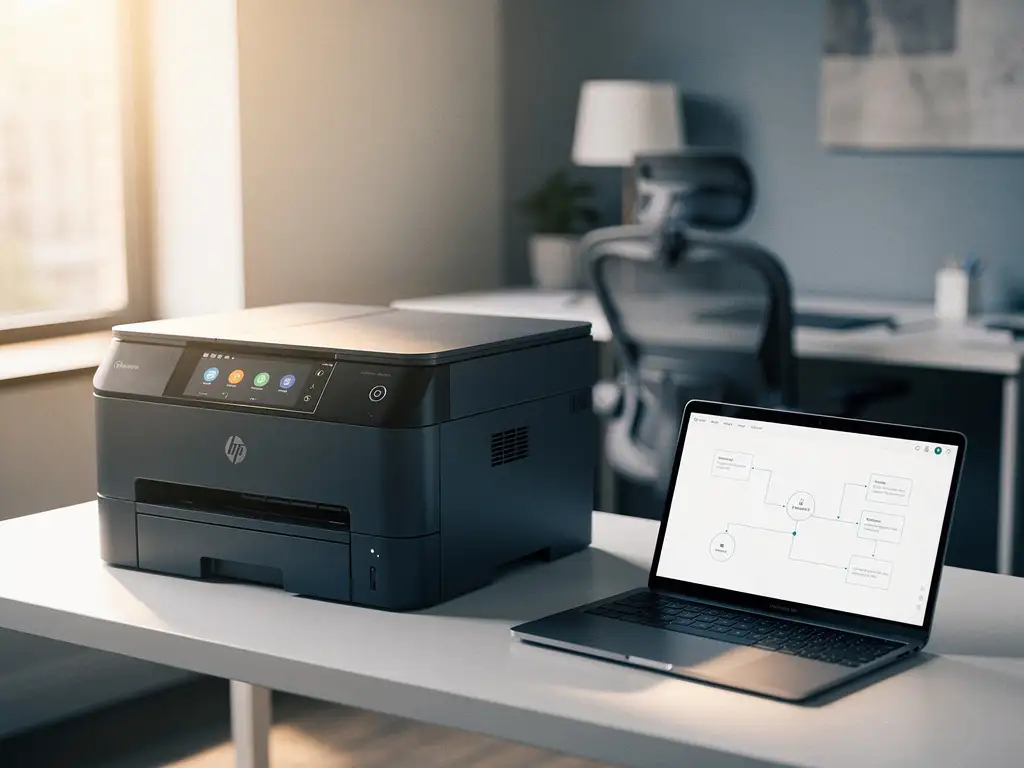
Modern offices face the challenge of managing their printer infrastructure efficiently and cost-effectively. Manual printer management often leads to unexpected downtime, empty toner cartridges at critical moments, and unclear printing costs. Intelligent office automation offers a solution by fully automating printer management.
Automated printer management is transforming the way organizations manage their printing infrastructure. With smart monitoring, predictive maintenance, and automated supply processes, companies can drastically reduce their printing costs and boost productivity.
What is automated printer management, and why is it important?
Automated printer management is a system that remotely monitors printers, automatically replenishes toner, and schedules preventive maintenance without human intervention. This intelligent office automation ensures the continuous availability of printing facilities and eliminates unexpected downtime.
The system uses cloud-based software that provides real-time insights into printing behavior, toner levels, and device status. Sensors in the printers automatically communicate with the management system, often resolving issues before they affect users. This proactive approach prevents lost productivity and employee frustration.
The key benefits include cost savings through efficient toner usage, reduced downtime through preventive maintenance, and enhanced security through centralized management of print jobs. This allows companies to focus their IT resources on strategic projects rather than on day-to-day printer management.
What problems does printer management automation solve?
Automating printer management eliminates the most common printer issues: unexpected downtime, manual toner orders, unclear printing costs, and time-consuming maintenance. This solution prevents employees from losing productive time due to printer problems.
One of the biggest frustrations in office environments is discovering an empty toner cartridge in the middle of important print jobs. Automated systems continuously monitor toner levels and automatically order replacements when supplies reach a critical level. This prevents work interruptions and ensures continuous availability.
Manual printer management often leads to reactive maintenance, where issues are only addressed after they occur. Intelligent monitoring detects patterns and indicators that point to potential malfunctions, allowing technical interventions to be scheduled during quiet periods. This significantly reduces unexpected downtime.
Cost transparency is another key benefit. Traditional printing environments offer little insight into the actual printing costs per department or project. Automated systems generate detailed reports on print volumes, cost per page, and usage patterns, enabling organizations to make data-driven decisions about their printing infrastructure.
How do you choose the right printer management system?
You should choose the right printer management system based on three key criteria: scalability to accommodate the size of your organization, compatibility with existing hardware, and comprehensive reporting capabilities. A good system grows with your business and integrates seamlessly into your current IT infrastructure.
Start by assessing your current printer environment. Count the number of printers, the different brands and models, and the average monthly print volumes. This information will help you determine which management solution best suits your specific situation. Some systems work exclusively with certain printer manufacturers, while others offer multi-vendor support.
Security features deserve special attention, especially in environments where sensitive documents are printed. Look for systems that support user authentication, can hold print jobs until identification is verified, and maintain audit trails of all printing activities. These features are essential for compliance with privacy and security regulations.
Also evaluate the quality of technical support and response times. A printer management system is only effective if issues are resolved quickly. Check whether the vendor offers local technical support and what service level agreements are available for critical situations.
What steps are required to automate printer management?
Automating printer management requires five essential steps: taking inventory of current printers, selecting management software, installing monitoring tools, configuring automated processes, and training users. This phased approach ensures a smooth transition to automated management.
Start by conducting a thorough audit of your printing environment. Document all printers, their locations, age, maintenance history, and usage patterns. This information will form the basis for your automation strategy and help you identify devices that may need to be replaced to ensure optimal compatibility.
The second step involves selecting and implementing cloud software that can monitor your printers. Modern systems typically require only a network connection and can be up and running within a few hours. Make sure all printers are properly configured for remote monitoring and that the security settings are appropriate.
Next, set up automated processes for toner orders, maintenance scheduling, and user notifications. Set thresholds for automatic orders and define escalation procedures for technical issues. Test these processes thoroughly before fully transitioning to automated management.
How much can you save with automated printer management?
Automated printer management typically yields cost savings of 20–40% through efficient toner usage, fewer service calls, and optimized device utilization. The greatest savings come from proactive maintenance and data-driven decision-making regarding printing behavior.
Toner costs are often the largest expense in print management. Automatic monitoring prevents unnecessary replacements by accurately tracking actual toner levels. Many organizations replace cartridges too early as a precaution, which can result in 15–25% in unnecessary toner costs. Intelligent systems eliminate this waste by ordering only when it is actually necessary.
Preventive maintenance yields significant savings by avoiding costly repairs and unexpected replacements. Reactive maintenance costs, on average, 3 to 5 times more than scheduled maintenance, because emergency service is more expensive and downtime leads to lost productivity. Automated systems can extend the lifespan of printers by 20–30% through optimal maintenance.
Administrative savings are also substantial. Manual printer management often takes IT staff 2–4 hours per week to monitor, place orders, and troubleshoot issues. Automation reduces this time investment to just a few minutes per month for reviewing reports and adjusting settings.
How Wout Monseurs helps with automated printer management
We offer comprehensive print management services as part of our Smart Office solutions, which allow us to remotely monitor and fully automate the management of your printers. With over 60 years of experience in office solutions, we can seamlessly integrate print management into your workflows.
Our approach includes:
- Comprehensive print monitoring via cloud-based systems, providing real-time insights into printing behavior and device status
- Automatic toner refill before cartridges run out, preventing work interruptions
- Preventive maintenance performed by our in-house technical service, scheduled based on usage data
- Detailed reports on printing costs, energy consumption, and security status
- 24/7 monitoring and support for critical printing environments
As a family-owned business with a strong local presence, we understand that reliable printing solutions are essential to your day-to-day operations. Our project approach integrates intelligent printer management from the design phase onward, ensuring that your entire office environment functions at its best. Contact us to discover how automated printer management can help your organization save money and boost productivity.
Frequently asked questions
How long does it take to fully implement automated printer management?
Implementation typically takes 2–4 weeks, depending on the size of your printer fleet. The first week involves an assessment and software installation, followed by configuration and testing. Most systems are up and running within 48 hours, but full optimization requires several weeks of data analysis.
What happens if my internet connection goes down—will the printers still work?
Yes, printers continue to operate locally during an internet outage. Only remote monitoring and automatic reordering are temporarily suspended. Modern systems store data locally and automatically synchronize once the connection is restored, ensuring that no information is lost.
Can I use automated printer management with printers from different brands?
Absolutely, most professional printer management systems support multi-vendor environments. They work with HP, Canon, Xerox, Brother, and other major brands. Only very old printers without network capabilities may cause compatibility issues.
How secure is my print data in a computerized system?
Modern printer management systems use enterprise-grade security, including encryption, access control, and audit trails. Data is transmitted over secure connections, and compliance with GDPR and ISO 27001 is standard. Sensitive documents can be further secured with user authentication.
What if a printer breaks down outside of business hours?
Automated systems detect issues 24/7 and automatically send notifications to the service department. For critical environments, emergency service contracts are available with response times of less than 4 hours. The system can also automatically redirect print jobs to other available printers.
Can I still order toner manually if needed?
Yes, you always have the option to place manual orders through the management portal. This is useful for special projects with high print volumes or during expected peak periods. The system takes manual orders into account when calculating automatic replenishments.
What reports will I receive, and how often are they updated?
You will receive detailed monthly reports on printing costs, volumes by department, toner levels, and energy consumption. Dashboard data is updated in real time, so you always have up-to-date insights. Customized reports for specific periods or projects are also available.