

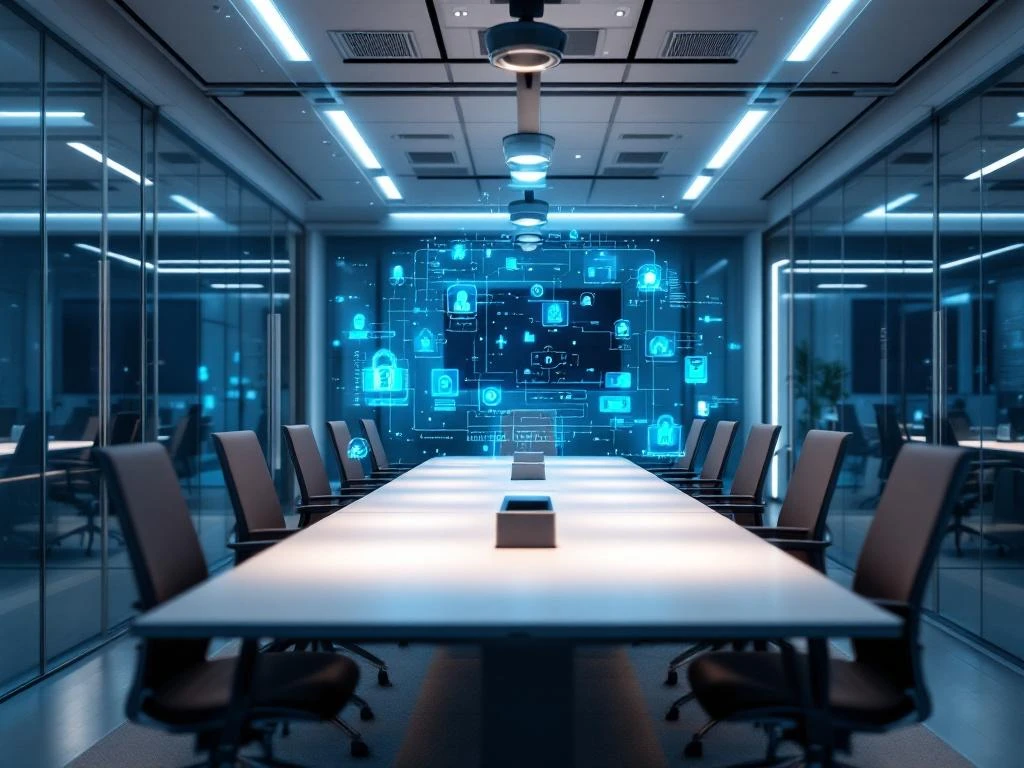
Securing a smart office requires a layered approach that combines both digital and physical security measures. You need to focus on strong access control, regular software updates, network security, and specific protection for IoT devices. The biggest risks come from unsecured smart devices, weak passwords, and phishing attacks that can give access to your entire office network.
What are the biggest security risks in a smart office?
The biggest security risks in a smart office are unsecured IoT devices, cyberattacks via weak passwords, phishing attacks, and insufficient network security. Smart devices such as printers, cameras, and climate control systems are often the weakest link because they have default security settings.
Cyber attackers specifically target smart offices because these environments have many connected devices that are not always properly secured. For example, an unsecured smart printer can provide access to your entire company network. Phishing attacks via email also remain a major problem, with employees being tricked into revealing login details.
Other significant risks include insufficient access control for different users, outdated software on smart devices, and unsecured Wi-Fi networks. The lack of regular security updates for IoT devices also leaves known vulnerabilities open to attackers.
How do you ensure strong access control in your office?
Strong access control starts with multi-factor authentication for all systems and assigning specific access rights per user role. Ensure that employees only have access to systems and data that they need for their work. Use different login levels for different functions within your company.
Set up a central user management system where you can manage and monitor all accounts. Immediately remove access for employees who leave the company and regularly check which accounts are still active. Use strong password requirements with a minimum of 12 characters, capital letters, numbers, and special characters.
For physical security, you can use smart access systems with cards or biometric scanners. Make sure your smart devices are also secured with unique passwords and do not use the default factory settings. Also implement temporary access codes for visitors and external employees.
What cybersecurity measures are important for offices?
Firewalls, regular software updates, and antivirus software form the basis of cybersecurity for offices. In addition, secure networks, automatic backups, and training employees in safe digital behavior are indispensable for a well-secured office.
Install a corporate firewall that monitors all network traffic and blocks suspicious activity. Ensure that all software and operating systems are automatically updated to close known security vulnerabilities. Use professional antivirus software that provides real-time protection against malware and viruses.
Make regular backups of important business data and test whether these backups actually work. Set up a separate guest network for visitors so that they cannot access your business network. Train your employees to recognize suspicious emails and never click on unknown links or open attachments from unknown senders.
How do you secure smart office equipment and IoT devices?
Secure smart office equipment by changing default passwords, performing regular firmware updates, and applying network segmentation. Place IoT devices such as smart lighting, printers, and cameras on a separate network that is isolated from your main business network.
Always change the default usernames and passwords of new smart devices before using them. Regularly check for firmware updates for your devices and install them immediately. Many manufacturers release security updates that address important vulnerabilities.
Disable unnecessary features on smart devices and configure only the settings you actually use. Use WPA3 security for Wi-Fi connections and consider a VPN for extra security. Also, regularly monitor which devices are connected to your network and remove devices that are no longer in use.
How Wout Monseurs assists with smart office security
We help companies set up secure modern office environments by advising them on secure smart office solutions and the right equipment choices. We combine our expertise in office design with knowledge of modern security requirements, ensuring that your office functions both smartly and securely.
When designing your smart office, we not only consider functionality and design, but also the security aspects of all smart systems. We advise on the best devices, assist with the configuration of secure networks, and ensure that all systems are properly coordinated.
Would you like to know how to set up your office securely and smartly? Contact us for personalized advice on smart office security that suits your company and working methods.
Frequently asked questions
How often should I check and update the security of my smart office?
Perform a monthly check of all connected devices and their security status. Schedule a thorough security audit every three months, during which you renew passwords, delete unused accounts, and check for firmware updates. Security updates for critical systems must be installed within 48 hours of release.
What should I do if I suspect that my smart office has been hacked?
Immediately isolate all suspicious devices from the network and change all passwords for critical systems. Document all unusual activities and, if necessary, call in a cybersecurity specialist. Inform your employees and customers if sensitive data may have been compromised, in accordance with GDPR legislation.
Can I safely upgrade existing office equipment to smart office technology?
Yes, but do this in phases and first check whether your current network infrastructure is sufficiently secure. Start with non-critical devices such as smart lighting, test the security thoroughly, and then expand. Ensure that old and new systems use separate networks until everything is fully secure.
What costs should I expect for effective smart office security?
Allocate 10-15% of your total IT budget to cybersecurity, including a professional firewall (€500-2000), security software (€50-100 per user/year), and regular security audits (€1000-3000 per audit). This investment will prevent much higher costs due to data breaches or cyberattacks.
How do I train my employees in smart office security?
Organize quarterly practical training sessions on phishing recognition, secure password use, and reporting suspicious activities. Use realistic phishing simulations to raise awareness and reward good security behavior. Create clear guidelines for the use of smart devices and personal devices in the office.
Are there specific security requirements for smart offices in the Netherlands?
You must comply with the GDPR for data protection and any industry-specific requirements (such as NEN-ISO 27001 for information security). Some insurers impose specific cybersecurity requirements for coverage of cyber risks. Consult a specialist for compliance with all relevant Dutch and European regulations.