

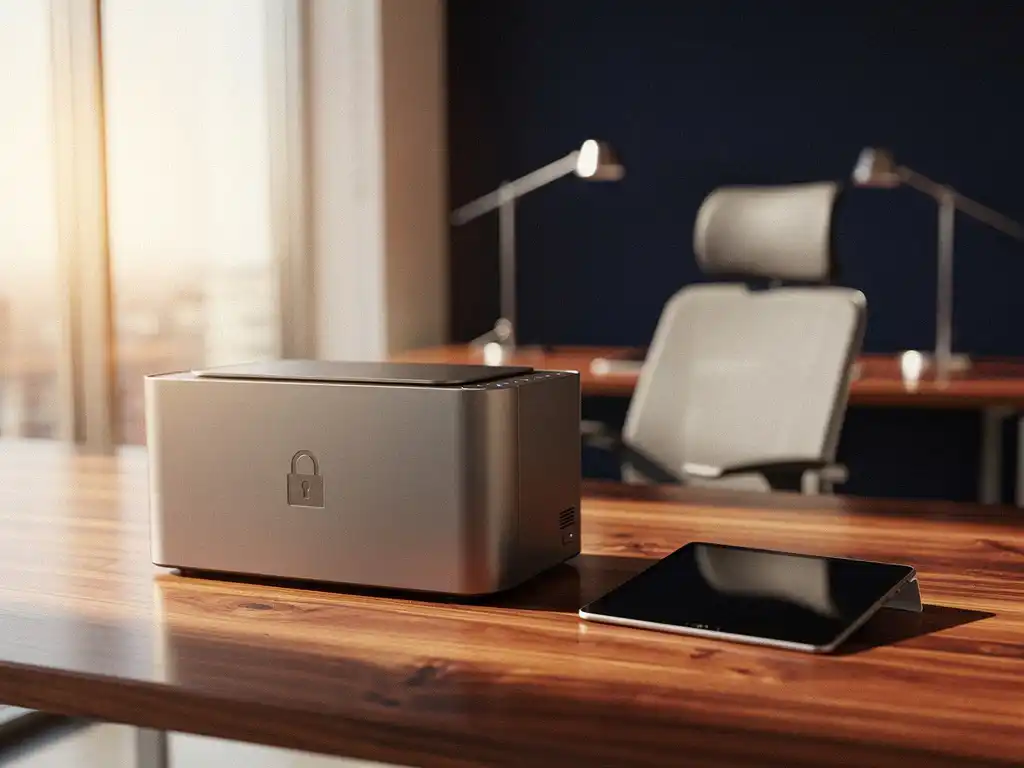
Smart office devices make workplaces more efficient, but they also introduce new security risks. From smart printers to connected conference systems, every device connected to the network is a potential entry point for cybercriminals. Securing these devices requires a proactive approach and a thorough understanding of the risks.
Intelligent office automation is playing an increasingly prominent role in modern work environments. However, companies that invest in smart technology must also invest in adequate security measures to protect their digital infrastructure from hackers and cyberattacks.
What are the biggest security risks associated with smart office devices?
The biggest security risks associated with smart office devices include insecure default settings, outdated firmware, weak authentication, and unsecured network connections. These vulnerabilities make devices vulnerable to hackers, who can use them as a gateway to the corporate network.
Many smart devices come with default passwords that users often fail to change. This makes it relatively easy for cybercriminals to gain access. In addition, many devices receive security updates irregularly, leaving known vulnerabilities unpatched for long periods of time.
Another significant risk is the lack of network segmentation. When smart devices are connected to the same network as critical business systems, hackers can move laterally across the network. This means that a compromised printer could provide access to financial systems or customer databases.
In addition, many smart devices collect sensitive data, such as user patterns, documents, and communications. Without adequate encryption, this data can be intercepted and misused by malicious actors.
Which smart office devices are most vulnerable to hackers?
Smart printers, IP cameras, IoT sensors, and connected conference systems are among the most vulnerable office devices. These devices often have limited security features and are frequently overlooked during security updates.
Printers pose a particularly high risk because they have access to all the documents that pass through them. Modern printers often store copies of printed documents and have network connections that hackers can exploit. They often serve as unnoticed gateways to the corporate network.
IP cameras are also highly vulnerable due to their constant internet connection and often inadequate encryption. Hackers can not only view live footage, but also record audio and use the cameras as a gateway to other network devices.
IoT sensors for temperature, motion, and air quality typically have minimal security protocols. Their simple design makes them attractive targets for hackers looking for easy entry points into corporate networks.
How can you tell if your office devices have been hacked?
Hacked office devices often exhibit unusual network traffic, performance issues, unexpected configuration changes, and strange noises or movements. Monitoring network activity and regularly checking device settings can help with early detection.
Unusual network traffic is often the first sign of a compromised device. This can manifest as high bandwidth usage at unexpected times, connections to suspicious IP addresses, or large amounts of outbound data.
Performance issues such as slow response times, frequent crashes, or unexplained reboots may indicate malware infections. Hacked devices are often forced to perform additional tasks for cybercriminals, which compromises their normal functionality.
Configuration changes that no one made are a clear warning sign. These could include new user accounts, changed passwords, modified network settings, or newly installed software.
With physical devices such as cameras and printers, unexpected movements, noises, or lights may indicate external control. Cameras that suddenly start moving or printers that spontaneously start printing documents require immediate investigation.
How do you protect smart printers from cyberattacks?
Secure smart printers by changing default passwords, updating firmware regularly, implementing network segmentation, and enabling encryption. Also, implement user authentication and monitor printing activity for suspicious patterns.
Changing default passwords is the first and most crucial step. Use strong, unique passwords for each device and change them regularly. Enable two-factor authentication whenever possible for added security.
Firmware updates often include critical security patches. Enable automatic updates whenever possible, or check manually each month for available updates. Keep an inventory of all printers and their firmware versions.
Network segmentation isolates printers from critical business systems. Place printers on a separate VLAN or subnet with limited access to other network resources. This prevents a compromised printer from accessing sensitive data.
Enable encryption for all communication between printers and computers. Use secure protocols such as HTTPS and IPsec for data transfer. Also configure disk encryption if the printer stores documents.
What network security measures provide the best protection for office equipment?
Effective network security for office devices requires network segmentation, firewalls, regular monitoring, access control, and a zero-trust architecture. This layered approach minimizes risks and limits the impact of any breaches.
Network segmentation isolates smart devices from critical business systems. Implement VLANs or subnets specifically for IoT devices, with strict access controls between different network segments. This prevents hackers from moving laterally across the network.
Firewalls should be configured to allow only necessary traffic. Block unused ports and protocols, and implement deep packet inspection to detect suspicious activity. Use both perimeter and internal firewalls to provide multiple layers of security.
Continuous monitoring of network traffic helps detect anomalies early on. Implement network monitoring tools that can identify unusual behavior, such as unexpected communication patterns or large data transfers.
Access control restricts who and what can access devices. Use role-based access control (RBAC) to limit user privileges to what is strictly necessary. Also implement device authentication to ensure that only authorized devices can access the network.
How Wout Monseurs Helps with Smart Office Security
At Wout Monseurs, we understand that intelligent office automation is not just about efficiency, but also about security. Our Smart Office solutions are implemented with security measures as a priority, ensuring that your smart workplace is both productive and secure.
Our security approach for Smart Office technology includes:
- Professional setup of all smart devices with customized security settings
- Implementation of network segmentation between Smart Office devices and mission-critical systems
- Regular monitoring and maintenance of all connected devices
- Training your employees in the safe use of smart office equipment
- Ongoing support for security updates and patches
With over 60 years of experience in office solutions, we combine traditional expertise with modern security knowledge. Our team ensures that your entire office setup is not only functional and ergonomic, but also optimally secured against cyber threats. Contact us for customized security advice tailored to your smart office environment.
Frequently asked questions
How often should I update the firmware on my office equipment?
Check for firmware updates monthly and install them as soon as possible. Enable automatic updates whenever possible, but test them first in a controlled environment. Critical security updates must be installed within 48 hours to minimize vulnerabilities.
Can I still secure my existing office equipment, or do I need to buy new ones?
Most existing devices can be secured by changing passwords, updating firmware, and implementing network segmentation. However, devices that are more than five years old or lack security updates should be replaced, as they may have irreparable vulnerabilities.
What should I do if I suspect that an office device has been hacked?
Immediately disconnect the device from the network by terminating the network connection. Document all observed symptoms, reset the device to its factory settings, and install the latest firmware. Have a cybersecurity expert investigate the incident before reconnecting the device.
Are wireless office devices safer than wired devices?
Wireless devices are generally more vulnerable due to the risk of wireless interception and weaker authentication. Wired connections offer greater control and security. If you use wireless devices, make sure to use WPA3 encryption and hide the network SSID.
How much does it cost, on average, to properly secure office equipment?
Costs range from €500 to €2,000 per year for small offices to €5,000 to €15,000 for medium-sized businesses. This includes network security, monitoring software, regular updates, and any security consulting services. The investment is minimal compared to the costs of a cyberattack.
What certifications should I look for when purchasing new smart office equipment?
Look for devices with ISO 27001, Common Criteria EAL4+, or FIPS 140-2 certifications. These standards ensure that the device meets international security requirements. Also check whether the manufacturer regularly releases security updates and has a responsible disclosure program.