

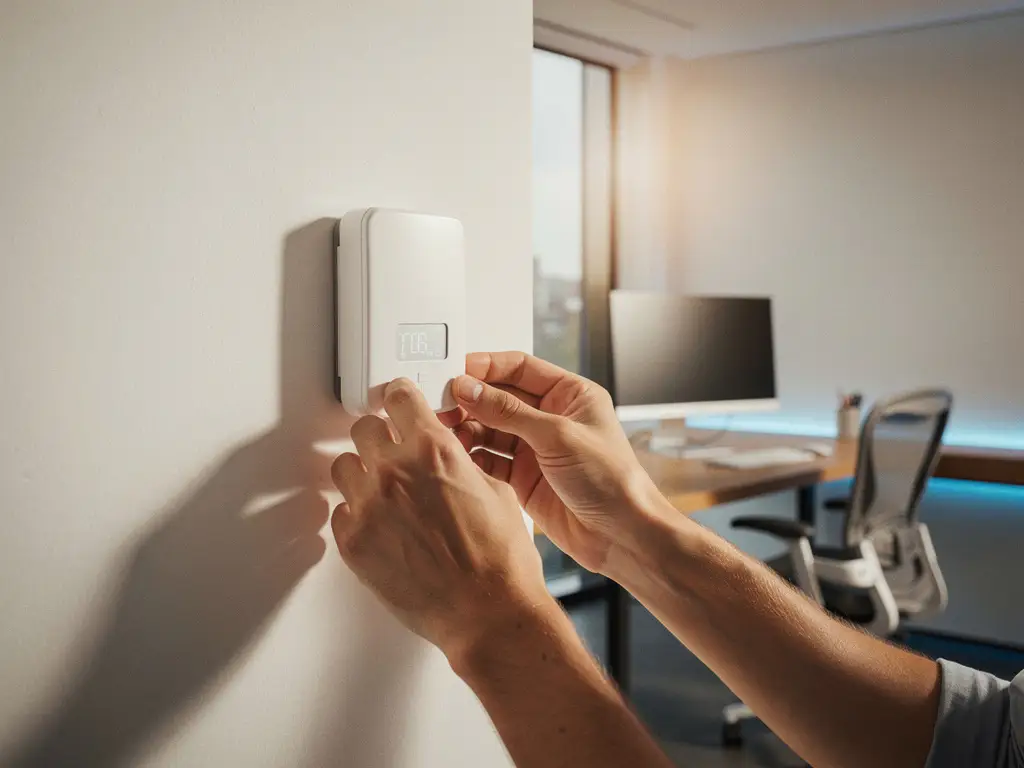
A comfortable office environment is essential for employee productivity and well-being. Temperature sensors play a crucial role in this by enabling automatic climate control and reducing energy costs. These smart sensors for the office environment are part of modern Smart Office solutions that transform workspaces into intelligent, efficient environments.
Installing temperature sensors requires strategic planning and technical expertise. From selecting the right sensor types to configuring automated systems, every step contributes to an optimal working environment that adapts to the needs of your employees.
Why are temperature sensors important for offices?
Temperature sensors help maintain a stable indoor climate, increase employee satisfaction, and can reduce energy costs by up to 30% through automatic climate control. They continuously measure the temperature and control HVAC systems to ensure optimal comfort.
A constant temperature between 20 and 24 degrees Celsius promotes concentration and productivity. Without sensors, the temperature often fluctuates, leading to complaints about being too cold or too hot and reduced work performance. Modern smart sensors for the office environment not only detect temperature changes but also anticipate occupancy and external factors, such as sunlight.
Energy savings are a key benefit. Automated systems prevent unnecessary heating or cooling of empty spaces. This contributes to sustainability goals and lower operating costs, while employees enjoy a consistently comfortable working environment.
What types of temperature sensors are suitable for offices?
Wireless IoT sensors, thermostats with sensor functionality, and integrated HVAC sensors are the most suitable options for offices. These systems offer real-time monitoring, automatic adjustments, and can be integrated with building management systems.
Wireless IoT sensors are ideal for flexible office environments. They can be easily moved and provide accurate measurements without complex wiring. These sensors communicate via Wi-Fi or other wireless protocols and can be integrated into Smart Office platforms.
Smart thermostats combine temperature measurement with direct climate control. They learn from user patterns and automatically adjust based on occupancy and time of day. Integrated HVAC sensors are part of the ventilation system and provide the most precise control over different zones in large office buildings.
Where is the best place to install temperature sensors in an office?
Install temperature sensors at a height of 1.5 meters, out of direct sunlight and away from heat sources, and ensure there is one sensor for every 50 to 75 square meters of office space. Key locations include workstations, meeting rooms, central hallways, and areas near ventilation grilles.
The height of 1.5 meters corresponds to the breathing zone of seated employees and provides the most accurate temperature readings. Avoid placing the sensor near windows, heaters, printers, or coffee makers, as these can interfere with the readings.
For large open-plan offices, distribute sensors evenly throughout the space, paying special attention to corner areas, which often experience temperature variations. Meeting rooms require separate sensors due to fluctuating occupancy. Also place sensors in high-traffic areas, such as hallways and near elevators, where temperature variations can occur due to air currents.
How do you install temperature sensors step by step?
Start by planning sensor locations, install wireless sensors at the desired height, connect them to the network, and configure the control system. Test all connections and set the desired temperature parameters before the system goes live.
Step 1 involves creating a floor plan showing the planned sensor locations. Mark zones with different temperature requirements and identify potential sources of interference. Check Wi-Fi coverage at all planned locations.
Step 2 involves the physical installation. Mount the sensors using the included brackets or adhesive strips, ensuring a secure installation and avoiding vibrations. Wireless sensors typically have a battery life of 2 to 5 years.
Step 3 involves network integration. Follow the manufacturer’s instructions for the Wi-Fi connection and register each sensor in the management system. Test the communication between the sensors and the central system. Step 4 involves calibration and setting up zones, temperature ranges, and automatic controls.
How do you set up temperature alarms and automation?
Set temperature alarms between 18 and 26 degrees Celsius, configure automatic HVAC adjustments, and create schedules based on office hours. Use dashboards for real-time monitoring and historical analysis of temperature patterns.
Alarms warn of extreme temperatures that could compromise comfort or damage equipment. Set the lower limit to 18 degrees and the upper limit to 26 degrees, with different values for daytime and nighttime periods. Email or app notifications immediately alert facilities staff in the event of deviations.
Automation rules make climate control more efficient. Program the system to lower the heating outside of office hours and activate the cooling before employees arrive. Advanced systems learn from occupancy patterns and weather forecasts to control the system proactively.
Integration with other systems featuring smart sensors for the office environment—such as motion detection and air quality sensors—creates a fully automated workspace that adapts to actual needs rather than pre-set schedules.
How Wout Monseurs Helps with Smart Office Solutions
We offer comprehensive Smart Office implementations that integrate temperature sensors into a complete solution for smart workplaces. Our expertise includes:
- Analysis of your office environment and recommendations for optimal sensor placement
- Installation of IoT sensors integrated with climate control systems
- Integration with other smart office solutions, such as booking systems
- Training your team on how to use automation software
- Maintenance and monitoring for continuous optimization
As a family-owned business with over 60 years of experience, we combine traditional expertise with modern technology. Our project-based approach ensures that smart sensors integrate seamlessly into your office design. Contact us for a no-obligation consultation on optimizing your office environment with smart temperature sensors.
Frequently asked questions
How often should the batteries in wireless temperature sensors be replaced?
Most wireless IoT temperature sensors have a battery life of 2 to 5 years, depending on the type of sensor and the frequency of data transmission. The system usually sends an automatic alert when the battery voltage gets low, allowing you to take proactive action before the sensor goes offline.
Can temperature sensors still function during a power outage?
Wireless sensors continue to function during a power outage because they run on batteries, but central heating and cooling systems will shut down. Some advanced systems have backup power supplies that maintain essential climate control functions. Sensor data remains available once power is restored.
What should I do if sensors are reading different temperatures in the same room?
Temperature variations can be caused by air currents, sunlight, or heat sources. First, check that the sensors are positioned correctly (1.5 meters high, away from heat sources). Calibrate the sensors as needed via the management system, and consider installing additional sensors in large spaces to obtain more accurate average readings.
How can I integrate temperature sensors into an existing building management system?
De meeste moderne temperatuursensoren ondersteunen standaard protocollen zoals BACnet, Modbus of REST API’s voor integratie met bestaande gebouwbeheersystemen. Controleer de compatibiliteit vooraf en schakel indien nodig een systeemintegrator in voor professionele koppeling en configuratie.
What privacy considerations should I keep in mind when installing smart sensors?
Temperature sensors do not collect personal data, but some systems may detect movement patterns. Be transparent with employees about what data is collected and how it is used, and ensure compliance with the GDPR. Store data locally whenever possible and use encryption for data transmission.
How do I measure the return on investment for temperature sensors?
Track energy consumption before and after installation through your energy provider or smart meters. Compare monthly heating and cooling costs and measure employee satisfaction through surveys. Most companies see a payback period of 12–18 months thanks to energy savings of 20–30% and increased productivity.