

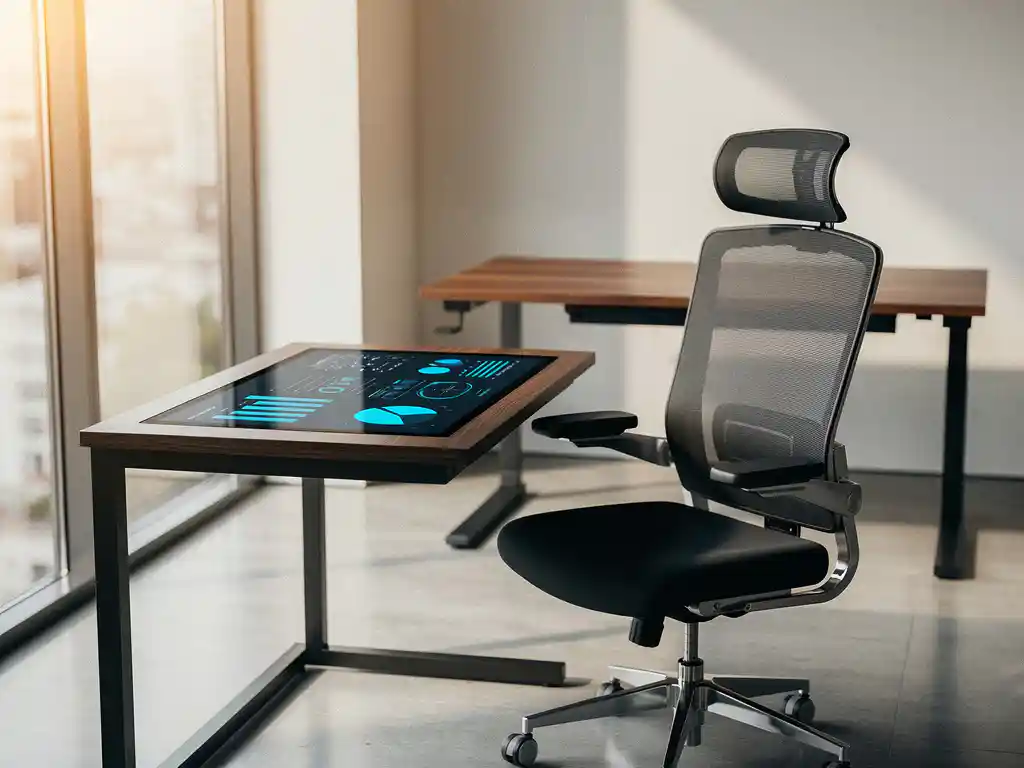
Modern offices are rapidly transforming from traditional workspaces into intelligent ecosystems that collect, analyze, and optimize data. However, this smart office implementation presents challenges: how do you turn the collected data into actionable insights that actually contribute to better decision-making?
Integrating smart office technology with business intelligence tools is the key to unlocking the full value of your investment in smart office technology. By strategically linking these systems, you create a powerful combination that not only boosts operational efficiency but also provides concrete insights into workplace usage, energy consumption, and employee satisfaction.
What is a smart office, and why do you need business intelligence tools?
A smart office is an intelligent work environment that uses IoT sensors, automated systems, and data analysis to optimize workspaces for productivity, comfort, and efficiency. Business intelligence tools are essential because they transform the collected data into actionable insights for strategic decision-making.
Smart office systems generate enormous amounts of data from various sources: occupancy sensors at workstations, climate control systems, lighting systems, and meeting room reservation systems. However, this data remains useless without the right analytical tools to recognize patterns and identify trends.
Business intelligence tools transform raw data into visual dashboards, reports, and predictive analytics. They help facilities managers understand which workspaces are used most frequently, when energy consumption peaks, and how space utilization can be optimized. These insights lead to tangible cost savings and an improved employee experience.
What data does a smart office system collect?
Smart office systems primarily collect data on space utilization, energy consumption, environmental factors such as temperature and air quality, and user behavior information from booking systems and access control systems.
Space utilization data includes workplace occupancy rates, the frequency of meeting room use, and foot traffic patterns throughout the office, as tracked by motion sensors. This information helps optimize the office layout and identify underutilized spaces.
Energy data is collected from smart lighting systems, HVAC systems, and electrical equipment. This data reveals energy consumption patterns by zone, peak hours, and opportunities for automatic savings.
Environmental data includes temperature readings, air quality indices, noise levels, and light levels. This data helps ensure optimal working conditions and can be directly linked to productivity metrics.
How do you choose the right business intelligence tools for your firm?
Choose business intelligence tools based on your specific data collection needs, integration capabilities with existing systems, ease of use for your team, and scalability for future growth.
Start by mapping out your current smart office infrastructure and the types of data it generates. Different BI tools excel in different areas: some specialize in real-time dashboards, while others focus on predictive analytics or automated reporting.
Carefully evaluate the integration options. The best BI tool should be able to connect seamlessly with your existing sensors, reservation systems, and other smart office components, without requiring costly modifications or data export procedures.
Also consider the learning curve for your team. Tools with intuitive interfaces and drag-and-drop functionality speed up adoption and ensure that insights are actually used to inform decision-making, rather than remaining too complex.
What are the first steps in integrating a smart office with BI tools?
Start by conducting a data audit of your current smart office systems, define clear KPIs that you want to track, ensure reliable data connections, and implement the integration in phases using pilot projects.
The data audit identifies which systems are already collecting data, the formats in which it is available, and where potential gaps exist. This forms the basis for a successful integration without unnecessary investments in duplicate functionality.
Define specific KPIs such as space utilization rates, energy costs per workstation, average meeting room occupancy, and response times to facility requests. These metrics provide direction for the BI implementation and ensure measurable results.
Implement the integration in phases, for example by starting with a single floor or a specific type of space. This minimizes risks and allows you to refine the system before rolling it out to the entire office.
How do you measure the success of your smart office integration?
Measure success by tracking predefined KPIs, such as cost reduction per workstation, improved space utilization rates, energy savings, and higher employee satisfaction scores, as measured through regular surveys.
Establish baseline measurements before implementing the integration. This includes current energy costs, space utilization, maintenance costs, and employee satisfaction. These figures serve as a baseline for measuring improvements.
Monitor operational KPIs such as real-time occupancy data, automatic energy savings, and the reduction of manual processes. These metrics demonstrate the direct impact of smart office integration on day-to-day operations.
Also evaluate qualitative indicators such as user acceptance of new systems, improvements in workplace flexibility, and feedback on comfort and productivity. These soft metrics are often decisive for the long-term ROI of smart office investments.
How Wout Monseurs Helps with Smart Office Integration
We offer comprehensive smart office solutions that integrate seamlessly with business intelligence tools, from strategic planning to full implementation and ongoing support.
Our smart office expertise includes:
- Desk booking tools that automatically collect usage data for BI analysis
- Smart booking systems for workspaces and meeting rooms with real-time reporting
- Integrated conferencing systems that generate measurable productivity data
- Automatic desk adjustment systems that track personal preferences and usage patterns
As a family-owned business with over 60 years of experience, we combine traditional project design expertise with cutting-edge technology. Our approach ensures that the costs of smart office implementation remain transparent and that your investment delivers measurable results.
Would you like to discover how smart office integration can transform your office? Contact us for a no-obligation consultation about your specific situation and goals.
Frequently asked questions
How long does it take to fully integrate a smart office system with BI tools?
Full integration typically takes 3–6 months, depending on the size of the office and the complexity of existing systems. Initial results and dashboards are often visible within 4–6 weeks. A phased approach involving pilot projects accelerates implementation and reduces risks.
What are the costs associated with integrating smart office data with business intelligence?
The costs range from €5,000 to €50,000, depending on the size of the office and the desired features. This includes licensing fees for BI software, integration expertise, and any hardware upgrades. The investment typically pays for itself within 12 to 18 months through energy savings and efficiency gains.
What happens to employee privacy with smart office monitoring?
Smart office systems collect only anonymized data on space usage and environmental factors, not on individual employees. All data is processed and stored in accordance with GDPR regulations. Transparent communication about data collection and clear privacy policies are essential for acceptance.
Can existing office systems be integrated, or does everything need to be replaced?
Most existing systems can be integrated via APIs or data bridges, so a complete replacement is often unnecessary. Modern BI tools are designed to work with a variety of data sources. A thorough audit of current systems determines which components can remain and where upgrades are needed.
How can you prevent employees from resisting smart office technology?
Involve employees in the implementation from the start and clearly communicate the benefits, such as improved workplace comfort and flexibility. Start with user-friendly features like desk booking and demonstrate concrete improvements in their daily work experience. Training and support during the transition phase are crucial for acceptance.
What technical expertise does my team need to analyze smart office data?
Modern BI tools are designed for non-technical users, featuring intuitive dashboards and drag-and-drop functionality. A basic training session lasting 1–2 days is usually sufficient for facilities managers. For advanced analyses, external support or a data analyst on the team can be valuable.
How do you ensure reliable data connections between different smart office systems?
Use standardized protocols such as REST APIs and ensure redundant connections wherever possible. Cloud-based integration middleware can connect different systems without direct links. Regular monitoring of data flows and automatic error notifications ensure the reliability of your BI dashboards.