

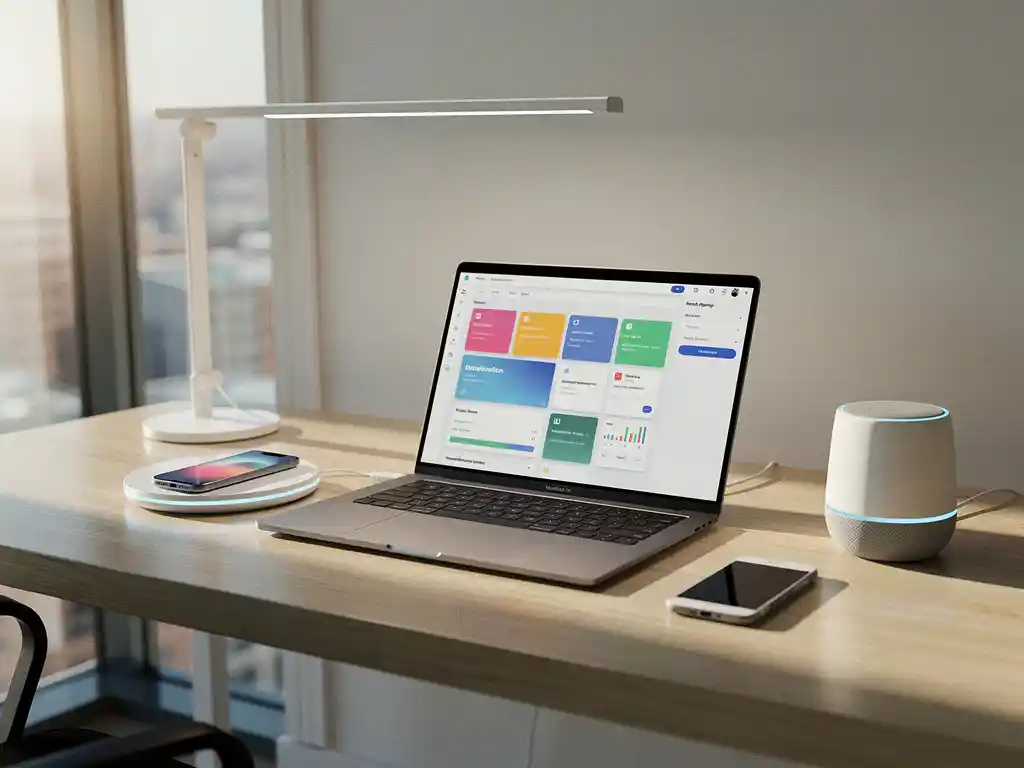
The modern workplace is evolving rapidly due to technological advancements, with smart office solutions becoming increasingly important for companies seeking to boost their productivity. A key factor in successful implementation is the seamless integration between smart office technology and project management tools. This combination can significantly optimize the costs of smart office implementation through more efficient planning and execution.
For organizations considering the implementation of smart office solutions, it is essential to understand how these technologies can be integrated with existing project management systems. This not only ensures a smoother implementation but also provides better control over budgets, timelines, and results.
What is smart office integration with project management tools?
Smart office integration with project management tools is the process of linking intelligent office solutions—such as automatic desk allocation, booking systems, and IoT sensors—to project management software in order to streamline implementation, monitoring, and optimization.
This integration comprises various components that work together to enable a coordinated approach. For example, desk booking systems can be linked to project planning tools to monitor workspace occupancy during different implementation phases. Smart sensors that measure space utilization can transmit their data directly to dashboards in project management tools, giving managers real-time insight into the progress of office optimization.
The integration extends to various aspects of smart office technology. Automated climate control can be integrated with project timelines to measure energy savings against predefined goals. Conference systems can be linked to resource planning tools to optimize the efficiency of meeting rooms. This holistic approach ensures that all smart office components contribute to measurable project outcomes.
What are the benefits of integrating smart office solutions with project management?
The integration of smart office solutions and project management offers significant cost savings, improved scheduling, and real-time visibility into project progress. On average, organizations achieve 20–30% more efficient implementations through this integrated approach.
A key benefit is improved cost transparency. By directly linking the costs of smart office implementation to project budgets, organizations gain detailed insight into where investments have the greatest impact. Automated reporting from smart systems eliminates manual data collection and significantly reduces administrative burdens.
Integration also improves user adoption of new technologies. When employees see that smart office implementations are carried out systematically according to clear project plans, they develop greater confidence in the changes. Project management tools can be used to plan training and support, ensuring that users are guided through the digital transformation step by step.
In addition, this integration enables better long-term optimization. Data from smart office systems can be used to improve future projects and maximize ROI. This creates a cycle of continuous improvement, in which each implementation builds on previous experiences.
How do you choose the right project management tools for smart office integration?
The right project management tools for smart office integration offer API connectivity, real-time reporting capabilities, and support for IoT data integration. Prioritize tools that can communicate seamlessly with smart sensors and automation systems.
When selecting a tool, compatibility with existing systems is crucial. Assess whether the project management tool can integrate with your current IT infrastructure and smart office providers. Many modern tools offer pre-built connectors for popular smart office platforms, which significantly reduces implementation time.
Scalability is another key factor. Choose tools that can grow alongside your smart office goals. A tool that works for 50 workstations today must also function when you expand to 500 workstations. Also consider usability for various stakeholders, from IT administrators to facility managers.
Also consider reporting features that are specifically relevant to smart office projects. The tool should be able to generate dashboards that visualize energy consumption, space occupancy, and user satisfaction. These metrics are essential for demonstrating ROI and making data-driven decisions about further optimizations.
What are the first steps in implementing smart office integration?
Start by conducting a thorough analysis of current work processes and identifying specific pain points that smart office technology can address. Next, assemble a cross-functional team with representatives from IT, facilities, HR, and project management.
The first step is to create a detailed inventory of existing systems and processes. This includes both the technical infrastructure and workflows that may be affected by smart office implementations. Document current cost levels and performance indicators so that you can measure ROI later on.
Next, develop a phased implementation strategy. Start with a pilot project in a limited area to test the integration between smart office technology and project management tools. This could, for example, be a single floor where desk booking systems are implemented and integrated with project planning software.
Ensure that all relevant teams receive adequate training. Project managers need to learn how to work with data from smart office systems, while IT teams need to understand how these systems integrate with project management tools. Establish clear communication protocols to ensure that all stakeholders remain informed of progress and changes.
What challenges are involved in integrating smart office project management?
The biggest challenges in integrating smart office project management are technical compatibility between different systems, user resistance to change, and managing complex data integrations. These challenges require careful planning and phased implementation.
Technical challenges often arise from incompatibility between legacy systems and modern smart office technologies. Older project management systems may lack APIs capable of communicating with IoT sensors or cloud-based smart office platforms. This can lead to data silos and inefficient manual processes.
Organizational resistance is another significant challenge. Employees may be skeptical of new technologies that change their work habits. Project managers may struggle to interpret new data types from smart office systems. Effective change management strategies are essential to overcoming this resistance.
Data privacy and security also present complex challenges. Smart office systems often collect sensitive information about employee behavior and space usage. Project management tools must be configured to process this data securely in accordance with GDPR guidelines and corporate security policies. This requires close collaboration between IT security, privacy officers, and project teams.
How Wout Monseurs Helps with Smart Office Integration
At Wout Monseurs, we offer comprehensive support for smart office integration with project management tools, from strategic planning to full implementation. With over 60 years of experience in office design and modern smart office technology, we are able to deliver seamless integrations that optimize the costs of your smart office implementation.
Our approach includes:
- Comprehensive analysis of your current systems and project management processes
- Custom integration between desk booking systems and your project management tools
- Implementation of automatic desktop customization linked to user profiles
- Real-time monitoring dashboards that link smart office data to project results
- Comprehensive training and support for your project teams
As a family-owned business with three generations of experience, we understand the importance of personalized support during complex technological transitions. Our expertise in project management, combined with advanced smart office knowledge, ensures implementations that are not only technically successful but also widely accepted by your employees. Contact us for a no-obligation consultation on how we can help you achieve your smart office integration.
Frequently asked questions
How long does a typical smart office integration with project management tools take?
A full integration typically takes 3–6 months, depending on the complexity of your existing systems and the scope of the project. We recommend starting with a 4–6-week pilot phase to test the integration before rolling it out to the entire office.
What costs should I expect for integrating smart office technology with my project management system?
Integration costs range from €5,000 to €25,000 per 100 workstations, depending on the technologies selected and the complexity of your current systems. Although this may seem like a significant investment, most organizations achieve a positive ROI within 12 to 18 months through increased efficiency and cost savings.
What happens if my current project management tool doesn't have APIs for smart office integration?
There are several possible solutions, such as using middleware platforms that act as a bridge between systems, or upgrading to a more modern project management tool with better integration capabilities. In some cases, custom connectors can be developed to link legacy systems to smart office technologies.
How can I convince my team to use the new integrated smart office systems?
Start by clearly communicating the benefits to individual users, such as easier workspace booking and automatic climate control. Organize hands-on training sessions and appoint “digital champions” within each team who can support others. Showcase concrete results from the pilot phase to overcome resistance.
What data from smart office systems is most valuable for project management?
Space occupancy data, energy consumption patterns, and user satisfaction scores are the most valuable metrics. This data helps optimize workspace layout, predict future space requirements, and measure the ROI of smart office investments to inform future project decisions.
How can I ensure that the integration complies with GDPR requirements?
Implement data minimization principles by collecting only necessary data, ensure transparent communication with employees regarding data collection, and configure systems with built-in privacy-by-design principles. Work with your privacy officer to conduct a Data Protection Impact Assessment before you begin implementation.
Can I roll out the smart office integration in phases, or does everything have to be implemented at once?
A phased rollout is often the most successful approach. Start with a single floor or department, gather feedback, and optimize the system before expanding. This minimizes risks, allows you to learn from each phase, and ensures greater user acceptance by demonstrating proven successes.