

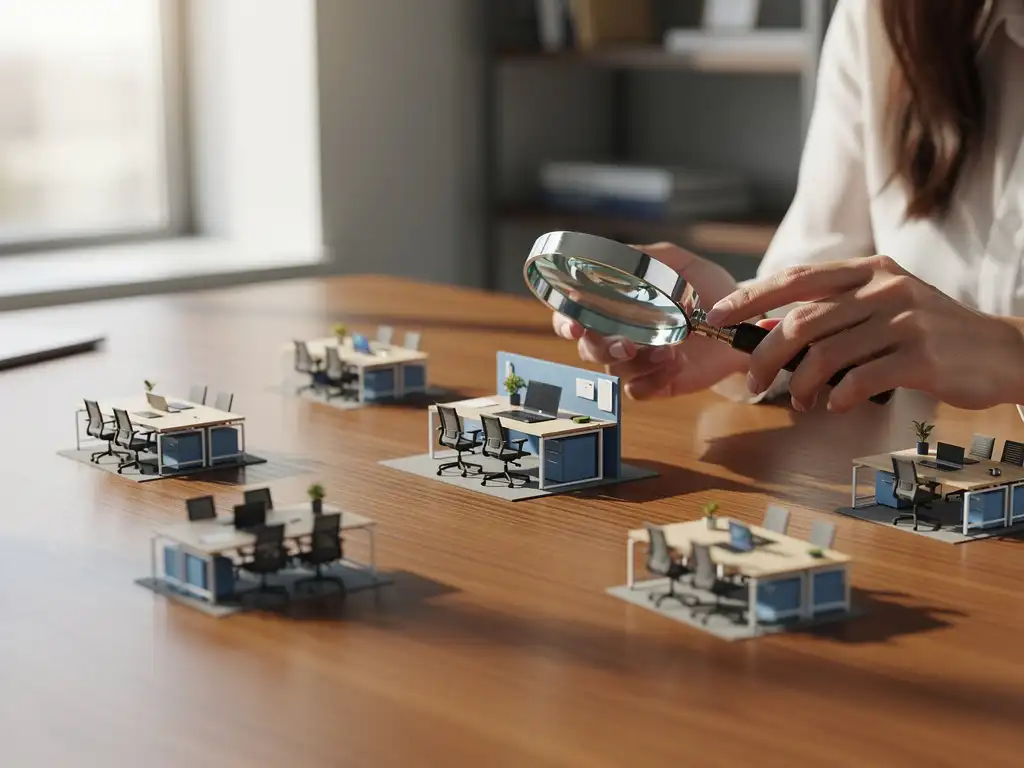
In today’s office landscape, where hybrid work has become the norm, more and more organizations are looking for smart solutions to manage their workspaces efficiently. An office desk booking system has become an indispensable tool for companies seeking to optimize flexible workspaces.
However, choosing the right desk booking platform can be overwhelming given the many options and features available. From simple reservation systems to advanced analytical dashboards, each platform offers different capabilities that may be more or less suitable for your organization.
What is a desk booking platform, and why do you need it?
A desk booking platform is a digital solution that allows employees to reserve workspaces via a smartphone, computer, or tablet. The system provides real-time visibility into available workspaces and enables users to book a desk for a specific day or period with a single click.
The need for desk booking systems has arisen due to the shift toward hybrid work and flexible office concepts. Many organizations have found that traditional fixed workstations are no longer efficient when employees work in the office only a few days a week. A flexible workspace with a booking system optimizes space utilization and gives employees the daily choice of where they want to work.
Modern desk booking platforms often integrate with other office systems, such as access control, climate control, and meeting room reservations. This integration ensures that the desk is automatically configured to the user’s personal preferences, from desk height to lighting settings.
What features are essential in a good desk booking system?
An effective office desk booking system must, at a minimum, include real-time availability displays, simple booking functionality, mobile access, and basic reports on space utilization. These core features form the foundation of a functional booking system.
Advanced features that add value include:
- Interactive floor plans: a visual representation of the office layout with real-time status updates for each workstation
- Personal preferences: the ability to save favorite workspaces and set preferences
- Team features: reserving workspaces near each other for team projects
- Check-in/check-out: automatic release of unused reservations
- Integration with calendar systems: synchronization with Outlook, Google Calendar, or other calendar applications
Analytics and reporting features are crucial for facility management. The system must provide insights into occupancy rates, popular workspaces, and usage patterns. This data helps optimize the office layout and inform decisions about future space requirements.
How do you choose between different desk booking platforms?
Choosing a desk booking platform starts with identifying your specific needs: the number of users, the desired features, your budget, and your integration requirements. Compare platforms based on user-friendliness, scalability, technical support, and total cost of ownership.
Key selection criteria include:
User experience and interface
Test the user-friendliness of both the mobile app and the web interface. An intuitive system increases employee adoption and reduces the need for training. Pay attention to the speed of the booking process and the clarity of the interface.
Technical integration
Check which systems the platform can integrate with, such as HR systems, access control, Microsoft 365, or Google Workspace. Robust API support is essential for seamless integration with existing business systems.
Scalability and flexibility
Choose a platform that can grow with your organization. Consider future expansion plans and make sure the system is flexible enough to adapt to changing work processes.
Request demos from several vendors and test the system with a small group of users before making a final decision.
How much does a desk booking platform cost, and how do you calculate the ROI?
Desk booking platforms cost an average of between €2 and €8 per user per month, depending on the features and the number of users. Enterprise solutions with advanced analytics and integrations can cost as much as €15 to €20 per user per month.
Typical cost structures include:
- License fees: monthly or annual fees per user
- Implementation costs: one-time setup and configuration fees
- Integration costs: costs associated with connecting to existing systems
- Training costs: training for administrators and end users
- Maintenance costs: technical support and updates
ROI calculation
The return on investment is primarily achieved through space savings and increased efficiency. Organizations can reduce their office space by up to 30% through the optimal use of flexible workspaces. With rental costs ranging from €200 to €400 per square meter per year, this can result in significant savings.
Other ROI factors include higher employee satisfaction, lower facility costs due to better insight into space utilization, and more efficient cleaning and maintenance processes thanks to accurate occupancy data.
How do you successfully implement a desk booking system?
A successful implementation starts with a phased approach: begin with a pilot group, gather feedback, adapt the system, and gradually roll it out across the entire organization. Communication and training are crucial for user acceptance.
Preparation phase
Start by developing an implementation plan that includes clear objectives, timelines, and responsibilities. Assess the current office layout and determine which spaces will be available for flexible use. Assemble a project team with representatives from IT, HR, and facilities management.
Pilot phase
Start with a small group of users to test the system and iron out any kinks. Actively gather feedback on usability, functionality, and any issues that arise. This phase ideally lasts 4 to 6 weeks and provides valuable insights for the full rollout.
Communication and Training
Develop a communication plan that highlights the benefits of the system and addresses any concerns. Organize training sessions for different user groups and provide clear instructions and support. Appoint ambassadors within teams who can help colleagues use the system.
Carefully monitor adoption and continue to gather feedback to continuously improve the system. Regular evaluations help optimize settings and adjust processes.
How Wout Monseurs Helps with Smart Office Technology
At Wout Monseurs, we understand that implementing a desk booking system involves more than just software. Our Smart Office technology offers a comprehensive solution that integrates seamlessly with your office design.
Our approach includes:
- Customized advice: we analyze your specific needs and recommend the most suitable desk booking platform
- Full integration: our Smart Office solutions ensure that desks are automatically configured to match users' personal preferences
- Project management: we guide you through the entire process, from concept to implementation
- Combined with project design: we design flexible workspaces that work seamlessly with reservation systems
With over 60 years of experience in office design, we combine traditional expertise with modern technology. Our Smart Office solutions are part of our comprehensive package, through which we create a workspace that is not only functional but also contributes to employee satisfaction and productivity. Contact us for a no-obligation consultation about your Smart Office options.
Frequently asked questions
How long does it take for employees to get used to a new desk booking system?
Most employees get used to a new desk booking system within 2–4 weeks, provided it is designed to be intuitive. Organize short training sessions, appoint ambassadors in each department, and provide clear instructions to speed up adoption. Expect 80% of users to be actively using the system after 6 weeks.
What happens if someone doesn't use their reserved workspace?
Modern desk booking systems have a check-in/check-out feature that automatically releases unused reservations after 15–30 minutes. This prevents workstations from remaining occupied unnecessarily. Some systems also send notifications to users asking them to confirm or cancel their reservation.
Can we expand our existing desk booking system to include meeting rooms and other facilities?
Yes, most desk booking platforms offer modular add-ons for meeting rooms, parking spaces, lockers, and even catering facilities. This creates a single centralized system for all bookings. Check with your provider to see which modules are available and what the costs are for adding them.
How can you prevent popular workspaces from always being reserved by the same people?
Implement a fair reservation policy by setting limits, such as a maximum of 3 reservations per week for premium workspaces, or a rotation system. Some systems offer "lottery features" that randomly assign popular spots. You can also limit reservations to a certain number of days in advance.
What technical requirements does our IT team need for the implementation?
Most cloud-based desk booking systems require minimal IT support: a stable internet connection, modern browsers, and, if necessary, API access for integrations. On-premises solutions require servers, databases, and network management. Discuss security requirements, single sign-on integration, and backup procedures with your IT department in advance.
How do you measure the success of your desk booking system after implementation?
Monitor KPI's zoals gebruikersadoptie (streef naar >80%), bezettingsgraad van werkplekken, no-show percentages (<10%) en medewerkertevredenheidsscores. Analyseer ook ruimtebesparing, kostenreductie en efficiëntiewinsten in facilitair management. Voer maandelijkse evaluaties uit en verzamel kwalitatieve feedback via enquêtes.
What are the most common mistakes people make when choosing a desk booking platform?
Common mistakes include: insufficient testing with end users, underestimating integration costs, choosing overly complex systems, neglecting mobile usability, and lacking a clear implementation strategy. Always test with a pilot group first and involve all stakeholders in the selection process to prevent problems down the line.