

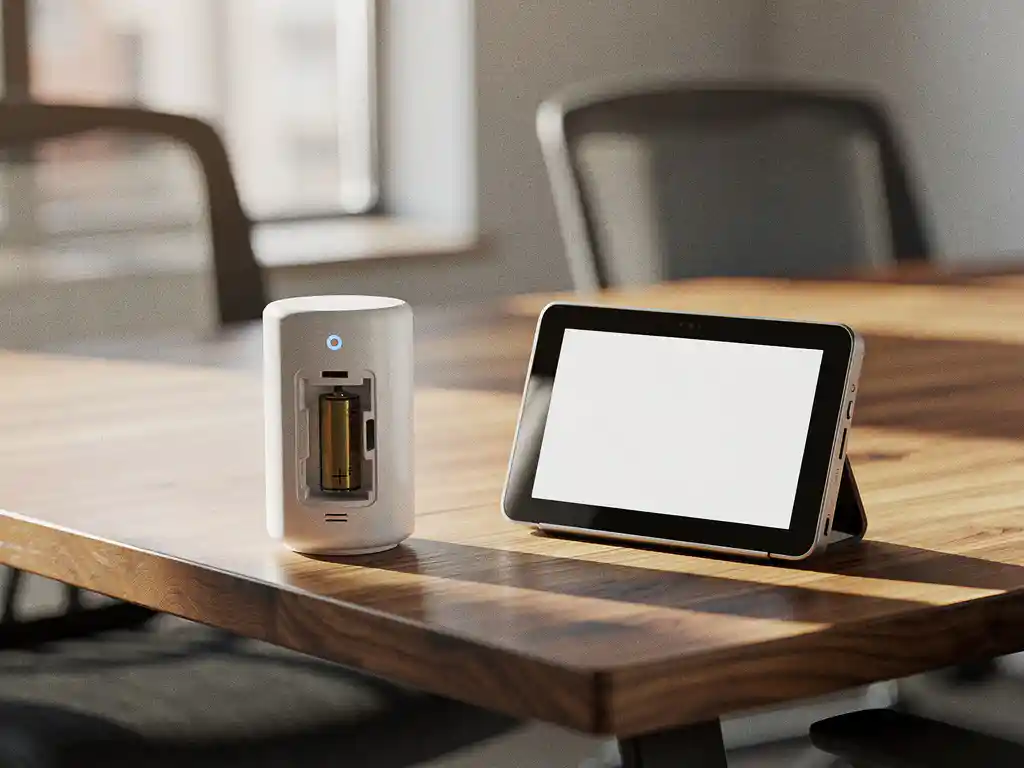
Wireless office sensors have become an essential component of modern smart office environments. These small, intelligent devices monitor various aspects of the workplace, from occupancy and temperature to air quality and motion. For companies investing in smart office technology, understanding the battery life of these sensors is crucial for planning maintenance and ensuring continuous functionality.
The battery life of wireless office sensors varies greatly depending on the type of sensor, frequency of use, and environmental factors. With the right knowledge and planning, organizations can ensure that their smart sensors and office environment continue to function optimally, without unexpected downtime.
What are wireless office sensors, and why do they use batteries?
Wireless office sensors are compact electronic devices that measure various environmental parameters in office spaces and transmit this data wirelessly to a central system. They run on batteries, which allows for flexible placement without the need for power cables, making installation easier and preserving the aesthetics of the workspace.
These sensors can perform various functions, such as detecting occupancy for automatic lighting, measuring temperature and humidity for climate control, or monitoring noise levels for acoustic optimization. Modern systems for smart office environments often integrate multiple measurement functions into a single device.
The use of batteries offers significant advantages: sensors can be placed anywhere without having to worry about power outlets, there are no visible cables to disrupt the office layout, and installation requires no electrical modifications. This makes wireless sensors ideal for flexible workspaces where the layout changes frequently.
How long do the batteries in wireless office sensors typically last?
Most batteries in wireless office sensors last an average of 1 to 5 years. Motion sensors and temperature sensors often last 2 to 3 years, while more complex multifunctional sensors typically operate for 1 to 2 years before the batteries need to be replaced.
Battery life depends heavily on the type of sensor and how frequently it is used. Simple temperature or humidity sensors that take readings only a few times an hour can last up to 5 years on a single battery. Motion sensors that continuously monitor activity typically have a shorter battery life of 1 to 2 years.
Sensors with advanced features, such as air quality monitoring, noise level detection, or frequent data transmission, consume more energy. These devices typically have a battery life of 1 to 2 years, depending on how often they transmit data and which sensor functions are active.
Manufacturers often provide an estimated battery life based on standard usage conditions. It is important to realize that actual conditions may vary, causing batteries to last longer or shorter than the specified duration.
What factors affect the battery life of office sensors?
The battery life of office sensors is primarily influenced by the measurement frequency, the intensity of wireless communication, the ambient temperature, and the type of battery used. Sensors that take measurements or transmit data more frequently consume significantly more energy than devices with longer measurement intervals.
The communication frequency plays a crucial role in energy consumption. Sensors that transmit data every minute use much more battery power than sensors that report only once an hour. The wireless protocol also makes a difference: Bluetooth Low Energy and Zigbee are more energy-efficient than Wi-Fi connections.
Environmental factors also affect battery performance. Extreme temperatures, whether cold or hot, can shorten battery life. Sensors located in areas with temperature fluctuations or near heating elements often have a shorter battery life.
The type and quality of the battery also determine its lifespan. Lithium batteries generally perform better than alkaline batteries in terms of capacity and temperature resistance. Some sensors use rechargeable batteries, which simplifies maintenance but may be more expensive initially.
How do you know when to replace the batteries in office sensors?
Most modern wireless office sensors automatically send alerts to the management system when the battery voltage drops, typically when the remaining capacity is between 20% and 30%. These alerts appear in the software interface or are sent via email, allowing maintenance staff to take timely action.
Early warning signs include irregular data transmission, reduced sensor sensitivity, or a complete lack of readings. Some sensors also have an LED indicator that flashes when the battery is low, although this feature is not available on all models.
A proactive approach involves maintaining a maintenance schedule based on the expected battery life. By recording installation dates and following the manufacturer’s specifications, organizations can plan battery replacements before sensors fail.
Some advanced systems offer real-time battery status monitoring, allowing administrators to view a dashboard displaying the battery status of all sensors. This enables preventive maintenance and prevents unexpected failures of critical sensors in the smart office environment.
How Wout Monseurs Helps with Smart Office Sensors
We offer comprehensive Smart Office solutions that integrate wireless sensors to create optimal workplace environments. Our expertise includes the selection, installation, and maintenance of sensor systems that are perfectly tailored to your office layout.
Our Smart Office services include:
- Recommendations on the most suitable sensor types for your specific office environment
- Professional installation and configuration of wireless sensor systems
- Maintenance contracts with proactive battery replacement and system monitoring
- Integration with existing office furnishings and technical systems
- Training for your employees on how to use the sensor dashboards
With over 60 years of experience in office solutions, we combine traditional expertise with modern technology. Our sensor systems help save energy, enhance employee comfort, and optimize space utilization—all of which align perfectly with our sustainability vision.
Would you like to learn more about how smart sensors can improve your office environment? Contact us for a no-obligation consultation and discover the possibilities for your organization.
Frequently asked questions
Can I extend the battery life of my office sensors by adjusting the settings?
Yes, you can significantly extend battery life by reducing the measurement frequency and communication intervals. For example, change the reporting interval from every 5 minutes to every hour, and disable any unnecessary features. Keep in mind, however, that this may affect the accuracy of your data.
What is the cost of replacing the batteries for a complete sensor system?
The cost ranges from €5 to €15 per sensor, depending on the battery type and the number of sensors. For an average office with 20 to 30 sensors, you can expect to pay €150 to €450 per replacement cycle. A maintenance contract can help spread these costs and prevent unexpected expenses.
Can wireless office sensors continue to function during power outages?
Yes, the sensors themselves continue to operate on battery power during power outages. However, the central hub or gateway that collects the data usually requires a power supply. For critical applications, you may want to consider connecting the hub to a UPS (uninterruptible power supply).
How can I prevent multiple sensors from running out of power at the same time?
Install sensors in phases over several months rather than all at once, so that battery replacements are spread out. Keep a maintenance schedule and replace batteries proactively when they reach 30% capacity. This prevents sudden failure of the entire system.
Are there eco-friendly alternatives to disposable batteries in office sensors?
Yes, some sensors support rechargeable lithium-ion batteries or can be connected to solar panels for indoor use. Energy harvesting technology that converts motion or light into energy is also becoming increasingly available, although it is not yet suitable for all types of sensors.
What happens to my data if a sensor unexpectedly fails due to a dead battery?
Most systems store historical data in the cloud or on a central server, so older data remains available. However, new measurements stop until the battery is replaced. Advanced systems can interpolate data or send alerts to nearby backup sensors.