

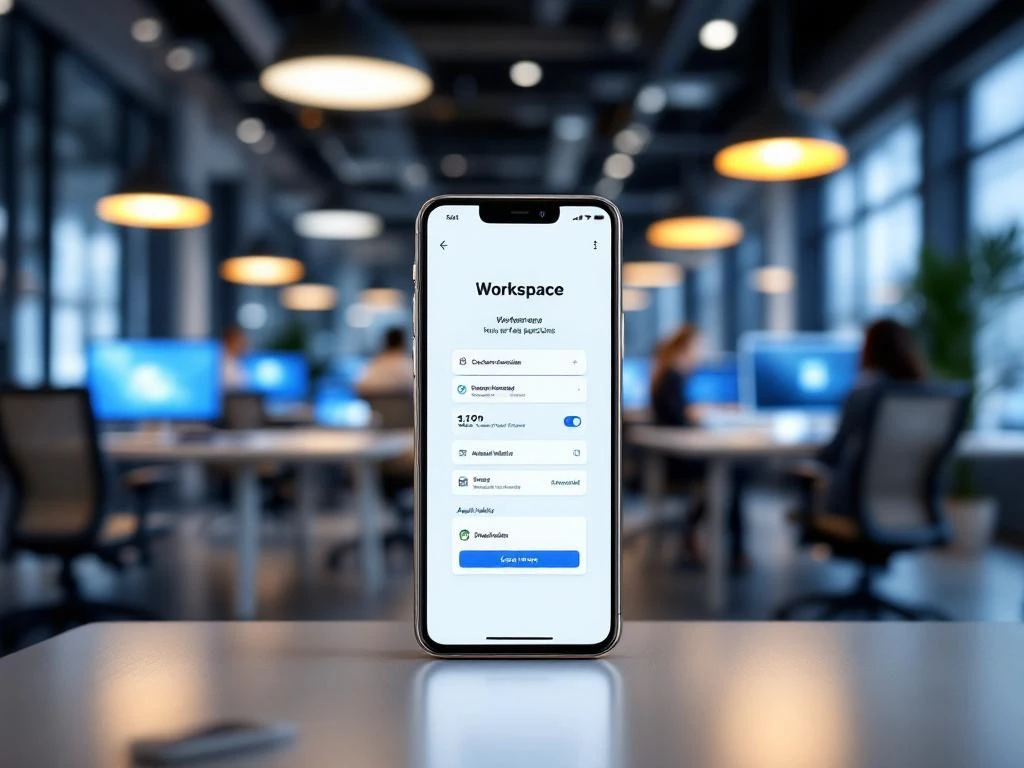
Werkplekken reserveren in een smart office gebeurt via digitale reserveringssystemen die medewerkers toegang geven tot beschikbare werkplekken. Je logt in via een app of webportaal, kiest een beschikbare werkplek die past bij je behoeften en bevestigt je reservering. Deze systemen helpen bedrijven flexibele werkplekken efficiënt te beheren in hybride werkomgevingen, waar niet iedereen elke dag op kantoor is.
Wat is een smart office en waarom reserveer je er werkplekken?
Een smart office is een moderne werkomgeving die technologie gebruikt om de werkervaring te verbeteren en ruimtes efficiënter te benutten. In plaats van vaste werkplekken krijgen medewerkers toegang tot flexibele werkplekken die ze kunnen reserveren wanneer dat nodig is.
Het reserveren van werkplekken wordt steeds belangrijker omdat steeds meer bedrijven hybride werkvormen hanteren. Niet alle medewerkers zijn elke dag op kantoor aanwezig, waardoor je minder werkplekken nodig hebt dan het totale aantal medewerkers. Dit concept heet ‘hot desking’ of flexwerken.
Flexibele werkplekken bieden verschillende voordelen voor zowel werkgevers als werknemers. Bedrijven kunnen kantoorruimte en kosten besparen, terwijl medewerkers een werkplek kunnen kiezen die past bij hun dagelijkse taken. Wil je samenwerken? Dan kies je een plek in een open ruimte. Heb je concentratie nodig? Dan reserveer je een stille werkplek.
Reserveringssystemen zorgen ervoor dat iedereen een geschikte werkplek heeft wanneer ze naar kantoor komen. Zonder reservering zou je kunnen aankomen en ontdekken dat alle werkplekken bezet zijn, wat tot frustratie en inefficiëntie leidt.
Welke systemen kun je gebruiken voor het reserveren van werkplekken?
Er zijn verschillende soorten reserveringssystemen beschikbaar, van eenvoudige smartphone-apps tot uitgebreide kantoorbeheersystemen. De keuze hangt af van de grootte van je bedrijf en de gewenste functionaliteiten.
Standalone reserveringsapps zijn de eenvoudigste oplossing. Deze apps tonen beschikbare werkplekken op een plattegrond en laten je direct reserveren. Ze zijn snel te implementeren en gebruiksvriendelijk, maar bieden beperkte integratiemogelijkheden met andere systemen.
Geïntegreerde kantooroplossingen combineren werkplekreservering met andere functies, zoals toegangscontrole, vergaderruimteboekingen en facilitair beheer. Deze systemen zijn krachtiger, maar vereisen meer tijd en budget voor implementatie.
Cloudgebaseerde platforms bieden flexibiliteit omdat ze vanaf elke locatie toegankelijk zijn. Medewerkers kunnen thuis al hun werkplek voor de volgende dag reserveren. Deze systemen updaten realtime, zodat je altijd de actuele beschikbaarheid ziet.
Hardware-geïntegreerde systemen gebruiken sensoren en displays bij werkplekken om bezetting te detecteren en reserveringen te tonen. Dit voorkomt dubbele boekingen en helpt bij het vinden van je gereserveerde plek.
Hoe werkt het reserveren van een werkplek stap voor stap?
Het reserveringsproces begint met inloggen in het systeem via je smartphone, tablet of computer. De meeste systemen gebruiken je bedrijfsaccount, zodat je niet opnieuw hoeft in te loggen als je al bent aangemeld op andere bedrijfssystemen.
Na het inloggen zie je een overzicht van beschikbare werkplekken, meestal weergegeven op een interactieve plattegrond van je kantoor. Je kunt filteren op basis van je behoeften: wil je een stille plek, een werkplek met extra monitoren of een plek dicht bij je team?
Het kiezen van de juiste werkplek hangt af van je dagplanning. Voor focuswerk kies je een rustige hoek, voor samenwerking een plek in een open ruimte. Sommige systemen tonen ook voorzieningen per werkplek, zoals beschikbare monitoren of ergonomische stoelen.
Na het selecteren van je werkplek kies je de gewenste tijd en datum. Veel systemen laten je reserveringen maken voor meerdere dagen tegelijk, handig als je een vaste kantoordag hebt. Je ontvangt een bevestiging met details over de locatie van je werkplek.
Op de dag zelf ga je naar je gereserveerde plek. Moderne systemen sturen vaak een herinnering en kunnen je via de app helpen met de route. Sommige werkplekken hebben displays die je naam tonen wanneer je reservering actief is.
Wat zijn de beste tips voor effectief werkplekbeheer?
Effectief werkplekbeheer begint met het tijdig maken van reserveringen. Reserveer je werkplek bij voorkeur de avond ervoor of vroeg in de ochtend. Lastminutereserveringen leiden vaak tot minder geschikte werkplekken of teleurstelling als alles vol is.
Annuleer je reservering als je plannen wijzigen. Dit geeft collega’s de kans om die werkplek alsnog te gebruiken. Veel systemen hanteren een deadline voor annuleringen, meestal enkele uren voor de geplande tijd.
Respecteer de reserveringstijden en ruim je werkplek op aan het eind van de dag. Laat geen persoonlijke spullen achter, zodat de volgende gebruiker een schone werkplek aantreft. Dit is onderdeel van de etiquette in flexibele kantooromgevingen.
Voor beheerders is het nuttig om reserveringspatronen te analyseren. Welke werkplekken zijn populair en welke worden zelden gebruikt? Deze informatie helpt bij het optimaliseren van de kantoorindeling en het aanpassen van het aantal beschikbare werkplekken.
Stel duidelijke regels op voor reserveringen, zoals de maximale reserveringsduur en het aantal dagen vooruit dat gereserveerd kan worden. Communiceer deze regels helder naar alle medewerkers om verwarring te voorkomen.
Hoe Wout Monseurs helpt met smartoffice-oplossingen
Wij helpen bedrijven bij het implementeren van complete smartoffice-oplossingen, inclusief werkplekreserveringssystemen die perfect aansluiten bij jullie werkwijze. Ons team ontwerpt flexibele kantoorinrichtingen die optimaal gebruikmaken van beschikbare ruimte en technologie.
We bieden een totaalpakket: van het ontwerpen van de juiste mix tussen flexibele en vaste werkplekken tot het installeren van reserveringssystemen en bijbehorende hardware. Onze ervaring met ergonomische meubelen en duurzame oplossingen zorgt ervoor dat jullie smart office niet alleen efficiënt is, maar ook prettig om in te werken.
Wil je weten hoe een smart office jullie bedrijf kan helpen? Neem contact met ons op voor een vrijblijvend gesprek over de mogelijkheden. We denken graag mee over de beste oplossing voor jullie specifieke situatie.
Veelgestelde vragen
Wat gebeurt er als ik mijn gereserveerde werkplek niet gebruik?
Als je je gereserveerde werkplek niet gebruikt, blijft deze onnodig bezet voor andere collega’s. Veel systemen registreren no-shows en kunnen bij herhaaldelijk niet verschijnen automatisch je toekomstige reserveringen beperken. Annuleer daarom altijd tijdig je reservering als je plannen wijzigen.
Kan ik dezelfde werkplek elke dag reserveren?
Dit hangt af van het beleid van je bedrijf en de instellingen van het reserveringssysteem. Sommige systemen staan terugkerende reserveringen toe, terwijl andere juist variatie stimuleren. Check de reserveringsregels of vraag je facilitair manager naar de mogelijkheden voor vaste reserveringen.
Hoe ver van tevoren kan ik een werkplek reserveren?
De meeste systemen laten reserveringen toe van enkele dagen tot enkele weken vooruit. Een typische instelling is 1-2 weken van tevoren. Te ver vooruit reserveren wordt vaak beperkt om flexibiliteit te behouden en te voorkomen dat mensen ‘voor de zekerheid’ reserveren zonder concrete plannen.
Wat als alle werkplekken bezet zijn op de dag dat ik naar kantoor wil?
Check regelmatig of er annuleringen zijn, vooral in de ochtend van de gewenste dag. Veel systemen hebben een wachtlijst-functie waarbij je automatisch wordt geïnformeerd bij annuleringen. Overweeg ook flexibele werktijden of alternatieve kantoorlocaties als je bedrijf meerdere vestigingen heeft.
Kan ik een werkplek reserveren voor een collega of gast?
Dit verschilt per systeem en bedrijfsbeleid. Sommige systemen laten gastboekingen toe via een aparte procedure, terwijl andere dit beperken tot de eigen account. Voor gasten is vaak een speciale registratie nodig via de receptie of facilitair beheer.
Hoe weet ik welke voorzieningen beschikbaar zijn bij mijn gereserveerde werkplek?
Moderne reserveringssystemen tonen per werkplek welke faciliteiten beschikbaar zijn, zoals extra monitoren, ergonomische stoelen of nabije printers. Deze informatie is meestal zichtbaar tijdens het reserveringsproces. Je kunt ook filteren op specifieke voorzieningen die je nodig hebt.
Wat moet ik doen als mijn gereserveerde werkplek bezet is door iemand anders?
Controleer eerst of je de juiste locatie hebt volgens je reserveringsbevestiging. Als de werkplek inderdaad bezet is, meld dit bij de facilitair manager of gebruik de meldfunctie in de app. De meeste systemen kunnen snel een alternatieve werkplek toewijzen of de situatie oplossen.