

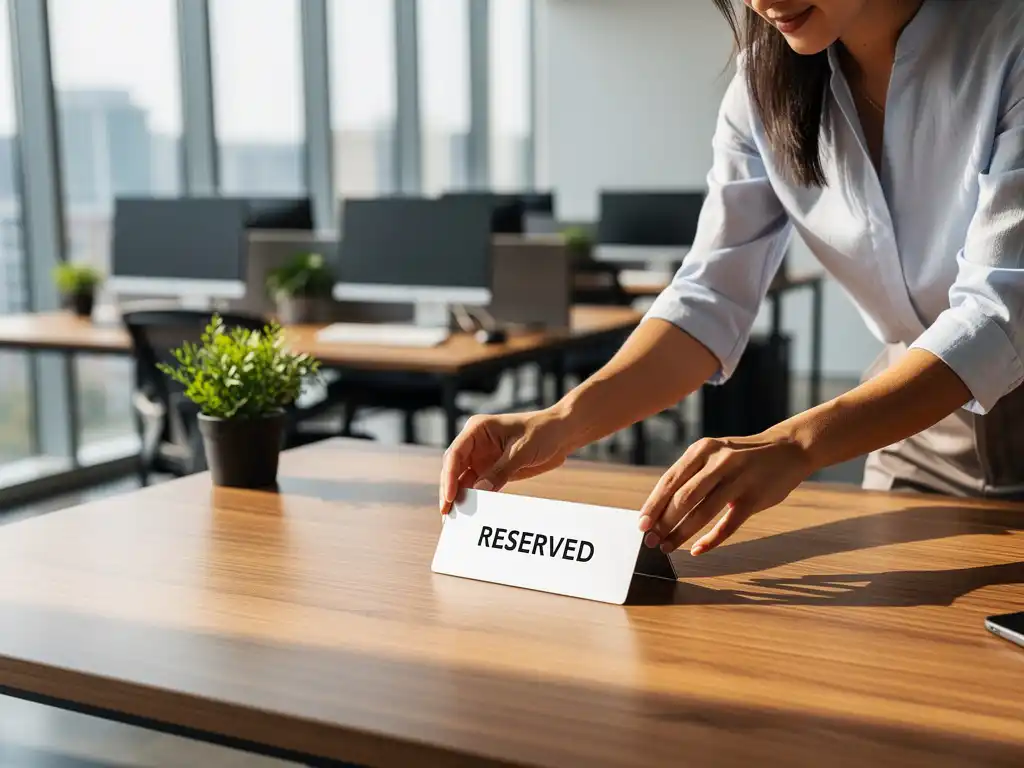
In today’s workplace, where hybrid work is becoming the norm, organizations face the challenge of making the most of their office space. An office desk booking system has become an essential solution for this. With smart booking systems, employees can flexibly reserve workspaces, while organizations gain insight into space utilization and can reduce costs.
However, developing an effective desk booking policy requires more than just installing software. It involves creating clear guidelines that align with your company culture and work processes, ensuring a smooth transition to flexible working for everyone involved.
What is a desk booking policy, and why do you need one?
A desk booking policy is a set of guidelines that determines how employees can reserve, use, and release workstations in a flexible work environment. The policy specifies when reservations can be made, how long workstations remain reserved, and the consequences of no-shows.
The need for a desk booking policy arises from the shift toward hybrid work. Organizations want to use their office space more efficiently without maintaining excess capacity. A well-designed policy prevents frustration among employees who cannot find a workspace and helps optimize facility costs. Furthermore, it ensures a fair allocation of popular workspaces, such as window seats or spots near meeting rooms.
Without clear rules, conflicts often arise over workspaces, inefficient use of space, and uncertainty about expectations. An office desk booking system, combined with a clear policy, eliminates these problems and brings structure to the flexible work environment.
What elements should you include in your desk booking policy?
An effective desk booking policy includes reservation rules, usage guidelines, penalties for misuse, and technical instructions for the booking system. Together, these elements ensure clarity and fair access to workspaces for all employees.
The reservation rules form the basis of the policy. Determine how far in advance employees can make reservations (for example, one week in advance), how long a reservation remains valid, and whether there are limits on the number of days per week. Many organizations set a maximum of three to four days per week to prevent the same people from consistently claiming the same spaces.
Guidelines for use describe the expected behavior in the workplace. Examples include a clean desk policy requiring workstations to be left clean and uncluttered, rules regarding personal belongings, and the use of lockers that can be reserved. Acoustic guidelines are also part of this, such as the use of phone booths for phone calls.
Penalties for no-shows and abuse are essential to a fair system. For example, establish that after two no-shows without cancellation, booking privileges will be suspended for one week. This prevents popular workspaces from remaining occupied unnecessarily while other employees are unable to find a spot.
How do you implement a desk booking system in your organization?
Implementing a desk booking system starts with analyzing workspace usage and involving employees in the policy-making process. Next, you select the appropriate technology and roll out the system in phases, providing guidance and training along the way.
Start with a thorough analysis of current workspace usage. Count the number of workstations, monitor occupancy rates at different times of the day and on different days, and identify high-traffic areas. This data will help you determine the appropriate ratio of workstations to employees, which is often around 70 to 80% to maintain flexibility.
Actively involve employees in the policy-making process. Organize workshops or surveys to identify their needs and concerns. Employees who are involved in the process are more likely to accept new rules. Form a working group with representatives from different departments to build support.
The technical implementation requires careful planning. Choose user-friendly software that integrates with existing systems, such as Outlook or Teams. Ensure clear workstation numbering and any necessary signage in the office. Test the system with a small group first before rolling it out on a larger scale.
What challenges do you face with desk booking, and how do you solve them?
The biggest challenges with desk booking are resistance to change, technical issues, no-shows, and a loss of team cohesion. You can address these issues through effective communication, flexible implementation, and the creation of alternative meeting options.
Resistance to change is normal when employees have to give up their assigned workstations. Address this by clearly communicating the benefits: more choice in workstations, a cleaner work environment, and modern facilities. Provide a transition period during which employees can get used to the new system, without immediate penalties.
Technical issues, such as app crashes or slow systems, can quickly undermine user acceptance. Ensure you have robust technology, clear backup procedures, and responsive help desk support. Always keep a few workstations available for walk-ins to maintain flexibility in the event of technical issues.
You can offset the loss of team cohesion caused by colleagues no longer sitting next to each other by creating team zones where departments are encouraged to be located. Also, provide inviting common areas, such as a modern cafeteria, where informal interactions can take place. Encourage team leaders to organize regular team meetings.
How Wout Monseurs helps with desk booking solutions
We offer comprehensive Smart Office solutions that seamlessly meet modern workplace needs. Our Smart Office technology includes advanced desk booking systems that automatically configure workstations to match users’ personal preferences.
Our desk booking services include:
- Smart booking systems for workspaces and meeting rooms via smartphone or computer
- Automatic desk adjustment based on personal ergonomic settings
- Integration with clean desk policies and personal lockers that can be reserved
- Insights into facility costs and space utilization through data analysis
- Complete project design, including flexible workstations and phone booths
With over 60 years of experience in office design, we combine traditional expertise with modern technology. Our family-owned business guides organizations from policy development through implementation, ensuring a smooth transition to flexible working. Contact us for a no-obligation consultation about your desk booking challenges.
Frequently asked questions
How many workstations do I need for my number of employees?
A general rule of thumb is to provide workstations for 70–80% of your employees. So, for a company with 100 employees, approximately 70–80 workstations would be sufficient. This percentage may vary depending on your hybrid work policy and how often employees work in the office.
What if employees forget their reservation and there are no workstations available?
Always keep 10–15% of workstations available as walk-in spots for emergencies. You can also implement a waiting list system where employees are automatically notified when a workstation becomes available due to a cancellation.
How can I prevent certain employees from always booking the same popular workstations?
Implement a rotation system in which popular spots (such as window seats) can be reserved by the same person for a maximum of 2–3 days per week. You can also use a lottery or fairness algorithm that gives priority to employees who have been able to reserve popular spots less frequently.
What is the cost of a desk booking system, and how long does it take to pay for itself?
Desk booking software typically costs €2–5 per user per month. The investment pays for itself through space savings (often requiring 20–30% less office space), lower facility costs, and increased productivity. For an average office, the payback period is 6–12 months.
How do I handle teams that insist on sitting together?
Create team zones or clusters that departments can prioritize when making reservations. Implement group reservations that allow team leaders to book multiple adjacent workstations at once. Also, ensure there are enough meeting rooms where teams can gather for discussions.
What technical requirements does my office need to meet for a desk booking system?
You’ll need a stable Wi-Fi connection, a cloud-based reservation system, and clear workstation numbering. Optional features include occupancy sensors and QR codes at workstations. Make sure the system integrates with existing tools like Outlook, Teams, or Slack for ease of use.
How do I measure the success of my desk booking policy?
Monitor KPIs such as occupancy rate (aim for 70–85%), no-show rate (below 10%), user satisfaction through surveys, and space savings. Also analyze peak times and popular areas to further optimize your policies and address any bottlenecks.