

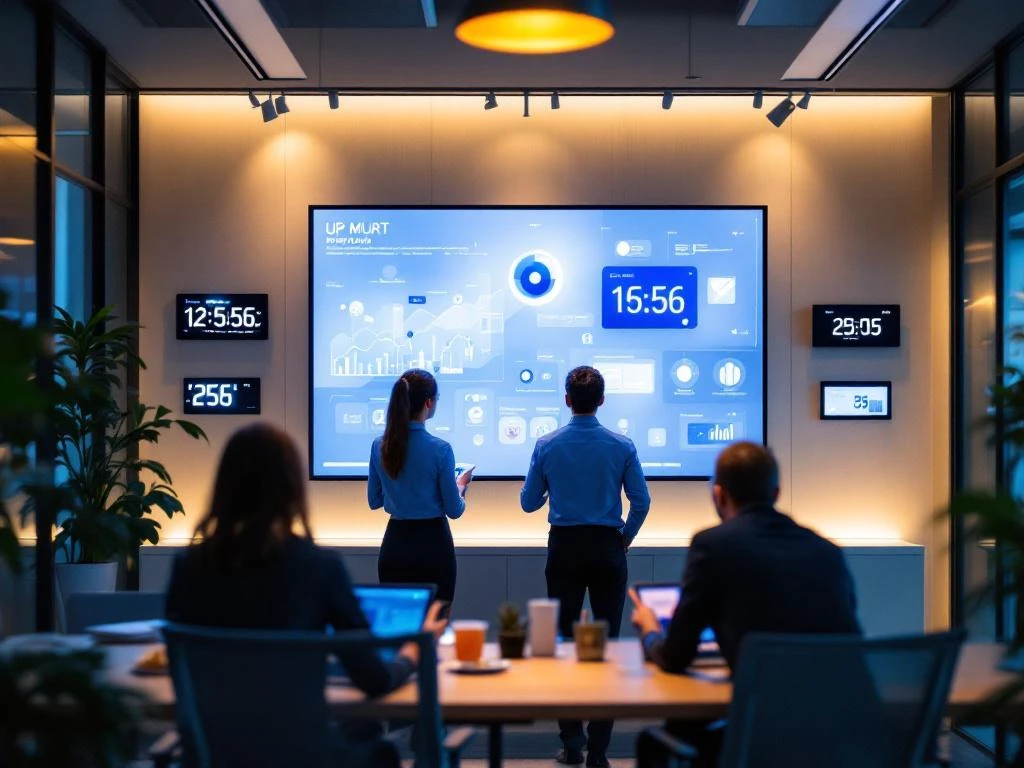
Training staff for a smart office starts with identifying the necessary skills and drawing up a step-by-step training plan. Your team mainly needs practical training with digital tools, automation systems, and collaboration platforms. The best approach combines hands-on workshops with peer-to-peer learning and gradual implementation.
What is smart office training and why do your employees need it?
Smart office training involves teaching employees how to work effectively with modern office equipment, digital systems, and automation software. This training helps your team remain productive in a technologically advanced work environment and prevents frustration due to unfamiliarity with new systems.
A smart office incorporates various technologies that work together to make work more efficient. Examples include smart meeting systems that automatically synchronize calendars, climate control that adjusts to occupancy, and digital whiteboards for interactive presentations. Collaboration tools such as Microsoft Teams or Slack, cloud storage systems, and automated workflows are also part of this environment.
Training is important because technology is only valuable when people know how to use it properly. Employees who don't know how to operate smart systems experience stress and are less productive. Training also helps you avoid costly mistakes and ensures that your investment in smart office technology actually pays off.
What skills should your staff learn for a smart office?
Your team needs both basic digital skills and specific knowledge of smart office equipment. Start with fundamental computer skills such as file management, cloud storage, and basic security principles. Add specific skills for your office environment.
Practical skills that everyone needs to master include operating smart meeting equipment, using digital planning systems, and working with collaboration platforms. Employees also need to learn how to troubleshoot when technology does not work as expected.
Automation systems are a separate part of the training. Teach your team how workflows work, which processes are automated, and when manual intervention is needed. Understanding the data and reports generated by smart office systems is also valuable for better decision-making.
Don't forget about soft skills. Digital communication, online etiquette, and maintaining personal connections in a technological environment are just as important as technical skills.
How do you start training your team in smart office technology?
Start with a skills assessment to determine what skills your team already has and where the biggest gaps are. Ask employees about their comfort level with different technologies and observe how they currently work. This will give you a clear starting point.
Next, create a training plan that gradually introduces more complex topics. Start with basic skills before moving on to advanced features. Schedule training in small blocks rather than long sessions, so that people have time to process new knowledge.
Choose training times that cause minimal disruption to daily work. Many companies organize short sessions during lunch breaks or schedule more intensive training on quiet days. Ensure that everyone has the same basic knowledge before starting team-specific training.
Also create a safe learning environment where people dare to experiment and ask questions. Technology can be intimidating, so emphasize that making mistakes is part of the learning process.
Which training methods work best for smart office training courses?
Hands-on workshops are most effective for smart office training because people can practice directly with the equipment and software. Combine this with peer-to-peer learning, where tech-savvy colleagues help others. This approach works better than theoretical explanations alone.
Online courses are useful for basic knowledge and can be taken at your own pace. They work well for software training and theoretical concepts. However, practical training remains indispensable for physical equipment, such as smart printers or conference systems.
Microlearning sessions lasting 15–20 minutes are ideal for busy office environments. Focus each session on one specific skill, such as reserving a smart meeting room or sharing files via the cloud. These short sessions are easier to schedule and easier to remember.
Different people learn in different ways. Visual learners benefit from demonstrations and infographics, while hands-on learners want to experiment right away. Therefore, offer different training methods so that everyone can learn in their own way.
How Wout Monseurs assists with smart office training and implementation
We understand that implementing a smart office involves more than just installing technology. That is why we offer comprehensive support in training your team, so that everyone can benefit optimally from the new working environment.
Our training courses are practical and tailored to your specific office setup. We provide hands-on workshops in which employees learn how to work with the installed equipment and software right away. We also offer follow-up sessions to ensure that everyone feels comfortable with the new systems.
We also help draw up training plans that fit in with your work rhythm and corporate culture. Our approach is personal and flexible, because we know that every team learns and works differently.
Would you like to know how we can help you transition to a smart office? Contact us for a no-obligation consultation about your specific training needs.
Frequently asked questions
How long does it take on average for employees to become fully familiar with smart office technology?
Most employees need 2-4 weeks to become comfortable with basic functions, and 2-3 months to fully master all systems. This depends on their technical background and the complexity of your smart office setup. Therefore, schedule follow-up training after 1 month and 3 months to resolve any issues.
What do you do with employees who resist new technology?
Start by understanding their concerns—often these involve fear of change or previous negative experiences. Offer extra one-on-one coaching and let them work alongside enthusiastic colleagues. Demonstrate concrete benefits that are relevant to their daily tasks and give them time to learn at their own pace.
How do you keep training up to date when smart office technology is updated?
Set up a system for continuous learning with short monthly update sessions of 15 minutes. Appoint 'tech ambassadors' within each team who learn updates first and pass them on to colleagues. Also create an internal wiki or knowledge base where new features and tips are documented.
What are the most common mistakes companies make in smart office training?
The biggest mistake is providing too much information at once, which leads to overwhelm. Other common mistakes include: not taking different learning styles into account, scheduling too little practical time, and not providing clear support after the initial training. Focus on small steps and ensure ongoing guidance.
How do you measure the success of your smart office training program?
Track concrete metrics such as system usage statistics, time saved on routine tasks, and the number of help desk tickets. Also conduct regular surveys among employees about their comfort level and productivity. Look at qualitative indicators such as improved collaboration and less frustration during meetings.
What are the costs of smart office training and how do you justify this investment?
Training costs vary from €50-200 per employee, depending on the complexity and training method. This investment pays for itself through increased productivity, reduced IT support, and better utilization of your smart office technology. Calculate the ROI by converting time savings and reduced frustration into concrete euros.
How do you ensure that new employees quickly get up to speed with your smart office systems?
Develop a standardized onboarding program with a checklist of essential skills. Assign each new employee a "tech buddy" for the first few weeks and create quick reference guides for the most commonly used functions. Plan an intensive introduction day followed by weekly check-ins during the first month.