

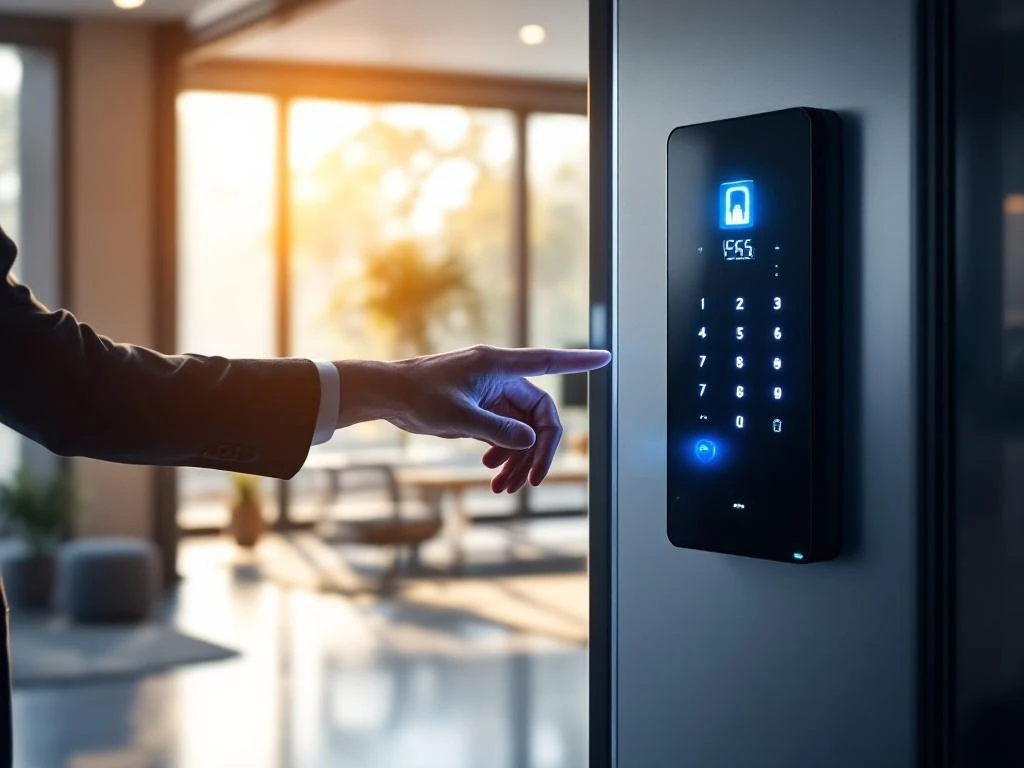
Toegangscontrole in een smart office gebruikt digitale systemen zoals RFID-badges, smartphone-apps en biometrische scanners om veilige en geautomatiseerde toegang tot kantoorruimtes mogelijk te maken. Deze slimme systemen zorgen voor betere beveiliging, realtime monitoring van aanwezigheid en flexibel toegangsbeheer. Je kunt verschillende zones instellen met verschillende toegangsniveaus en alles centraal beheren via een digitaal platform.
Wat is toegangscontrole in een smart office precies?
Toegangscontrole in een smart office is een digitaal beveiligingssysteem dat automatisch bepaalt wie wanneer toegang krijgt tot welke ruimtes. Het bestaat uit verschillende componenten die samenwerken: digitale sloten, badgelezers, biometrische scanners en een centraal beheersysteem. Deze onderdelen communiceren met elkaar via een netwerk om realtime beslissingen te nemen over toegang.
Het systeem werkt door gebruikersidentificatie te koppelen aan toegangsrechten. Wanneer iemand zijn badge scant of zijn vingerafdruk laat lezen, controleert het systeem onmiddellijk of deze persoon toegang heeft tot die specifieke ruimte op dat moment. Dit gebeurt binnen enkele seconden.
Je kunt verschillende toegangszones instellen binnen je kantoor. Denk aan algemene werkruimtes waar iedereen mag komen, vergaderruimtes die alleen gereserveerd kunnen worden en beveiligde zones zoals serverruimtes waar alleen IT-personeel toegang heeft. Het systeem houdt ook bij wanneer mensen het gebouw betreden en verlaten.
Welke voordelen biedt slimme toegangscontrole voor jouw kantoor?
Slimme toegangscontrole verhoogt de veiligheid aanzienlijk, omdat je precies weet wie zich waar bevindt en wanneer. Je kunt toegangsrechten onmiddellijk aanpassen of intrekken zonder fysieke sleutels te hoeven vervangen. Dit bespaart tijd en voorkomt beveiligingsrisico’s bij personeelswisselingen.
Het systeem biedt automatische aanwezigheidsregistratie, waardoor je geen handmatige tijdregistratie meer nodig hebt. Medewerkers hoeven alleen hun badge te scannen bij binnenkomst en het systeem registreert automatisch hun aanwezigheid. Dit scheelt administratieve rompslomp en geeft nauwkeurige gegevens.
Voor flexibel werken is slimme toegangscontrole ideaal. Je kunt werkplekken dynamisch toewijzen en medewerkers toegang geven tot verschillende ruimtes, afhankelijk van hun planning. Dit ondersteunt moderne werkvormen zoals hotdesking en hybride werken perfect.
De kostenbesparingen zijn ook aanzienlijk. Je hoeft geen nieuwe sleutels te laten maken, sloten te vervangen of beveiligingspersoneel in te zetten voor handmatige controles. Het systeem werkt 24/7 zonder extra kosten.
Hoe werken verschillende toegangscontrolesystemen in de praktijk?
RFID-badges zijn het meest gebruikte systeem, omdat ze betrouwbaar en kosteneffectief zijn. Medewerkers houden hun badge kort bij de lezer en krijgen binnen een seconde toegang. Deze badges kunnen ook fungeren als personeelskaart en zijn makkelijk te vervangen bij verlies.
Smartphone-apps worden steeds populairder, omdat iedereen altijd zijn telefoon bij zich heeft. Via Bluetooth- of NFC-communicatie opent de app automatisch deuren wanneer je in de buurt komt. Dit is handig, maar vereist wel dat je telefoon opgeladen is.
Biometrische scanners gebruiken vingerafdrukken, gezichtsherkenning of irisscanners voor toegang. Deze zijn zeer veilig, omdat je je identiteit niet kunt vergeten of verliezen. Ze zijn wel duurder in aanschaf en sommige mensen vinden ze minder comfortabel in gebruik.
PIN-codes zijn een eenvoudige oplossing voor ruimtes die niet vaak gebruikt worden. Je typt een code in op een keypad om toegang te krijgen. Het nadeel is dat codes gedeeld kunnen worden en regelmatig gewijzigd moeten worden voor optimale beveiliging.
Veel moderne systemen combineren verschillende methoden. Je kunt bijvoorbeeld een badge gebruiken plus een PIN-code voor extra beveiligde ruimtes, of biometrie combineren met smartphone-toegang voor maximaal gemak.
Welke kosten zijn verbonden aan smart office-toegangscontrole?
De aanschafkosten variëren sterk, afhankelijk van de grootte van je kantoor en het type systeem. Een basis-RFID-systeem voor een klein kantoor kost ongeveer € 2.000–5.000, terwijl uitgebreide biometrische systemen voor grote kantoren € 10.000–50.000 kunnen kosten. Deze prijzen zijn inclusief hardware, software en basisinstallatie.
Installatiekosten bedragen meestal 20–30% van de hardware-investering. Dit omvat het plaatsen van lezers, het aanleggen van bekabeling, netwerkconfiguratie en het trainen van gebruikers. Complexere installaties in oude gebouwen kunnen meer kosten vanwege extra bedrading.
Onderhoudskosten zijn relatief laag bij moderne systemen. Reken op ongeveer 10–15% van de aanschafprijs per jaar voor software-updates, technische ondersteuning en eventuele reparaties. De meeste systemen hebben een levensduur van 7–10 jaar.
De besparingen compenseren de investering vaak binnen 2–3 jaar. Je bespaart op sleutelkosten, beveiligingspersoneel, administratieve tijd voor tijdregistratie en energiekosten door betere monitoring van ruimtegebruik. Ook vermindert het risico op diefstal en ongeautoriseerde toegang aanzienlijk.
Hoe Wout Monseurs helpt met smart office-toegangscontrole
Wij begeleiden je van advies tot implementatie bij het kiezen van het juiste toegangscontrolesysteem voor jouw kantoor. Onze ervaring met smart office-oplossingen helpt je om een systeem te selecteren dat perfect aansluit bij je werkwijze en beveiligingsbehoeften.
We zorgen voor een naadloze integratie met je bestaande kantoorinrichting en andere slimme systemen. Van het eerste adviesgesprek tot de training van je medewerkers: we begeleiden het hele proces professioneel en persoonlijk.
Wil je weten welke toegangscontrole het beste past bij jouw kantoor? Neem contact met ons op voor een vrijblijvend adviesgesprek. We bekijken samen jouw situatie en adviseren je over de meest geschikte oplossing.
Veelgestelde vragen
Hoe lang duurt de installatie van een toegangscontrolesysteem?
De installatie duurt meestal 1-3 werkdagen, afhankelijk van de grootte van je kantoor en complexiteit van het systeem. Voor een klein kantoor met 5-10 deuren kan het binnen een dag klaar zijn, terwijl grote kantoren met meerdere zones en integraties tot een week kunnen duren. Wij plannen de installatie zo dat je bedrijfsvoering minimaal verstoord wordt.
Wat gebeurt er als het systeem uitvalt of er een stroomstoring is?
Moderne toegangscontrolesystemen hebben noodstroomvoorzieningen en backup-oplossingen ingebouwd. Bij stroomuitval blijven de systemen 4-8 uur functioneren op batterijen. Daarnaast kun je handmatige override-codes instellen of mechanische noodsleutels gebruiken. Het systeem slaat alle gegevens lokaal op, zodat er geen toegangsrechten verloren gaan.
Kunnen we het systeem uitbreiden als ons kantoor groeit?
Ja, alle moderne toegangscontrolesystemen zijn modulair opgebouwd en eenvoudig uit te breiden. Je kunt nieuwe deuren, gebruikers en zones toevoegen zonder het bestaande systeem te vervangen. De software schaalt automatisch mee en je betaalt alleen voor de extra hardware die je nodig hebt. We adviseren altijd systemen die toekomstbestendig zijn.
Hoe beveiligd is de data die het systeem verzamelt?
Toegangscontrolesystemen gebruiken geavanceerde encryptie en voldoen aan GDPR-wetgeving voor gegevensbescherming. Alle communicatie tussen componenten is versleuteld en gebruikersgegevens worden veilig opgeslagen. Je hebt volledige controle over wie toegang heeft tot de data en kunt automatische back-ups en audit-trails instellen voor compliance.
Welke fouten maken bedrijven vaak bij het kiezen van toegangscontrole?
De meest voorkomende fout is het kiezen van een te goedkoop systeem dat later niet uitgebreid kan worden. Ook onderschatten veel bedrijven de importantie van gebruiksvriendelijkheid – een systeem dat moeilijk te bedienen is, wordt niet goed gebruikt. Daarnaast vergeten ze vaak de integratie met andere systemen zoals tijdregistratie en HR-software te overwegen.
Kunnen we het systeem koppelen aan onze bestaande HR- en tijdregistratiesoftware?
Ja, de meeste moderne toegangscontrolesystemen hebben API’s waarmee ze kunnen integreren met populaire HR- en tijdregistratiesystemen. Hierdoor worden nieuwe medewerkers automatisch toegevoegd en vertrekkende medewerkers direct uit het systeem verwijderd. Ook kan aanwezigheidsdata automatisch doorgestuurd worden naar je salarissysteem, wat veel administratieve tijd bespaart.