

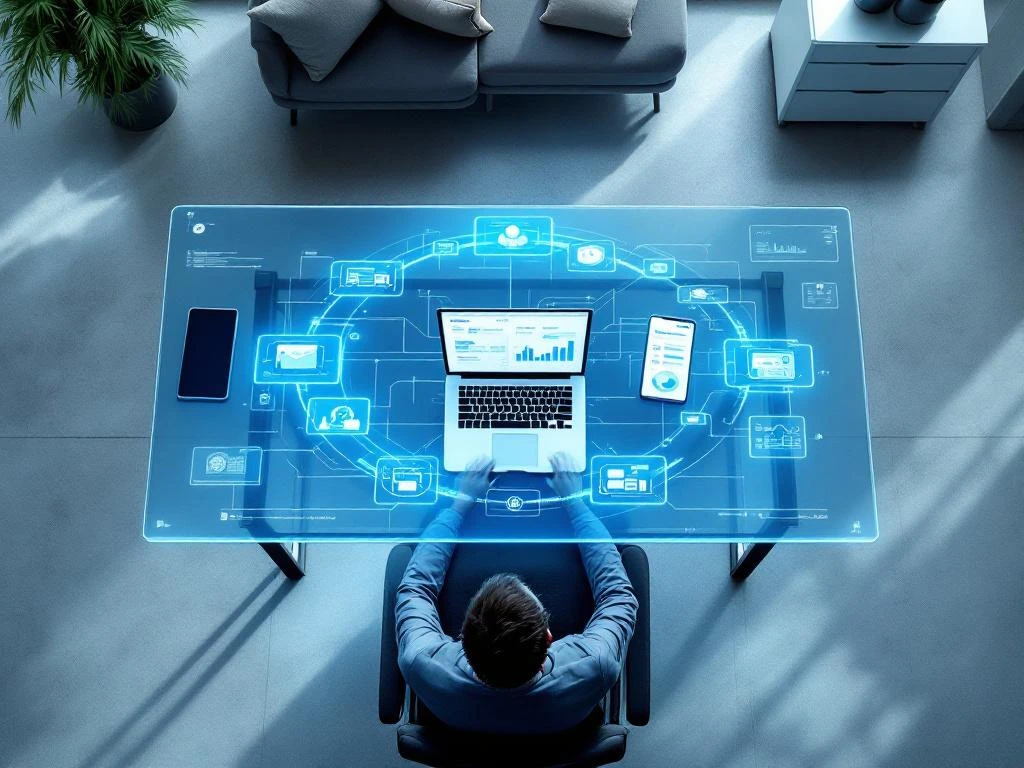
Projectinrichting voor volledig digitale bedrijven focust op flexibele, technologie-geïntegreerde werkruimtes die hybride werken ondersteunen. Dit betekent minder vaste werkplekken, meer collaboratieve zones en ergonomische oplossingen die zowel op kantoor als thuis werken ondersteunen. De inrichting moet adaptief zijn en meegroeien met de veranderende werkbehoeften van digitale teams.
Wat verstaan we onder projectinrichting voor digitale bedrijven?
Projectinrichting voor digitale bedrijven is het ontwerpen van flexibele werkruimtes die specifiek zijn afgestemd op bedrijven die voornamelijk digitaal opereren. Dit verschilt van traditionele kantoorinrichting doordat het minder focust op vaste werkplekken en meer op adaptieve ruimtes die verschillende werkstijlen ondersteunen.
De grootste verschillen met traditionele kantoorinrichting zijn duidelijk zichtbaar. Waar klassieke kantoren vaak bestaan uit rijen bureaus en afgesloten kantoorruimtes, draait digitale projectinrichting om activiteitsgebaseerd werken. Je hebt rustige zones voor focuswerk, collaboratieve ruimtes voor teamoverleg en informele ontmoetingsplekken voor spontane interactie.
Digitale bedrijven hebben andere behoeften omdat hun werkprocessen anders zijn georganiseerd. Medewerkers wisselen regelmatig tussen individueel werk, videocalls en teamprojecten. De inrichting moet deze dynamiek faciliteren met bijvoorbeeld geluidsisolatie voor calls, flexibele meubelstukken die snel te herconfigureren zijn en voldoende technische voorzieningen op elke werkplek.
Welke ruimtes hebben digitale bedrijven nog steeds nodig?
Digitale bedrijven hebben nog steeds fysieke ruimtes nodig voor specifieke activiteiten die niet goed digitaal uit te voeren zijn. Denk aan brainstormsessies, teambuilding en momenten waarop je echt face-to-face contact nodig hebt voor complexe besluitvorming.
Vergaderruimtes blijven belangrijk, maar dan wel anders ingericht. Je hebt kamers nodig met uitstekende audiovisuele faciliteiten voor hybride meetings, waarin sommige deelnemers fysiek aanwezig zijn en anderen online. Deze ruimtes moeten technisch perfect geëquipeerd zijn met professionele camera’s, microfoons en schermen.
Creatieve zones worden steeds populairder in digitale bedrijven. Dit zijn ruimtes waar teams kunnen brainstormen met whiteboards, post-its en andere analoge hulpmiddelen. Soms werkt het gewoon beter om ideeën fysiek uit te werken voordat je ze digitaal vastlegt.
Stille werkplekken zijn onmisbaar voor taken die diepe concentratie vereisen. Niet iedereen heeft thuis een perfecte werkplek, dus het kantoor moet plekken bieden waar je ongestoord kunt focussen. Deze ruimtes hebben vaak akoestische panelen en zijn bewust minimalistisch ingericht om afleiding te voorkomen.
Hoe zorg je voor ergonomische werkplekken bij hybride werken?
Ergonomische werkplekken voor hybride werken vereisen flexibele meubelen en apparatuur die zowel op kantoor als thuis goed functioneren. Dit betekent investeren in verstelbare bureaus, goede stoelen en draagbare accessoires die medewerkers kunnen meenemen tussen locaties.
Het uitgangspunt is dat je werkplek zich aanpast aan jouw lichaam, niet andersom. In hoogte verstelbare bureaus zijn hierbij belangrijk, omdat mensen verschillende lengtes hebben en tussen zitten en staan willen wisselen. Combineer dit met ergonomische stoelen die verschillende lichaamstypes ondersteunen.
Voor hybride werkers zijn draagbare ergonomische accessoires handig. Denk aan laptopstands, externe toetsenborden en muizen die je makkelijk kunt transporteren. Zo creëer je thuis dezelfde ergonomische omstandigheden als op kantoor.
De monitoropstelling verdient speciale aandacht. Veel mensen werken veel te lang op hun laptopscherm, wat nek- en rugklachten veroorzaakt. Zorg voor externe monitoren op ooghoogte, zowel op kantoor als in thuiswerkpakketten die je aan medewerkers verstrekt.
Welke technologie-integratie is belangrijk bij moderne projectinrichting?
Moderne projectinrichting draait om naadloze technologie-integratie die digitale workflows ondersteunt zonder technische frustraties. Dit betekent betrouwbare wifi, voldoende stopcontacten, draadloze presentatieoplossingen en smartofficesystemen die intuïtief werken.
Draadloze oplossingen staan centraal in digitale kantoren. Medewerkers moeten overal kunnen werken zonder kabels te hoeven zoeken. Dit vereist strategisch geplaatste wifi-accesspoints, draadloos laden van devices en presentatiesystemen waarop je zonder adapters kunt aansluiten.
Smartofficesystemen maken het kantoor intelligenter en gebruiksvriendelijker. Denk aan app-gestuurde verlichting, klimaatbeheersing en ruimteboekingen. Medewerkers kunnen via hun smartphone een vergaderruimte reserveren, de temperatuur aanpassen of de verlichting dimmen.
Integratie met digitale workflows is een gebied waarop veel kantoren nog verbetering kunnen gebruiken. Je technologie moet samenwerken met de software die teams dagelijks gebruiken, zoals digitale whiteboards die direct synchroniseren met projectmanagementtools of camerasystemen die automatisch opnames delen in teamkanalen.
Hoe Wout Monseurs helpt met projectinrichting voor digitale bedrijven
Wij begrijpen dat digitale bedrijven andere inrichtingsbehoeften hebben dan traditionele kantoren. Onze projectinrichting-aanpak begint daarom altijd met het begrijpen van jullie werkprocessen en digitale workflows voordat we een ontwerp maken.
Ons team heeft ervaring met het inrichten van moderne, flexibele werkruimtes die meegroeien met veranderende behoeften. We werken met hoogwaardige, ergonomische meubelen die geschikt zijn voor hybride werken en zorgen voor de juiste technische infrastructuur die jullie digitale processen ondersteunt.
Van concept tot realisatie regelen we alles voor jullie. We maken een gedetailleerd 3D-ontwerp, zodat je precies ziet hoe de nieuwe werkruimte eruit komt te zien, en verzorgen de complete logistiek en installatie. Wil je weten hoe wij jullie digitale bedrijf kunnen helpen met moderne projectinrichting? Neem dan contact met ons op voor een vrijblijvend gesprek.
Veelgestelde vragen
Hoe bepaal ik hoeveel werkplekken ik nodig heb als mijn team hybride werkt?
Voor hybride teams geldt vaak een ratio van 0,6 tot 0,8 werkplekken per medewerker, afhankelijk van je aanwezigheidspatroon. Analyseer eerst hoeveel dagen per week je team gemiddeld op kantoor is, en voeg 10-20% buffer toe voor groei en flexibiliteit. Gebruik booking-data om patronen te herkennen en de inrichting daarop aan te passen.
Wat zijn de grootste valkuilen bij het inrichten van een digitaal kantoor?
De meest voorkomende fouten zijn onvoldoende wifi-capaciteit, te weinig stopcontacten, slechte akoestiek waardoor videocalls verstoren, en het onderschatten van opbergbehoeften voor persoonlijke spullen van hybride werkers. Ook wordt vaak vergeten om verschillende werkstijlen te faciliteren – van stille focus tot levendige samenwerking.
Hoe voorkom ik dat mijn kantoor een 'spookachtige' sfeer krijgt door het hybride werken?
Creëer levendige, uitnodigende gemeenschappelijke ruimtes zoals een keuken, loungehoek of game area waar mensen natuurlijk samenkomen. Gebruik warme kleuren, planten en flexibele verlichting. Plan ook bewust sociale activiteiten en zorg voor visuele elementen die de bedrijfscultuur uitstralen, zelfs als niet iedereen er is.
Welke technische specificaties zijn minimaal nodig voor goede videocalls in vergaderruimtes?
Investeer in professionele 4K camera’s met breed gezichtsveld, omnidirectionele microfoons met noise cancelling, en minimaal 65 inch schermen voor goede zichtbaarheid. Zorg voor symmetrische internetverbinding van minimaal 50 Mbps up/down per vergaderruimte en backup-connecties. Test regelmatig de audio-echo en beeldkwaliteit.
Hoe kan ik mijn kantoorinrichting toekomstbestendig maken voor veranderende werkbehoeften?
Kies modulaire meubelen die je kunt herrangschikeren, gebruik verrijdbare scheidingswanden voor flexibele ruimte-indeling, en investeer in robuuste technische infrastructuur met extra capaciteit. Plan ook voor uitbreiding van stopcontacten en dataverbindingen. Evalueer elk kwartaal of de huidige indeling nog past bij je werkprocessen.
Wat moet ik regelen voor medewerkers die ergonomische accessoires tussen kantoor en thuis willen wisselen?
Verstrek draagbare ergonomische sets met laptopstand, externe muis en toetsenbord in een handige tas. Zorg voor identieke monitorconfiguraties op beide locaties en bied een thuiswerkvergoeding voor een goede bureaustoel. Maak duidelijke afspraken over eigendom en vervanging van apparatuur.
Hoe lang duurt het gemiddeld om een digitaal kantoor volledig in te richten?
Een complete projectinrichting duurt meestal 6-12 weken vanaf definitief ontwerp tot oplevering, afhankelijk van de grootte en complexiteit. Reken 2-3 weken voor ontwerp en planning, 2-4 weken voor meubelproductie en levering, en 1-2 weken voor installatie en technische configuratie. Plan extra tijd in voor eventuele bouwkundige aanpassingen.