

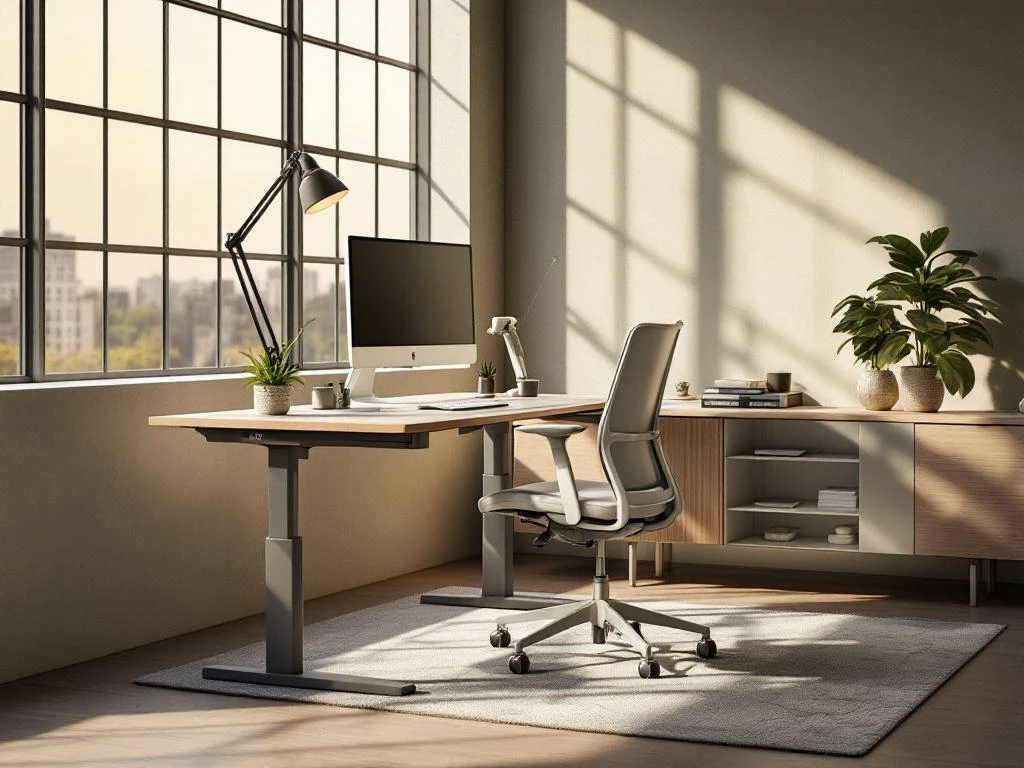
Ergonomics in project design ensures that workplaces are optimally suited to the natural movements and needs of employees. This means adjustable desks at the right height, supportive chairs, and well-positioned monitors. An ergonomic workplace increases comfort, reduces physical complaints, and improves your team's productivity.
What exactly does ergonomics mean in project design?
Ergonomics is the science that focuses on optimally tailoring workplaces to people's physical and mental capabilities. Project design involves creating office environments where employees can work naturally and comfortably, without unnecessary strain on muscles and joints.
It is important to understand the difference between ergonomics and comfort. Comfort is about how pleasant something feels, while ergonomics is based on scientific principles about how the human body functions. A soft chair may feel comfortable, but if it does not support your back properly, it is not ergonomic.
For employees, ergonomics means fewer neck complaints, back pain, and RSI problems. For companies, this results in less absenteeism and higher productivity. Employees who feel physically well are able to concentrate better and perform better in their tasks.
When designing workplaces, ergonomics takes into account factors such as body posture, freedom of movement, accessibility of equipment, and the interaction between people and their working environment. This translates into concrete choices in terms of furniture, layout, and technical facilities.
What ergonomic principles are important when designing workplaces?
The most important ergonomic principles focus on neutral body postures, with joints in their natural position. This means straight wrists when typing, feet flat on the floor, and a straight back with good support.
Reach plays a major role in workplace design. Everything you use regularly should be within arm's reach. Your keyboard, mouse, and phone should be within your primary reach zone so that you don't have to reach or stretch.
Height adjustment is essential because people come in different sizes. Adjustable desks and chairs ensure that everyone can adapt their workspace to their own body. Your elbows should be at an angle of approximately 90 degrees when typing.
Lighting should be bright enough to read without strain, but not so bright that it causes glare. Natural light works best, supplemented with adjustable artificial lighting for darker moments.
Noise levels affect concentration and stress levels. Open-plan offices often require acoustic solutions, such as sound-absorbing panels or strategically placed partitions to dampen disruptive noises.
How do you choose the right ergonomic furniture for your office project?
The most important features of office chairs are adjustable backrests, seat heights, and armrests. The chair should support your lower back, and your feet should be able to rest flat on the floor. Test different models to see which one suits your team best.
Adjustable desks offer flexibility for both sitting and standing work. Electrically adjustable desks are more user-friendly than manually adjustable versions. The ideal desk depth is at least 80 centimeters to provide sufficient space for a monitor and keyboard.
Keyboard holders and mouse support surfaces help maintain neutral wrist positions. These accessories are particularly useful for non-adjustable desks or as additions to existing workstations.
Budget naturally plays a role in the choice. First prioritize the basics: good chairs and adjustable desks. Accessories such as monitor arms and footrests can be added later. Invest in quality brands that will last for years and offer a warranty.
Also consider the diversity of your team. People have different heights, preferences, and possible physical limitations. Choose furniture with wide adjustment options or consider different types for different users.
What common mistakes should you avoid when designing an ergonomic project?
Incorrect desk heights are the most common mistake. Many desks are too high, causing people to raise their shoulders and build up tension. Elbows should hang relaxed alongside the body, at an angle of approximately 90 degrees.
Monitors are often positioned too low or too close. The top of your monitor should be at eye level, about an arm's length away. Monitors that are too low cause neck problems, while monitors that are too close cause eye strain.
Insufficient lighting leads to eye strain and headaches. Avoid reflections on screens by not placing monitors directly opposite windows. Ensure adequate general lighting and add task lighting where necessary.
Lack of space limits natural body movements. Plan sufficient space around workstations so that people can easily stand up, turn around, and adjust their chairs. A minimum of 1.5 meters behind each workstation is recommended.
Ignoring individual differences is a costly mistake. What works for one person does not automatically suit another. Provide instruction on how to set up workstations correctly and regularly check that people are using their furniture properly.
How Wout Monseurs assists with ergonomic project design
We integrate ergonomic principles into every project design from the outset. Our expertise with high-quality brands such as Interstuhl and Wini ensures that your team gets workplaces that are both functional and healthy.
Our personalized approach means we take the time to understand your specific needs. We look at the type of work you do, the diversity of your team, and your budget to create a tailor-made solution.
From the 3D design to the installation, we ensure that every workplace meets ergonomic standards. We also guide your team in correctly setting up and using their new workplace, so that the investment in ergonomics yields the best possible return.
Would you like to know how we can transform your office into an ergonomic and productive working environment? Contact us for a no-obligation consultation about the possibilities for your project design.
Frequently asked questions
How long does it take for employees to get used to new ergonomic workstations?
Most employees get used to new ergonomic workstations within 2-4 weeks. The first few days may feel awkward because the body is accustomed to old, often incorrect postures. Give employees time to gradually adjust their workstation and encourage them to make small adjustments regularly until everything feels perfect.
What are the first signs that a workplace is not ergonomically designed?
Early warning signs include neck stiffness at the end of the working day, pain between the shoulder blades, tense wrists, and tired eyes. If employees frequently change posture, slump in their chairs, or lean forward toward the screen, this also indicates ergonomic problems that need to be addressed.
Can ergonomic improvements also be implemented in existing offices without a complete redesign?
Absolutely! Start with small adjustments such as monitor arms for better screen positioning, external keyboards and mice for laptop users, and footrests. Adjustable desk accessories and ergonomic mouse pads can make a big difference. A step-by-step approach is often more effective and budget-friendly than replacing everything at once.
How often should ergonomic workstations be evaluated and adjusted?
Schedule a thorough evaluation every 6-12 months, but encourage employees to check their workplace daily. For new employees, after long-term absences, or in the event of complaints, a check should be carried out immediately. Minor adjustments can be made on an ongoing basis, but structural changes deserve an annual review.
What is the ROI of investing in ergonomic project design?
On average, companies see a payback period of 6-18 months due to reduced absenteeism and increased productivity. Ergonomic workstations can reduce absenteeism by 25-50% and increase productivity by 10-15%. In addition, you save on long-term costs such as disability insurance and replacement staff.
How do you train employees to use their ergonomic workstation correctly?
Organiseer praktische workshops waar werknemers hun eigen werkplek kunnen instellen onder begeleiding. Verstrek visuele handleidingen en checklists die ze kunnen raadplegen. Wijs ‘ergonomie-ambassadeurs’ aan die collega’s kunnen helpen en zorg voor follow-up sessies om ervoor te zorgen dat goede gewoonten blijven bestaan.