

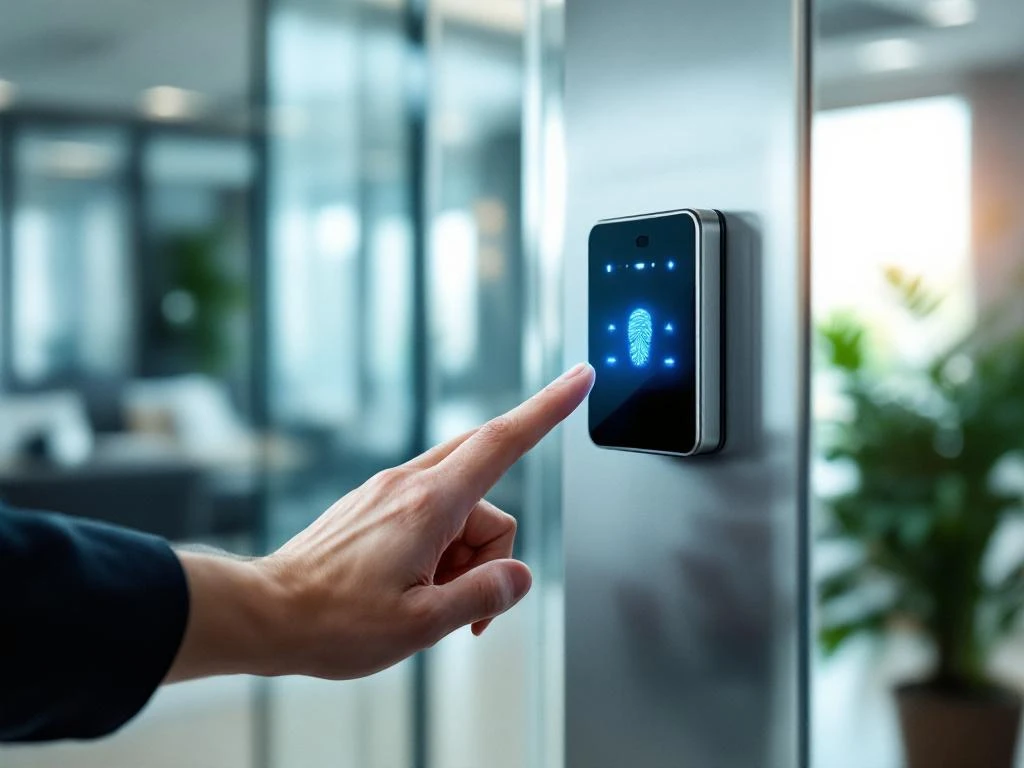
Smart office access control is generally secure when implemented correctly with the appropriate security measures. Modern systems use encryption, multi-factor authentication, and regular updates to minimize risks. Security depends on the technology chosen and how the system is implemented and maintained.
What is smart office access control, and how does it work?
Smart office access control is a digital security system that automatically determines who is granted access to office spaces. It replaces traditional keys with modern technologies such as key cards, biometric scanners, smartphone apps, or PIN code systems.
These systems operate through a central management platform that monitors all access points. Employees identify themselves at door readers by scanning their badge, having their fingerprint verified, or using an app on their phone. The system immediately verifies whether the person has access to that specific area at that time.
The most commonly used technologies are:
- RFID cards and badges that communicate wirelessly with door readers
- Biometric scanners for fingerprints, facial recognition, or iris scans
- Smartphone apps with Bluetooth or NFC connectivity
- PIN systems with numeric access codes
The system keeps a log of all access attempts and can send real-time notifications to security personnel or facility managers.
What security risks are associated with digital access systems?
Digital access systems have specific vulnerabilities that traditional keys do not have. Cyberattacks pose the greatest risk, with hackers attempting to breach the system through network connections or software vulnerabilities.
The main security risks are:
- Network issues and system failures that can block access during emergencies
- Data fraud and identity theft when personal information is stolen
- Unauthorized access via stolen cards, cracked codes, or forged biometric data
- Malware and ransomware attacks that can cripple the entire system
Outdated software poses an additional risk because security vulnerabilities are not patched. Poorly configured systems can also grant access to unauthorized individuals or, conversely, lock out legitimate users. Physical tampering with door readers or network cabling is also possible.
How do you protect smart office access control systems from hackers?
Encrypting all data is the foundation of secure access control. Ensure that communication between door readers, servers, and management platforms is fully encrypted using modern standards such as AES-256 encryption.
Essential security measures include regular software updates to patch known vulnerabilities. Implement multi-factor authentication so that users must verify their identity in multiple ways. Isolate the access system on a separate network segment to prevent the spread of any attacks.
Practical protective measures include:
- Strong passwords and regular changes for all administrator accounts
- Monitor access logs for suspicious activity and unusual patterns
- Installing backup power systems for emergencies and power outages
- Physical security of servers, cabling, and door readers
Train staff to recognize social engineering attacks and establish clear procedures for handling the loss of access credentials.
What are the benefits of smart access control for offices?
Smart access control for offices provides enhanced security through real-time monitoring and detailed access logs. The system records exactly who enters which rooms and when, making unauthorized access immediately apparent.
It is significantly more convenient to use than traditional keys. Employees do not need to carry physical keys, and lost badges can be deactivated immediately. Temporary access for visitors or external staff can be easily arranged without having to make new keys.
Key benefits include cost savings resulting from fewer key copies and lock replacements. The system integrates seamlessly with other smart office technologies such as lighting, climate control, and occupancy tracking. Facility managers gain valuable insights into space utilization and can plan more efficiently.
Remote management means that access rights can be updated immediately without the need for physical presence. This is particularly useful when there are staff changes or temporary project teams.
How Wout Monseurs helps with smart office access control systems
We help companies select, implement, and maintain secure access control systems that are perfectly tailored to their specific needs. Our expertise in access control systems helps organizations strike the right balance between security, ease of use, and cost-effectiveness.
Our approach includes a thorough analysis of your current situation and security needs. We recommend the most suitable technologies and ensure professional installation with optimal network security. We handle maintenance and regular updates for you to guarantee continuous security.
Concrete support we offer:
- Customized advice based on your office layout and security requirements
- Integration with existing smart office systems for optimal functionality
- Training employees in the safe use of the new system
- 24/7 technical support for system failures or security incidents
Please contact us for a no-obligation consultation on secure smart office access control tailored to your organization and future plans.
Frequently asked questions
How long does it take to implement a smart access control system?
Implementation typically takes 2–6 weeks, depending on the size of the office and the complexity of the system. For smaller offices (up to 50 employees), 2–3 weeks is a realistic estimate, while larger organizations with multiple locations require 4–6 weeks. The schedule includes hardware installation, network configuration, user registration, and staff training.
What happens if the system goes down during business hours?
Modern systems feature built-in fail-safe mechanisms such as battery backup and offline access modes. In the event of a network outage, door readers can temporarily operate autonomously using locally stored access rights. For emergencies, we always recommend a manual override option and clear evacuation procedures. A reputable supplier offers 24/7 technical support for rapid problem resolution.
Can employees use their smartphones instead of a physical badge?
Yes, most modern systems support smartphone apps via Bluetooth Low Energy or NFC technology. This offers added convenience because employees always have their phones with them. However, it is wise to maintain a backup method (such as a badge) for situations where the phone battery is dead or the app is not working. The smartphone option can also be combined with biometric authentication for added security.
How can you prevent stolen badges from being misused?
Immediately implement a reporting system that allows lost or stolen badges to be deactivated within minutes. Multi-factor authentication (badge + PIN or biometric scan) makes misuse much more difficult. Real-time monitoring of access logs helps quickly detect suspicious activity. Also, establish clear procedures so that employees know how to report a loss immediately.
What privacy considerations should you keep in mind when using biometric access control?
Biometric data is classified as special categories of personal data under the GDPR and requires explicit consent from employees. Store biometric templates locally on the card or reader rather than in a central database. Ensure transparent communication regarding data usage and retention periods. Always offer an alternative access method for employees who do not wish to share their biometric data.
Can smart access control be integrated with existing security systems?
Yes, most modern access control systems can integrate seamlessly with CCTV cameras, alarm systems, and fire safety systems via open protocols such as ONVIF or Wiegand. This integration enables centralized management and the automatic triggering of camera recordings upon entry. Integration with HR systems for the automatic recording of employee check-ins and check-outs is also possible, which reduces the administrative burden.
What are the typical costs for smart access control per employee?
Costs range from €50 to €200 per employee, depending on the technology chosen and the scale of the operation. Basic RFID systems are the least expensive (€50–80), while biometric systems with app integration are more expensive (€120–200). Larger organizations benefit from economies of scale. Don’t forget to factor annual maintenance and licensing costs (10–20% of the initial investment) into your budget planning.