

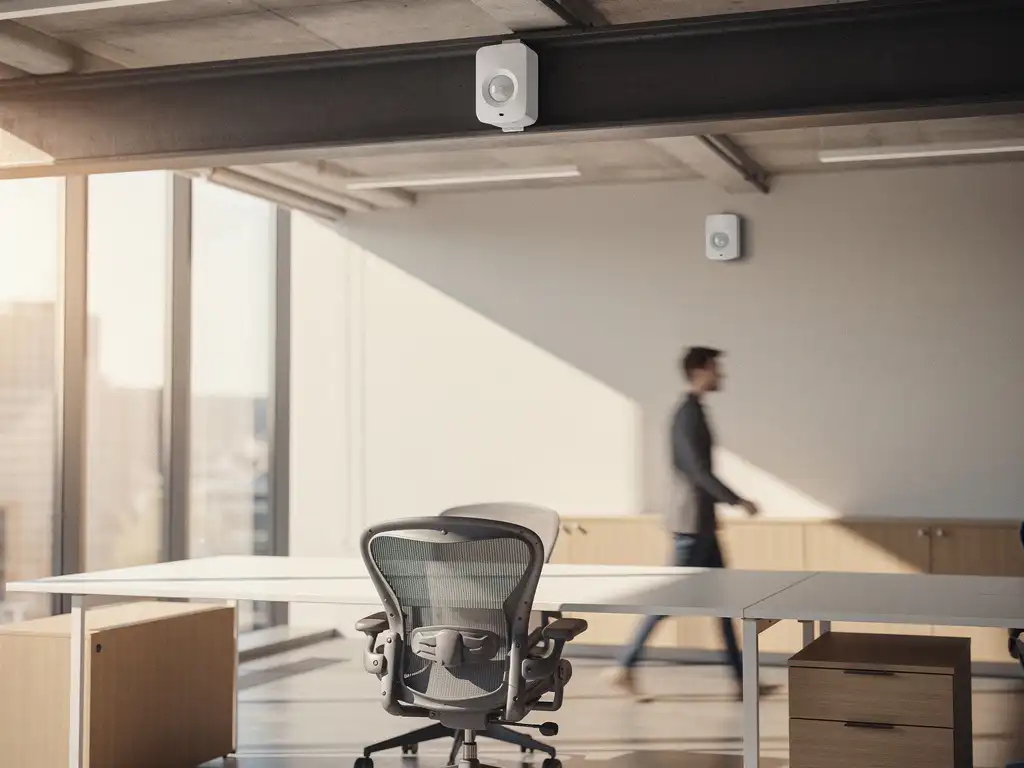
Modern offices are rapidly transforming into smart work environments where technology and comfort go hand in hand. Occupancy sensors play a crucial role in this process by providing real-time insights into space utilization and workplace optimization. These smart sensors make it possible to reduce energy consumption, allocate workspaces more efficiently, and create a more comfortable work environment.
For organizations investing in Smart Office solutions, it is essential to understand which type of sensor best suits their specific needs. The difference between active and passive occupancy sensors determines not only the functionality but also the implementation costs and maintenance requirements of your smart office environment.
What are occupancy sensors, and why are they important for modern offices?
Occupancy sensors are smart devices that automatically detect whether a room or workspace is occupied. These sensors collect real-time data on space usage and can control various systems, such as lighting, climate control, and reservation systems.
The main benefits of occupancy sensors in office environments include energy savings, space optimization, and improved employee comfort. Through automatic detection, lighting systems can reduce energy costs by up to 90%, while HVAC systems operate only when spaces are actually in use.
These sensors have become indispensable for modern hybrid workplaces. They enable flexible workspaces, allowing employees to reserve available seats using a desk booking tool. In addition, they provide facility managers with valuable insights into space utilization, enabling them to optimize office layouts based on actual usage patterns.
How do active occupancy sensors work in practice?
Active occupancy sensors transmit signals and analyze the reflection or interference of these signals to detect movement or presence. They use technologies such as radar, ultrasonic waves, or infrared radiation to actively scan their surroundings.
The most common active sensors are PIR (Passive Infrared) sensors, which detect changes in heat, and microwave sensors, which detect movement using the Doppler effect. These sensors can distinguish very accurately between different types of movement and detect even the slightest gestures.
In practice, active sensors are often integrated into lighting systems, causing lights to turn on and off automatically when motion is detected. They can also be linked to climate control systems to adjust temperature and ventilation based on occupancy. In meeting rooms, active sensors ensure that audiovisual systems start up automatically when someone enters.
What is the difference between active and passive occupancy sensors?
The main difference lies in the detection method: active sensors emit signals themselves and measure the reflected signals, while passive sensors only detect existing signals or changes in the environment without emitting energy themselves.
Active sensors generally offer greater accuracy and can detect movement even when people are sitting still. They perform well in all lighting conditions and can “see” through obstacles. However, they consume more energy and may be susceptible to interference from other electronic devices.
Passive sensors, on the other hand, are more energy-efficient and cost less to purchase and maintain. They detect changes in heat, light, or other environmental factors. One drawback is that they may be less accurate at detecting people who remain still for extended periods, which is particularly relevant for office workstations where people may sit at their desks for hours on end.
In office environments, this means that active sensors are better suited for areas where precise detection is crucial, such as meeting rooms and focus rooms. Passive sensors are ideal for common areas such as hallways, restrooms, and break rooms, where motion detection is sufficient.
Which occupancy sensor is best suited for your office?
The choice depends on the type of space, the desired level of accuracy, the budget, and the ability to integrate with existing systems. For workspaces where people remain seated for long periods, active sensors are usually the best option, while passive sensors are sufficient for high-traffic areas.
For individual workstations and focus areas, active sensors such as PIR sensors or microwave sensors are recommended. These sensors detect even slight movements and can distinguish between presence and absence. They integrate well with desk booking systems and can remember personal preferences for desk settings.
Meeting rooms benefit from advanced active sensors that not only detect occupancy but can also count the number of people present. This helps optimize climate control and prevent overbooking of rooms.
For common areas such as hallways, restrooms, and kitchens, cost-effective passive sensors are usually sufficient. They provide automatic lighting and ventilation without requiring complex installation or high maintenance costs.
Privacy considerations must also be taken into account when making this decision. Some advanced sensors can identify individuals or track behavior, which may conflict with the privacy policies in place within the organization.
How do you integrate occupancy sensors into your office design?
Successful integration begins with a thorough analysis of space utilization and workflows, followed by the strategic placement of sensors and integration with existing building management systems. A phased implementation ensures optimal results without disrupting daily operations.
The first step is to map out all the spaces and their functions. Workstations, meeting rooms, break rooms, and hallways each have different sensor requirements. Proper planning prevents costly modifications down the line and ensures optimal coverage.
Technical integration requires compatibility with existing systems such as lighting control, climate control, and reservation software. Modern sensors often communicate via wireless protocols such as Wi-Fi, Zigbee, or LoRaWAN, which allows for flexible placement without extensive cabling.
For optimal performance, sensors must be positioned at the correct height and at the correct angles. Ceiling-mounted sensors are often ideal for general room occupancy detection, while desk-integrated sensors work better for individual workstation occupancy detection. Obstacles such as partitions and furniture can affect detection and must be taken into account in the design.
How Wout Monseurs is helping with smart sensors in office environments
We offer comprehensive Smart Office solutions that seamlessly integrate occupancy sensors into your office design. Our experience with intelligent work environments enables us to select and implement the right sensor technology to perfectly meet your specific needs.
Our Smart Office services include:
- Analysis of space utilization and recommendations for optimal sensor placement
- Integration of occupancy sensors with desk booking systems and reservation tools
- Integration with lighting and climate control systems for maximum energy savings
- Real-time dashboards for facility management and space optimization
- Maintenance and monitoring of sensor systems
As a full-service project design firm, we ensure that smart sensors are incorporated into your office design from the very beginning. From turnkey projects to specific Smart Office upgrades, we guide you through the entire process. Contact us for a no-obligation consultation on how occupancy sensors can transform your office environment into an intelligent, efficient workplace.
Frequently asked questions
How much do occupancy sensors cost for an average office?
Costs vary significantly depending on the type of sensor and the size of the office. Passive sensors cost €50–150 each, while active sensors cost €150–500. For an office with 100 workstations, expect to pay €15,000–40,000, including installation and software. The investment often pays for itself within 2–3 years through energy savings and more efficient use of space.
Can occupancy sensors violate employees' privacy?
Moderne bezettingssensoren zijn ontworpen met privacy als uitgangspunt. Ze detecteren alleen aanwezigheid of beweging, zonder personen te identificeren of gedrag te tracken. Voor optimale privacy kies je voor sensoren die geen camera’s gebruiken en zorg je voor transparante communicatie naar medewerkers over welke data wordt verzameld en hoe deze wordt gebruikt.
What happens if sensors malfunction or trigger a false alarm?
High-quality sensors have a lifespan of 5–10 years, and modern systems feature built-in self-diagnostic capabilities. In the event of a malfunction, you’ll receive automatic notifications through the management system. You can minimize false alarms through proper calibration and installation. Always choose suppliers that offer remote monitoring and rapid replacement to prevent downtime.
How long does it take to install occupancy sensors in an existing office?
For an office with 50–100 workstations, installation typically takes 1–2 weeks, depending on the complexity and existing infrastructure. Wireless sensors are quicker to install than wired ones. Configuration and integration with existing systems often take longer than the physical installation. It is best to schedule the implementation during quiet periods or on weekends.
Do occupancy sensors work well in open-plan offices?
Yes, but this requires a different approach than traditional offices. In open-plan offices, you use a combination of ceiling-mounted sensors for general room detection and desk-integrated sensors for individual workstations. Be mindful of obstacles such as partition walls and ensure sufficient overlap in detection zones to prevent blind spots.
Can we integrate occupancy sensors with our current reservation system?
De meeste moderne sensoren kunnen via API’s worden gekoppeld aan bestaande reserveringssystemen. Dit maakt real-time beschikbaarheid mogelijk en voorkomt dubbele boekingen. Check vooraf de compatibiliteit met je huidige software of overweeg een upgrade naar een geïntegreerd Smart Office-platform dat sensoren en reserveringen combineert.
What kind of energy savings can I realistically expect from occupancy sensors?
On average, you can achieve energy savings of 30–50% on lighting and 15–25% on climate control, depending on your current systems and office usage. In hybrid work environments with fluctuating occupancy, the savings are even greater. The exact savings depend on factors such as current energy costs, office size, and employee usage patterns.