

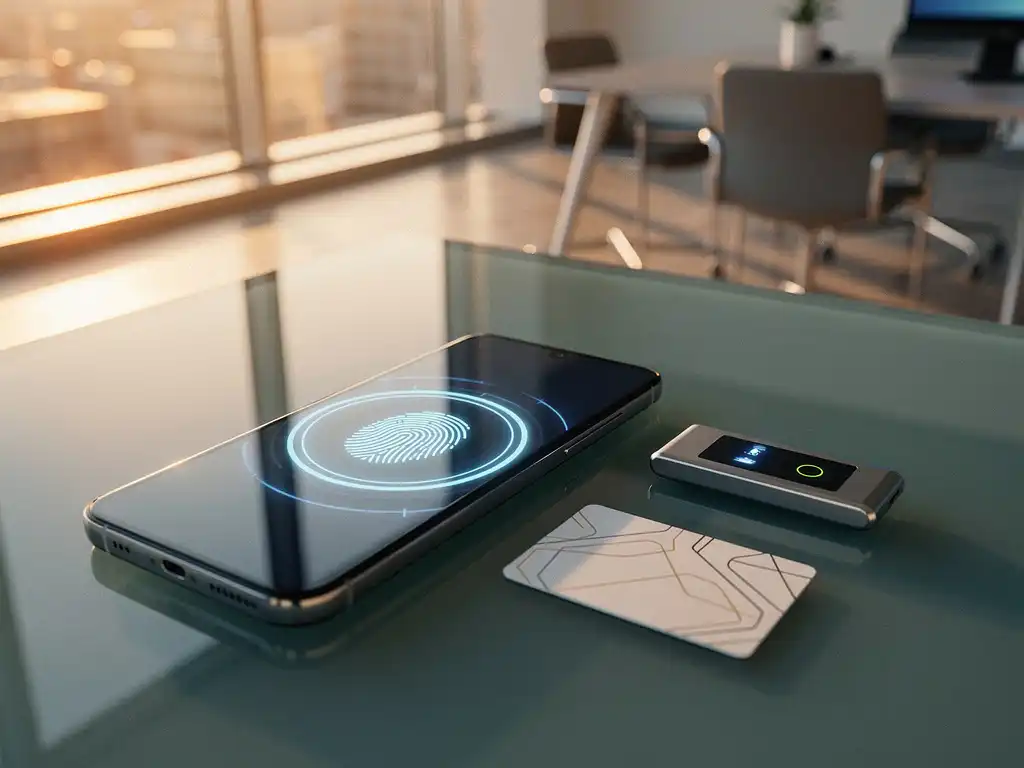
Smart office access has evolved from simple key cards to advanced authentication systems that combine security, ease of use, and efficiency. Modern offices implement intelligent access control to secure workspaces, monitor employee traffic, and support flexible work environments.
Choosing the right authentication system not only determines the security of your office, but also how smoothly employees can carry out their daily tasks. The costs of implementing smart office solutions vary widely, depending on the system you choose and the complexity of your office environment.
What are the authentication mechanisms for smart office access?
Authentication mechanisms for smart office access are digital systems that verify users’ identities before granting access to office spaces, workstations, or specific areas. These systems replace traditional keys with smart technologies that enhance security and ease of use.
Modern authentication systems often use multiple layers of verification. For example, an employee might first scan an access card, followed by a PIN or biometric verification. This multi-factor authentication significantly enhances security compared to traditional access methods.
Smart office systems often integrate authentication with other office solutions. As soon as an employee logs in, personal preferences for lighting, temperature, and desk settings can be loaded automatically. This integration is part of the broader digital transformation that modern workplaces are undergoing.
What types of authentication are available for office access?
There are five main categories of office access authentication: card-based systems, PIN-based access, biometric verification, mobile authentication, and hybrid solutions that combine multiple methods. Each system offers specific advantages for different office environments.
Card-based systems use RFID or NFC technology and remain popular due to their reliability and relatively low cost. Employees are issued an access card that they hold up to a scanner to gain entry. These systems can be easily integrated with existing office infrastructure.
PIN systems require users to enter a numeric code on a keypad. Although cost-effective, these systems can pose security risks if codes are shared or stolen. Modern versions combine PINs with other authentication methods to provide enhanced security.
Biometric systems use unique physical characteristics, such as fingerprints, facial recognition, or iris scans. This method offers a high level of security because biometric characteristics are difficult to replicate, but it does require a significant investment and careful consideration of privacy issues.
How does biometric authentication work in smart offices?
Biometric authentication in smart offices works by scanning employees’ unique physical characteristics and comparing them to templates stored in a secure database. The system grants access only when an exact match is found, ensuring a high level of security and ease of use.
Fingerprint scanners are the most common biometric solution in offices. Employees place their finger on a sensor that reads the unique patterns of their fingerprint. The system converts these patterns into a digital template that is stored and used for future verifications.
Facial recognition is becoming increasingly popular because it is contactless and more hygienic, especially since the onset of COVID-19. Cameras scan facial features and compare them to stored profiles. Modern systems can even function in varying lighting conditions and when people are wearing face masks.
Iris scanning offers the highest accuracy of all biometric methods, but is primarily used in high-security environments due to its higher cost. The system scans the unique patterns in the colored part of the eye for identification.
What are the benefits of mobile access for offices?
Mobile access for offices offers flexibility, cost savings, and an improved user experience by using smartphones as digital keys. Employees can unlock office doors via apps, Bluetooth signals, or NFC technology, without having to carry physical cards or keys.
Smartphone-based access eliminates the costs and administrative burden associated with physical access cards. Companies no longer need to order, replace, or deactivate cards when employees leave. Access rights can be adjusted immediately via software, which is particularly useful for temporary employees or visitors.
Mobile systems offer advanced features, such as temporary access codes for visitors, location-based access, and integration with other smart office applications. For example, employees can reserve their workstations and automatically gain access to that specific area.
The user experience improves significantly because employees use their own smartphones instead of having to carry additional devices. Push notifications can be used for access confirmations, safety alerts, or information about office services.
How do you choose the right authentication system for your office?
Choosing the right authentication system requires an analysis of your security needs, budget, number of users, and desired features. Start by determining the desired level of security, evaluate your technical infrastructure, and consider future expansion options before making a final decision.
A security assessment should form the basis of your decision. Offices that handle sensitive information may require biometric systems, while general office spaces can function effectively with card-based or mobile access. You should also consider which areas within your office require different levels of security.
Budget considerations include not only the purchase price, but also implementation, maintenance, and potential replacement costs. Mobile systems often have lower operating costs, while biometric systems require a higher initial investment but may have lower maintenance costs.
- Assess the number of users and their technical skills
- Check compatibility with the existing IT infrastructure
- Consider integration options with other office solutions
- Take future expansions or changes into account
How Wout Monseurs Helps with Smart Office Authentication
At Wout Monseurs, we offer comprehensive Smart Office solutions that seamlessly integrate authentication systems with your office design. Our expertise in smart office technology helps you choose the optimal authentication system to meet your security needs and workflow requirements.
Our Smart Office services include:
- Analysis of your specific security needs and office layout
- Advice on cost-effective authentication solutions
- Integration with smart reservation systems and agency customizations
- Full implementation and technical support
- Training for your employees and administrators
As a family-owned business with over 60 years of experience, we combine traditional expertise with cutting-edge technology. Our project designs integrate authentication systems with ergonomic workstations, acoustic solutions, and sustainable office furniture to create a comprehensive work environment.
Would you like to learn more about smart office authentication for your office? Please contact us to schedule a personalized consultation where we can discuss your specific needs and options.
Frequently asked questions
How long does it take to implement a new authentication system?
The implementation timeframe ranges from 2 to 4 weeks for simple card-based systems to 6 to 12 weeks for complex biometric or integrated solutions. The duration depends on the size of the office, the number of access points, and the desired integrations with existing systems. Planning and preparation are crucial for a smooth transition.
What happens if the authentication system goes down or malfunctions?
Professional systems always include emergency procedures and backup solutions. These can range from mechanical emergency keys and battery backup systems to alternative access methods via mobile apps. When selecting a system, it is important to inquire about the emergency procedures and to test them regularly with your team.
Can we combine different authentication methods for different departments?
Yes, hybrid systems make it possible to use different authentication methods for different zones or departments within the same office. For example: card-based access for common areas and biometric verification for sensitive departments such as IT or finance. This offers optimal flexibility and cost-effectiveness.
What about privacy and GDPR compliance with biometric systems?
Biometric systems must meet strict GDPR requirements because biometric data is considered special category personal data. This requires explicit consent from employees, secure local data storage, and clear procedures for data deletion. Always choose vendors who can demonstrate GDPR compliance.
What costs should I expect for system maintenance and updates?
Expect annual maintenance costs of 10–20% of the purchase price for software updates, technical support, and preventive maintenance. Mobile systems often have lower maintenance costs, while biometric systems may require more specialized service. Always ask about maintenance contracts and update guarantees when making a purchase.
Can I expand the system as my business grows?
Modern authentication systems are designed for scalability. Cloud-based solutions can easily accommodate new users and access points without requiring hardware upgrades. When selecting a system, it is wise to discuss future growth plans and choose solutions that can be expanded in a modular fashion.
How do I train my employees to use the new system?
A good training program includes hands-on demonstrations, written manuals, and a gradual transition period during which both systems run side by side for a limited time. Appoint “system champions” who can assist their colleagues, and designate clear points of contact for technical questions. Most vendors offer standard training packages.