

Modern offices face the challenge of facilitating flexible work without creating chaos. An office desk booking system offers the solution by allowing employees to reserve workstations digitally. This technology is becoming increasingly important as organizations transition to hybrid work models where not everyone is in the office every day.
Choosing the right booking system can make the difference between a smoothly running, flexible office and a frustrating work experience. But which features are truly essential, and which are just nice-to-haves? In this article, we’ll discuss the essential features every desk booking system should have.
What is desk booking, and why do you need it?
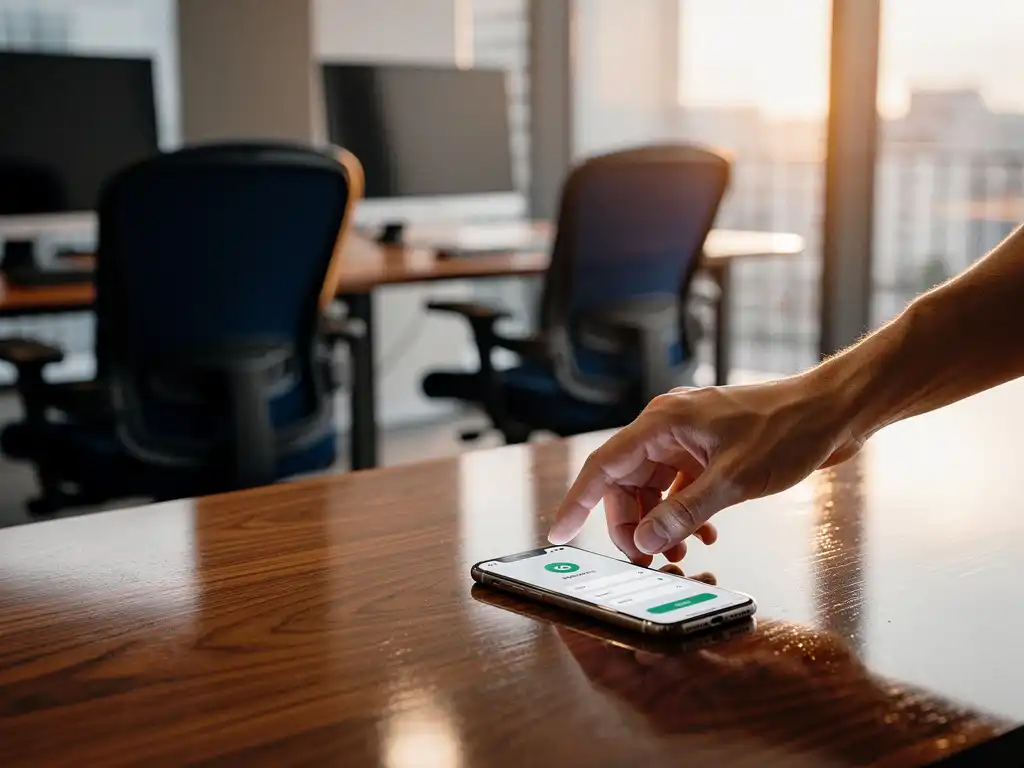
Desk booking is a digital reservation system that allows employees to reserve workspaces using a smartphone, tablet, or computer. The system displays available workspaces in real time and enables users to book their preferred spot for a specific day or time period.
The need for desk booking arises from the shift toward flexible working. Many organizations have fewer fixed workstations than employees—a concept known as “hot desking.” Without a reservation system, this leads to frustration, wasted time, and inefficient use of space. Employees arrive at the office and have to search for an available spot, which causes stress and reduces productivity.
A good desk booking system not only optimizes space utilization but also provides valuable insights into occupancy rates. This enables facilities managers to make data-driven decisions about office layout and capacity. Furthermore, it contributes to a professional image and demonstrates that the organization is investing in modern workplace solutions.
What basic features should every desk booking system have?
An effective desk booking system must, at a minimum, include a real-time availability overview, simple booking functionality via the web and mobile app, automatic booking confirmation, and the ability to modify or cancel reservations. These core features form the foundation of a well-functioning booking system.
The main basic functions are:
- Interactive floor plan: A visual representation of the office that allows users to see at a glance which workstations are available.
- User-friendly interface: Intuitive controls that allow you to make a reservation with a single click.
- Mobile accessibility: Full functionality via a smartphone app for making reservations on the go.
- Notifications: Automatic confirmations and reminders for bookings made.
- Check-in feature: A way to indicate that you are actually present.
In addition, integration with existing systems such as Active Directory or Microsoft 365 is essential for a smooth implementation. Users should be able to log in using their existing corporate accounts without having to go through additional registration procedures. A robust search function helps users find specific workspace types or locations within the building.
How do you choose between different desk booking solutions?
The choice between desk booking solutions depends on your specific needs, budget, desired integrations, and scalability. Start by assessing your current situation and future growth expectations, and then compare the features and implementation costs of different providers.
Key selection criteria include:
- Ease of use: Test the interface with a diverse group of employees to assess whether the system is intuitive.
- Scalability: Can the system grow with your organization and support multiple locations?
- Integration capabilities: Does the solution integrate with your existing IT infrastructure and HR systems?
- Support and maintenance: What kind of support does the vendor offer, and how are updates handled?
- Costs: Don’t just compare the upfront costs; also consider the ongoing licensing and implementation costs.
Always ask for a trial period or demo environment where you can test the system with real users. Pay close attention to the system’s response time, the quality of the mobile app, and the availability of Dutch-language support. A good provider offers transparent pricing and clear implementation timelines.
Which advanced features are worth the investment?
Advanced features that are worth the investment include automatic desk settings based on personal preferences, integration with meeting room reservations, analytics and reporting on space utilization, and integration with access control systems. These features enhance user comfort and provide valuable management insights.
Valuable advanced features include:
- Smart Office integration: Automatic adjustment of desk height, lighting, and temperature based on user profiles.
- Occupancy sensors: Real-time detection of whether reserved workstations are actually in use.
- Predictive analytics: AI-driven forecasts of foot traffic and recommendations for optimal space utilization.
- Team features: Ability to make reservations as a team or find colleagues.
- Catering integration: Automatic ordering of lunch or coffee, linked to workspace reservations.
A clean desk policy, combined with personal, bookable lockers, ensures that workspaces remain organized without feeling impersonal. With Smart Office technology, the desk can be automatically adjusted to the user’s personal preferences, which enhances comfort and productivity.
The return on investment for advanced features depends on the size of your organization and the extent to which flexible working is implemented. For smaller companies, basic features are often sufficient, while large organizations with complex needs benefit more from comprehensive analytics and automation.
How Wout Monseurs helps with desk booking systems
We offer comprehensive Smart Office solutions that seamlessly integrate desk booking into your office environment. Our experienced team guides you from consultation through implementation and ensures a solution that perfectly aligns with your workflows and corporate culture.
Our Smart Office services include:
- Customized advice on the right desk booking system for your organization.
- Full integration with ergonomic workstations and automatic desk adjustments.
- Connection to meeting rooms and other office facilities.
- Training and support for your employees.
- Ongoing service and technical support.
As a family-owned business with over 60 years of experience, we combine traditional expertise with the latest office technology. Contact us for a no-obligation consultation on the possibilities of desk booking in your office. Together, we’ll transform your workplace into a smart, flexible environment that boosts productivity and employee satisfaction.
Frequently asked questions
How long does it take to implement a desk booking system?
Implementation typically takes 2–6 weeks, depending on the complexity of your office layout and the integrations you require. Simple installations can be up and running within a week, while more extensive systems involving Smart Office integration and customization require more time. We provide a detailed schedule to ensure that the impact on your daily operations is kept to a minimum.
What happens if employees don't use their reserved workstations?
Modern desk booking systems have an automatic "no-show" feature that releases unused reservations to other colleagues after a certain amount of time (usually 15–30 minutes). With occupancy sensors, the system can even automatically detect whether a workstation is actually in use. This prevents workstations from remaining blocked unnecessarily.
Can employees reserve fixed workstations for longer periods?
Yes, most systems allow you to reserve workstations for several days, weeks, or even months. This is especially useful for employees who work on projects or have specific workstation requirements. Administrators can, however, set limits to prevent the same people from permanently reserving all workstations.
How do you ensure that employees actually start using the new system?
Successful adoption starts with clear communication about the benefits and a user-friendly system. We offer comprehensive training and support during implementation, including demonstrations and hands-on guidance. A phased rollout with a trial period helps employees get used to the new system without stress.
What are the typical costs of a desk booking system?
Costs range from €3 to €15 per user per month, depending on the features and the number of users. One-time implementation costs range from €2,000 to €10,000 for medium-sized organizations. Advanced features such as Smart Office integration and occupancy sensors increase the investment but also deliver greater value through improved efficiency and user experience.
Can a desk booking system work without an internet connection?
Most modern systems require an internet connection for real-time synchronization and updates. Some systems offer limited offline functionality, allowing previously made reservations to remain available locally. However, a stable internet connection is essential for optimal performance and to prevent conflicts.
How is employee privacy protected when booking desks?
Desk booking systems store only the necessary data, such as name, reservation time, and workstation location. This information is secured in accordance with GDPR guidelines and is accessible only to authorized administrators. Employees can usually choose whether their location is visible to colleagues, and all data is stored in encrypted form.