

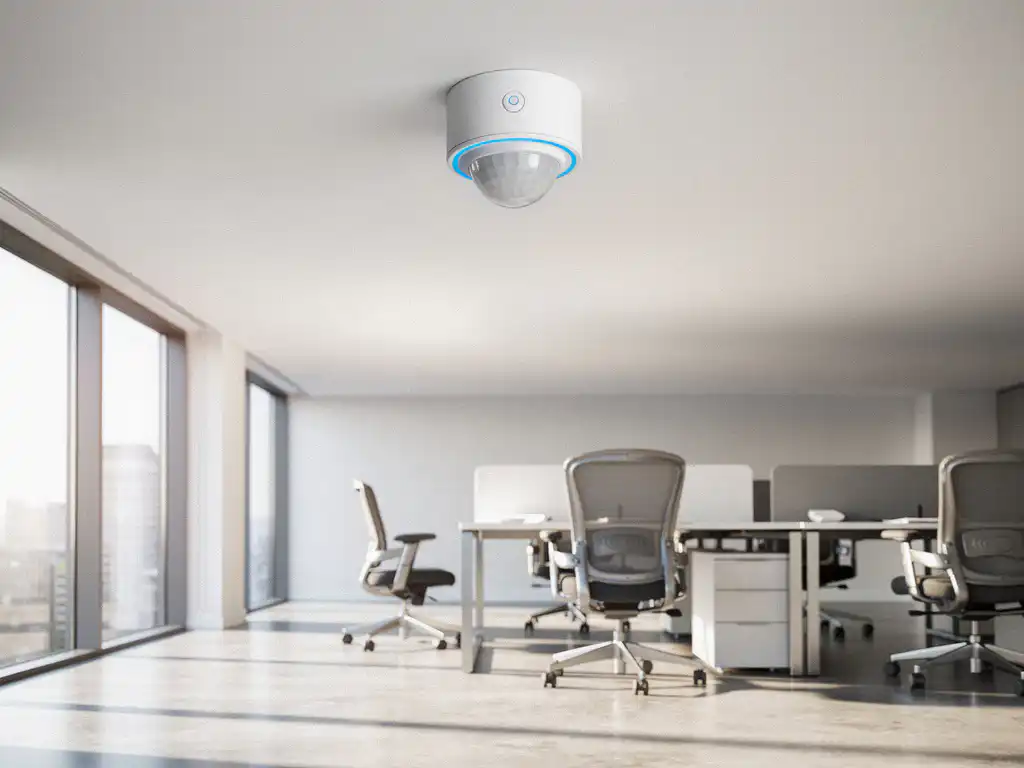
De moderne werkplek evolueert snel naar een intelligente omgeving waarin technologie en menselijke behoeften samenkomen. Werkplekbezettingssensoren spelen hierbij een cruciale rol door real-time inzicht te geven in hoe kantoorruimtes daadwerkelijk worden gebruikt. Deze slimme sensoren maken het mogelijk om werkplekken efficiënter in te zetten en een betere werkervaring te creëren.
Voor organisaties die investeren in flexibele werkplekken en hybride werken, vormen bezettingssensoren de basis voor datagestuurde beslissingen. Ze helpen niet alleen bij het optimaliseren van ruimtegebruik, maar dragen ook bij aan energiebesparing, verbeterde hygiëne en een comfortabelere werkomgeving voor alle medewerkers.
Wat zijn werkplekbezettingssensoren en waarom zijn ze belangrijk?
Werkplekbezettingssensoren zijn intelligente apparaten die automatisch detecteren of een werkplek, vergaderruimte of kantoorgebied in gebruik is. Deze sensoren verzamelen real-time data over ruimtegebruik en sturen die informatie door naar een centraal managementsysteem voor analyse en optimalisatie.
De belangrijkste voordelen van bezettingssensoren zijn veelzijdig. Ze maken ruimteoptimalisatie mogelijk door te laten zien welke werkplekken het meest en het minst worden gebruikt. Dit helpt organisaties bij het nemen van weloverwogen beslissingen over kantoorindeling en capaciteitsplanning. Daarnaast dragen ze bij aan energiebesparing door verlichting, verwarming en ventilatie alleen te activeren wanneer ruimtes daadwerkelijk bezet zijn.
Voor medewerkers betekenen deze sensoren een verbeterde werkervaring. Ze kunnen via een app zien welke werkplekken beschikbaar zijn, waardoor zoektijd wordt verminderd en frustratie wordt voorkomen. In tijden van hybride werken en flexibele werkplekken zijn bezettingssensoren onmisbaar geworden voor een soepel functionerende kantooromgeving.
Welke verschillende typen sensoren bestaan er voor werkplekmonitoring?
Er bestaan vijf hoofdtypen sensoren voor werkplekmonitoring: PIR-bewegingssensoren, druksensoren, cameragebaseerde sensoren, wifi-/bluetoothbeacons en ultrasone sensoren. Elk type heeft specifieke eigenschappen die bepalen wanneer het het beste kan worden ingezet.
PIR-bewegingssensoren detecteren warmte en beweging en zijn de meest gebruikte oplossing vanwege hun betrouwbaarheid en kosteneffectiviteit. Ze worden vaak onder bureaus gemonteerd en kunnen onderscheid maken tussen aanwezigheid en daadwerkelijk gebruik van een werkplek.
Druksensoren worden in bureaustoelen of onder bureaus geplaatst en meten directe druk. Deze sensoren zijn zeer nauwkeurig, maar vereisen fysieke installatie in het meubilair. Cameragebaseerde systemen gebruiken computer vision om personen te detecteren, maar roepen vaak privacyzorgen op.
wifi- en bluetoothbeacons detecteren de aanwezigheid van smartphones en laptops, terwijl ultrasone sensoren geluidsgolven gebruiken om beweging en aanwezigheid te meten. De keuze tussen deze technologieën hangt af van factoren zoals nauwkeurigheidseisen, budget, privacyoverwegingen en de fysieke omgeving van het kantoor.
Wat is het verschil tussen passieve en actieve bezettingssensoren?
Passieve sensoren detecteren signalen die al aanwezig zijn in de omgeving, zoals lichaamswarmte of wifi-signalen van apparaten, terwijl actieve sensoren zelf signalen uitzenden om bezetting te meten, zoals ultrasone golven of infraroodstralen.
Passieve sensoren, zoals PIR-detectoren en wifi-beacons, zijn energiezuiniger omdat ze alleen luisteren naar bestaande signalen. Ze hebben een langere batterijduur en vereisen minder onderhoud. Deze sensoren zijn ideaal voor grootschalige implementaties waarbij energie-efficiëntie belangrijk is.
Actieve sensoren daarentegen bieden vaak nauwkeurigere metingen omdat ze de omgeving actief scannen. Ultrasone sensoren kunnen bijvoorbeeld precies bepalen waar iemand zit en of er beweging is. Deze sensoren verbruiken meer energie, maar leveren gedetailleerdere data.
De keuze tussen passief en actief hangt af van de specifieke toepassing. Voor basisbezettingsdetectie volstaan passieve sensoren vaak, terwijl actieve sensoren beter geschikt zijn voor gedetailleerde ruimteanalyse. Veel moderne systemen combineren beide typen om de voordelen van beide benaderingen te benutten.
Hoe nauwkeurig zijn verschillende sensortechnologieën bij het meten van bezetting?
De nauwkeurigheid van bezettingssensoren varieert van 85% tot 98%, afhankelijk van de technologie en omgevingsfactoren. PIR-sensoren behalen doorgaans een nauwkeurigheid van 90-95%, terwijl cameragebaseerde systemen onder ideale omstandigheden tot 98% kunnen bereiken.
PIR-bewegingssensoren presteren uitstekend in normale kantooromgevingen, maar kunnen moeite hebben met detectie wanneer mensen lange tijd stilzitten. Hun nauwkeurigheid daalt in ruimtes met veel luchtstromingen of temperatuurwisselingen, die valse signalen kunnen veroorzaken.
Druksensoren behalen de hoogste nauwkeurigheid voor individuele werkplekken (95-98%) omdat ze directe fysieke aanwezigheid meten. Ze zijn echter duurder in installatie en onderhoud. wifi-gebaseerde detectie heeft een lagere nauwkeurigheid (85-90%) omdat niet iedereen altijd wifi aan heeft staan.
Camerasystemen met AI-analyse kunnen zeer nauwkeurig zijn, maar worden beïnvloed door lichtomstandigheden en privacybeperkingen. Ultrasone sensoren presteren goed in kleine ruimtes (92-96%), maar kunnen last hebben van interferentie in open kantooromgevingen. Voor optimale resultaten combineren veel organisaties meerdere sensortypen.
Welke factoren bepalen de beste sensorkeuze voor jouw kantoor?
De beste sensorkeuze wordt bepaald door vijf hoofdfactoren: ruimtetype en grootte, nauwkeurigheidseisen, budget, privacyoverwegingen en integratievereisten met bestaande systemen. Een zorgvuldige afweging van deze aspecten leidt tot de meest geschikte oplossing.
Voor open kantoortuinen zijn PIR-sensoren vaak de beste keuze vanwege hun kosteneffectiviteit en betrouwbaarheid. In vergaderruimtes waar precieze bezettingsgegevens cruciaal zijn, kunnen druksensoren of camerasystemen beter presteren. Kleine kantoren hebben mogelijk genoeg aan eenvoudige bewegingssensoren, terwijl grote complexen geavanceerdere systemen nodig hebben.
Budget speelt een belangrijke rol bij de keuze. PIR-sensoren zijn het meest kosteneffectief voor basisdetectie, terwijl cameragebaseerde systemen hogere initiële kosten hebben, maar meer functionaliteiten bieden. Privacygevoelige organisaties kiezen vaak voor niet-cameragebaseerde oplossingen.
Integratie met bestaande systemen zoals HVAC, verlichting en reserveringssoftware is essentieel voor maximale waarde. Sensoren moeten compatibel zijn met het gebouwbeheersysteem en eventuele Smart Office-oplossingen die al geïmplementeerd zijn.
Hoe Wout Monseurs helpt met slimme werkplekoplossingen
Wij bieden complete Smart Office-oplossingen die werkplekbezettingssensoren integreren in een totaalpakket voor moderne kantooromgevingen. Onze expertise in projectinrichting stelt ons in staat om sensortechnologie naadloos te combineren met ergonomische meubels en een optimale ruimte-indeling.
Onze Smart Office-diensten omvatten:
- Desk Booking-systemen met geïntegreerde bezettingssensoren
- Automatische bureauaanpassing op basis van persoonlijke voorkeuren
- Real-time inzicht in ruimtegebruik en facilitaire kosten
- Slimme reserveringssystemen voor werkplekken en vergaderruimtes
- Integratie met bestaande gebouwbeheersystemen
Met meer dan 60 jaar ervaring in kantoorinrichting begrijpen wij dat technologie ten dienste moet staan van menselijke behoeften. Onze sensortechnologie wordt altijd geïmplementeerd met oog voor privacy, gebruiksvriendelijkheid en de unieke cultuur van uw organisatie. Neem contact op voor een vrijblijvend adviesgesprek over de mogelijkheden voor uw kantoor.
Veelgestelde vragen
Hoe lang duurt het om werkplekbezettingssensoren te installeren in een bestaand kantoor?
De installatie van bezettingssensoren duurt meestal 1-3 dagen, afhankelijk van de kantoorgrootte en het type sensoren. PIR-sensoren kunnen vaak draadloos worden gemonteerd zonder grote aanpassingen, terwijl druksensoren meer tijd vergen omdat ze in meubilair moeten worden geïntegreerd. Wij plannen installaties buiten kantooruren om werkonderbreking te minimaliseren.
Kunnen medewerkers zien of hun werkplek wordt gemonitord door sensoren?
Moderne bezettingssensoren zijn discreet ontworpen en vaak onzichtbaar onder bureaus gemonteerd. De meeste sensoren verzamelen alleen anonieme bezettingsdata zonder persoonlijke identificatie. Transparante communicatie over het doel en de privacy-aspecten van de sensoren is essentieel voor acceptatie door medewerkers.
Wat gebeurt er als sensoren defect raken of onjuiste data verzenden?
Defecte sensoren worden meestal automatisch gedetecteerd door het managementsysteem via uitblijvende signalen of onrealistische data. Wij bieden onderhoudscontracten met snelle vervanging van defecte sensoren binnen 24-48 uur. De meeste systemen hebben ook backup-functionaliteiten die tijdelijke uitval kunnen compenseren.
Kunnen bezettingssensoren ook buiten kantooruren nuttige informatie leveren?
Absoluut! Sensoren buiten kantooruren helpen bij het optimaliseren van schoonmaakschema’s, energieverbruik en beveiliging. Ze detecteren ongebruikte ruimtes waar energie kan worden bespaard en geven inzicht in werkpatronen zoals vroege of late werkers. Deze data is waardevol voor facility management en kostenbeheersing.
Hoe verhouden de kosten van sensoren zich tot de potentiële besparingen?
De investering in bezettingssensoren verdient zichzelf meestal terug binnen 12-24 maanden door energiebesparingen en geoptimaliseerd ruimtegebruik. Organisaties besparen gemiddeld 15-30% op energiekosten en kunnen kantoorruimte efficiënter benutten. Bij nieuwbouw of renovatie kunnen sensoren helpen om minder vierkante meters te huren door betere ruimtebenutting.
Kunnen sensoren ook helpen bij het naleven van COVID-19 richtlijnen of andere hygiënemaatregelen?
Ja, sensoren ondersteunen hygiënemaatregelen door capaciteitsbeheer en contactbeperking mogelijk te maken. Ze kunnen automatisch waarschuwen bij overschrijding van maximale bezetting en helpen bij het implementeren van social distancing. Sommige systemen integreren ook met luchtkwaliteitsmonitoring voor een gezondere werkomgeving.
Is het mogelijk om sensoren uit te proberen voordat je een volledige investering doet?
Wij bieden pilot-projecten aan waarbij u sensortechnologie kunt testen in een beperkt gebied van uw kantoor gedurende 4-8 weken. Dit geeft inzicht in de praktische werking en toegevoegde waarde voordat u een volledige implementatie overweegt. Pilot-data helpen ook bij het bepalen van de optimale sensorconfiguratie voor uw specifieke situatie.