

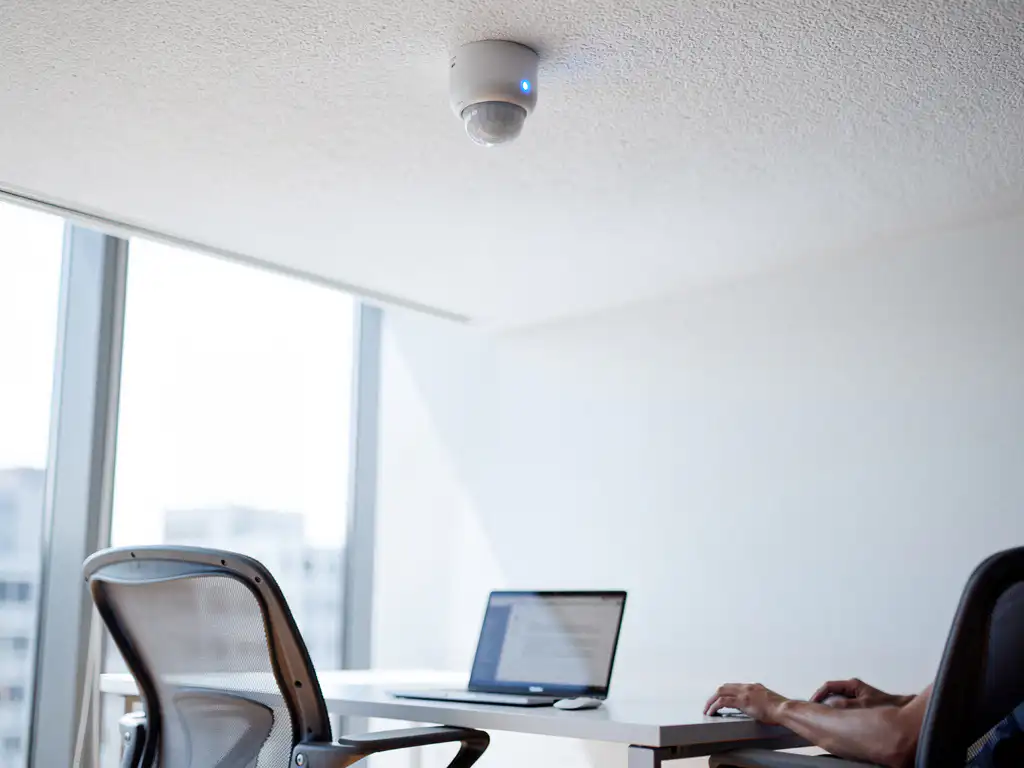
Modern small office spaces present unique challenges in terms of efficiency, comfort, and productivity. With the rise of smart technology, sensors offer a powerful solution for optimizing these compact work environments.
Smart sensor technology for office environments makes it possible to automatically monitor and adjust climate, lighting, and space utilization. For small offices, this not only leads to cost savings but also creates a healthier and more productive work environment for all employees.
What are office sensors, and why are they important for small spaces?
Office sensors are smart devices that measure and monitor environmental factors such as temperature, air quality, motion, noise levels, and light intensity. They collect real-time data to automatically adjust the work environment to users' needs.
Sensors are particularly valuable in small office spaces, where every square foot must be used efficiently. In compact spaces, temperature fluctuations, poor air quality, or inadequate lighting can directly affect the comfort of everyone present. Sensors help proactively address these issues before they impact productivity.
In addition, sensors make it possible to optimize energy consumption by heating, cooling, or lighting a space only when it is actually in use. This is particularly cost-effective for small businesses that want to minimize their overhead without compromising employee comfort.
What types of sensors are available for office environments?
There are various types of sensors available, each designed for specific aspects of the office environment. The most relevant types for small office spaces are motion sensors, temperature and humidity sensors, air quality sensors, light sensors, and noise sensors.
Motion sensors detect occupancy and can automatically activate lighting and climate control. This prevents energy waste when rooms are unoccupied. Temperature and humidity sensors ensure a consistently comfortable indoor climate by automatically adjusting HVAC systems.
Air quality sensors measure CO2 levels, volatile organic compounds, and particulate matter. This is crucial for small spaces where poor ventilation can quickly lead to concentration problems. Light sensors adjust artificial lighting based on natural light, while noise sensors can help monitor acoustic conditions.
How do you choose the right sensors for your small office space?
The choice of sensors depends on the specific challenges of your space, the number of workstations, the available infrastructure, and your budget. Start by identifying the biggest pain points in your current work environment.
For offices with climate control issues, temperature and humidity sensors are a priority. If employees complain about stuffy air or headaches, invest in air quality sensors first. When energy costs are high, motion and light sensors offer the best return on investment.
Also consider the integration options with existing systems. Modern sensors often use Wi-Fi and can be connected to smart office platforms. Choose sensors that are easy to install and compatible with popular automation systems, such as Google Nest or Philips Hue for lighting.
What is the cost of sensors for small offices?
The cost of sensors in small offices ranges from €50 to €300 per sensor, depending on the type and functionality. A basic package for a small office of 50–100 m² typically costs between €500 and €2,000, including installation.
Motion sensors are the most cost-effective option, costing between €50 and €150 each. Temperature and humidity sensors fall into the same price range. Advanced air quality sensors can cost between €200 and €300, but offer significantly more functionality.
It is important to consider not only the upfront costs but also the payback period. Energy savings of 20–30% are realistic, which means that sensors often pay for themselves within 1–2 years. In addition, they boost employee satisfaction and productivity—benefits that are harder to measure but are nonetheless valuable.
How do you install sensors in an existing office layout?
Installing sensors in an existing office space is usually straightforward and requires minimal changes to the infrastructure. Modern wireless sensors can often be installed within a few hours without major renovations.
Start by drawing up an installation plan to determine where each sensor will be most effective. Motion sensors work best in corners or near entrances, while temperature sensors should be placed in the center of the room, away from heat sources such as radiators or computers.
For wireless sensors, all you need is a stable Wi-Fi connection. Many sensors run on batteries that last 1–2 years. Wired sensors offer greater reliability but may require professional installation. Test all sensors after installation and calibrate them according to the manufacturer’s instructions.
What benefits do sensors offer in terms of employee productivity?
Sensors improve employee productivity by automatically creating and maintaining optimal working conditions. Research shows that employees are up to 15% more productive in well-ventilated spaces with ideal temperature and lighting.
Air quality sensors prevent the "afternoon slump" by keeping CO2 levels low through automatic ventilation. This results in improved concentration and reduced fatigue. Light sensors ensure consistently good lighting, which reduces eye strain and increases alertness.
In addition, sensors create a sense of comfort and control. Employees don’t have to worry about rooms being too hot or too cold, because the system automatically adjusts the temperature. This reduces stress and increases overall employee satisfaction, which indirectly contributes to lower absenteeism and better retention.
How Wout Monseurs is helping with smart office sensors
At Wout Monseurs, we seamlessly integrate smart sensors into our Smart Office solutions for small office spaces. With over 60 years of experience in office design, we understand exactly how technology and workplace design complement each other.
Our Smart Office technology includes:
- Custom sensor packages, tailored to your specific space and needs
- Professional installation by our in-house technical team
- Integration with existing climate control and lighting systems
- Real-time monitoring and automatic adjustments
- Maintenance and support for optimal performance
As a full-service project designer, we combine sensors with ergonomic furniture, acoustic solutions, and sustainable materials to create a comprehensive package. Visit our Experience Center in Breda to see for yourself how smart sensors can transform your small office space. Contact us for a no-obligation consultation about the possibilities for your office.
Frequently asked questions
How long does it take for sensors to pay for themselves in a small office?
Most sensors pay for themselves within 12–24 months thanks to energy savings of 20–30%. This depends on your current energy consumption, the sensors you choose, and how frequently the space is used. Motion and light sensors often have the fastest payback period.
Can sensors work without existing smart home systems?
Yes, many modern sensors operate independently via Wi-Fi and have their own app for control. You can start with individual sensors and later expand to an integrated system. Some sensors even have built-in displays for real-time readings without a smartphone.
What happens if the Wi-Fi goes down—will the sensors still work?
Many sensors have local backup functionality and continue to perform basic functions even without Wi-Fi. They store data locally and synchronize again once the connection is restored. For critical functions such as emergency lighting, there are also sensors that operate completely autonomously.
How often should I replace the batteries in wireless sensors?
Modern sensors have a battery life of 1–3 years, depending on usage and type. Most sensors send a notification via the app when the battery is running low. Consider sensors with rechargeable batteries or wired options for high-traffic areas.
Can sensors trigger false alarms and thus be disruptive to employees?
Modern sensors use advanced algorithms to minimize false alarms. By calibrating them properly and placing them in the right locations, you can avoid most problems. Most systems also feature adjustable sensitivity and can learn from user patterns.
Is it possible to try out the sensors before I invest in a complete system?
Yes, many suppliers offer starter kits or pilot programs. You can start with one or two sensors for the most critical areas and gradually expand the system. At Wout Monseurs, you can also try out the sensors in our Experience Center before making a decision.
How should I address employees' privacy concerns regarding sensors in the office?
Transparency is crucial—explain what data is collected (usually only environmental data, not personal information) and how it is used to enhance comfort and efficiency. Choose sensors that do not include cameras or microphones, and establish clear guidelines regarding data use and storage.