

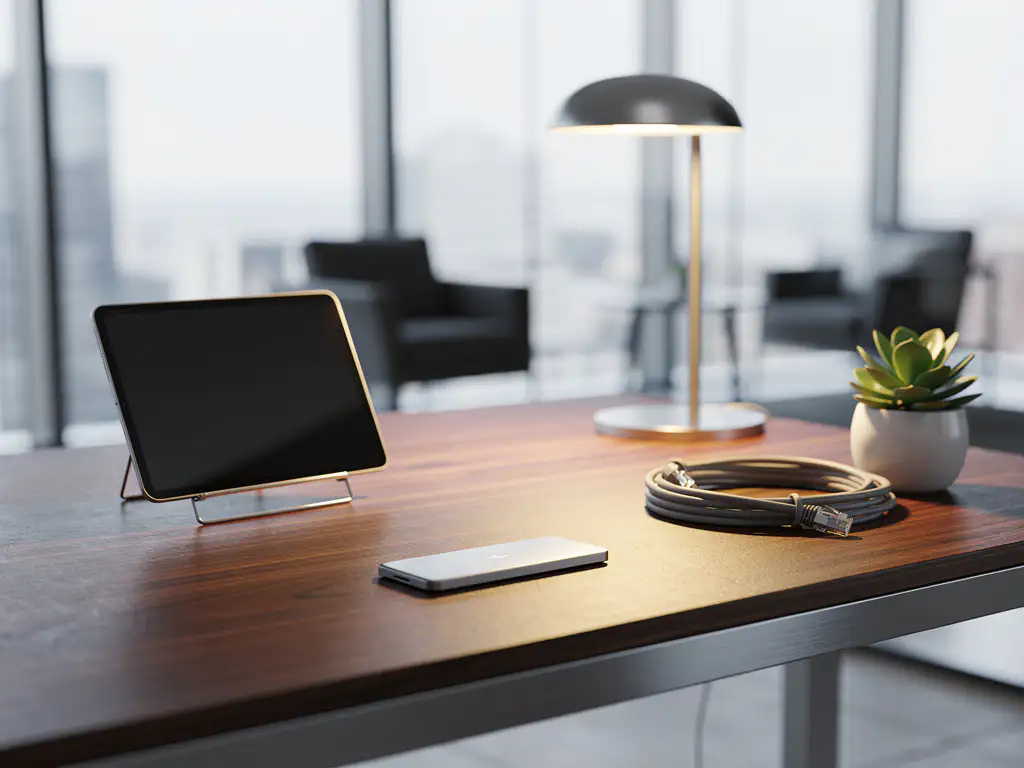
In a world where internet connections can sometimes go down or pose security risks, smart office solutions that operate without an internet connection are essential for business continuity. These autonomous systems ensure that workstations continue to function regardless of the status of the internet connection.
From standalone printers to offline lighting systems: there are countless ways to set up a modern workplace that doesn’t rely on a stable internet connection. These solutions not only offer reliability but also enhanced security and lower operating costs.
What are some smart office solutions that don't require an internet connection?
Offline smart office solutions are autonomous systems that operate locally using sensors, timers, and built-in intelligence. These solutions include standalone printers, motion sensors for lighting, programmable thermostats, access control systems with RFID cards, and ergonomic desks with memory settings.
These systems operate using local networks, built-in processors, and pre-programmed settings. For example, a motion sensor automatically turns on the lights when someone enters a room, without requiring an internet connection. Similarly, ergonomic desks can remember personal height preferences via built-in memory modules.
Modern offices can operate fully using a combination of these offline solutions. Examples include time-controlled climate control systems that adjust the temperature based on office hours, standalone meeting room reservation systems that operate via local terminals, and automated coffee machines that activate at set times.
What are the benefits of office solutions without an internet connection?
Office solutions that do not rely on the internet offer greater reliability, better protection against cyberattacks, lower operating costs, and uninterrupted functionality during internet outages. These systems eliminate the need for external servers and significantly reduce the risk of data breaches.
Reliability is a key advantage. While cloud-based systems can fail due to internet issues, server maintenance, or cyberattacks, offline solutions remain operational at all times. This means that employees can start their day with a perfectly configured workspace, regardless of external circumstances.
From a security perspective, offline systems present a smaller attack surface for cybercriminals. Standalone printers are not targets for ransomware attacks, and local access control systems are immune to external hacking attempts. This is particularly important for companies that handle sensitive information.
The long-term cost savings are substantial. There are no monthly subscription fees, no cloud storage costs, and minimal maintenance requirements. In addition, these systems often consume less energy because they do not constantly communicate with external servers.
How do printers and scanners work without an internet connection?
Printers and scanners without internet access operate via direct USB connections, local network connections, or in standalone mode. These devices can print and scan documents by communicating directly with computers or via a local network, without an external internet connection.
Most modern multifunction printers have built-in memory and processing power. They can store print jobs in an internal queue, scan documents to local folders, and even send faxes via a phone line. This functionality remains fully intact even without an internet connection.
There are several configuration options for office environments. Printers can be connected to a local network accessible to multiple workstations, without the need for that network to be connected to the internet. Alternatively, employees can use USB flash drives to transfer documents between computers and printers.
Advanced standalone printers also offer features such as automatic two-sided printing, support for various paper sizes, and even basic document editing. These capabilities make them fully suitable for everyday office tasks without relying on external devices.
Which climate control and lighting systems operate autonomously?
Autonomous climate and lighting systems operate using programmable thermostats, motion sensors, daylight sensors, and timers. These systems can automatically control temperature and lighting based on occupancy, time of day, and preset schedules, entirely without an internet connection.
Programmable thermostats are the backbone of automated climate control. They can store weekly schedules, adjust the temperature based on office hours, and even respond to motion sensors to save energy in unoccupied spaces. Modern systems can handle up to seven different daily schedules.
Motion sensors and daylight sensors provide intelligent control for lighting. Lights turn on automatically when someone enters a room and gradually dim when there is sufficient natural light. These systems can reduce energy costs by up to 60 percent without requiring an internet connection.
Advanced autonomous systems combine multiple sensors to deliver optimal performance. For example, a meeting room can automatically adjust the lighting, raise the temperature, and activate the ventilation as soon as a meeting begins, based on motion detection and pre-programmed settings.
How do you set up a fully functional offline workspace?
You can set up a fully functional offline workspace by combining ergonomic furniture with memory settings, autonomous lighting, standalone devices, and local storage solutions. Start with an adjustable desk, an ergonomic chair, motion sensors for lighting, and a multifunction printer that doesn’t require an internet connection.
Start with the basics: an ergonomically adjustable desk that can save height settings using mechanical or electronic memory modules. Pair this with a high-quality office chair that provides optimal back support. These pieces of furniture form the foundation of a productive workspace.
For technology, choose standalone devices: a multifunction printer that connects via USB or a local network, a desk lamp with a motion sensor, and a programmable fan or heater. These devices operate independently and provide all the necessary functionality.
Organization is crucial for offline workspaces. Invest in physical filing cabinets, document holders, and cable management solutions. A well-organized workspace compensates for the lack of digital search functions and keeps important documents within easy reach.
Don’t forget about backup solutions. External hard drives, USB flash drives, and physical backups of important documents ensure that your work is never lost, regardless of technical issues with the internet or cloud services.
How Wout Monseurs Helps with Offline Smart Office Solutions
We understand that reliable office solutions are essential for business continuity. With over 60 years of experience, we help companies implement autonomous smart office systems that operate independently of internet connections.
Our approach to offline smart office solutions includes:
- Ergonomic desks with memory settings that automatically adjust to personal preferences
- Standalone printer systems with comprehensive print management and preventive maintenance
- Autonomous lighting systems with motion sensors and energy-saving features
- Programmable climate control, tailored to office schedules
- Local reservation systems for meeting rooms and workspaces
As a full-service project designer, we handle the entire process, from design to completion. We work with high-quality brands such as Wini, Interstuhl, and Voortman to deliver durable, ergonomic solutions that will serve you reliably for years to come.
Would you like to learn more about our offline smart office solutions? Contact us for a no-obligation consultation. We’ll visit you on-site at no charge to assess your specific needs and propose a customized solution.
Frequently asked questions
How much money can I save by switching to offline smart office solutions?
Savings vary by company, but on average, companies save 30–50% on their monthly IT costs by eliminating cloud subscriptions, internet-dependent licenses, and maintenance contracts. In addition, energy savings of up to 60% are possible through autonomous lighting and climate control systems.
What happens if my offline equipment breaks down and I don't have an internet connection for support?
Offline equipment actually has the advantage of easier troubleshooting because there are no complex network issues. Most problems can be resolved on-site using manuals and diagnostic tools. We offer preventive maintenance and keep spare parts in stock for quick repairs.
Can I integrate my existing office equipment with new offline solutions?
Yes, most offline smart office solutions are designed to integrate seamlessly with existing equipment. For example, printers can be connected to existing computers via USB, and motion sensors can be linked to current lighting systems without major renovations.
How do I train my employees to use offline smart office systems?
Offline systems are generally more intuitive than cloud-based solutions because they have less complex menus. We offer hands-on on-site training and easy-to-follow manuals. Most employees master the basic functions within a day because the systems often use physical buttons and clear indicators.
What maintenance is required for autonomous office solutions?
Offline systems require minimal maintenance: annual cleaning of sensors, battery replacement in motion detectors (every 2–3 years), and routine maintenance of mechanical parts in desks and chairs. We develop a customized maintenance schedule to ensure optimal performance.
Can I add internet functionality to my offline systems at a later date?
Most modern offline solutions are "internet-ready" and can be expanded later to include internet functionality without replacing the hardware. This offers the flexibility to start with standalone systems and gradually transition to hybrid solutions when desired.
How can I ensure that my home office meets modern ergonomic standards?
Offline ergonomic solutions can actually be more advanced than internet-dependent systems. Desks with memory settings remember optimal heights, programmable lighting adjusts throughout the day, and autonomous climate control keeps the temperature constant. We conduct ergonomic audits to determine the perfect configuration.