

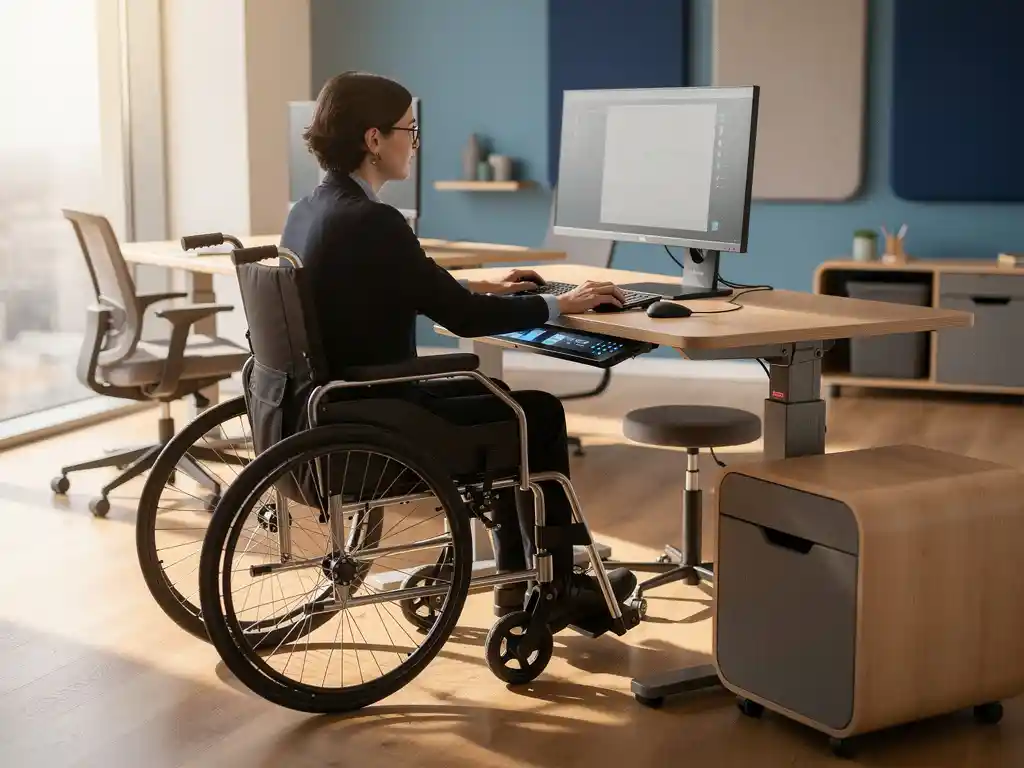
Smart office systems are revolutionizing the modern workplace by integrating technology that makes offices more accessible, efficient, and user-friendly. For companies investing in smart office implementation, it is essential to understand which systems meet accessibility standards and how these technologies support employees with diverse needs.
Accessible smart office solutions go beyond legal requirements and create work environments where everyone can perform at their best. From voice-activated systems to automatic door openers, the right technology can make the difference between an inclusive workplace and an environment that excludes certain employees.
What are smart office systems, and why are accessibility standards important?
Smart office systems are integrated technological solutions that automate office processes and enhance the work experience through the use of sensors, AI, and IoT devices. These systems include smart lighting, automated climate control, digital access control, and booking systems for workspaces and meeting rooms.
Accessibility standards are crucial because they ensure that all employees, regardless of their physical or cognitive abilities, have equal access to technology and workplace features. Companies that factor the costs of accessible smart office implementation into their planning are not only investing in compliance but also in an inclusive corporate culture that retains talent and boosts productivity.
Modern smart office technology can support employees with visual, hearing, or motor impairments through voice commands, visual cues, automatic adjustments, and intuitive interfaces. This helps create a work environment where diversity is valued and everyone can reach their full potential.
What accessibility standards apply to smart office technology?
Smart office technology must comply with the Web Content Accessibility Guidelines (WCAG) 2.1, Level AA, and the European standard EN 301 549 for digital accessibility. These standards ensure that systems are perceivable, operable, understandable, and robust for all users.
In the Netherlands, the Digital Government Act (Wdo) applies to government agencies, while private companies can follow international standards such as ISO/IEC 40500 and Section 508 from the United States. These guidelines specify requirements for color contrast, keyboard navigation, screen reader compatibility, and alternative text for visual elements.
In practical terms, for smart office systems, this means that touchscreens must provide voice feedback, that all functions are accessible via the keyboard, that audio signals have visual equivalents, and that user interfaces are intuitive and consistent. Companies that implement these standards reduce the risk of discrimination claims and create a more inclusive work environment.
How do smart lighting systems support accessibility in the office?
Smart lighting systems enhance accessibility through automatic brightness adjustments, color temperature control, and motion detection, which compensate for visual impairments and optimize energy consumption. These systems can remember individual preferences and adapt to different work activities.
For employees with visual impairments, smart lighting systems offer personalized brightness profiles that are automatically activated when they enter their workspace. These systems can also eliminate flickering, which is essential for people with epilepsy or migraines. Color temperature control helps with object recognition and can support circadian rhythms.
Modern lighting systems integrate with other smart office technologies to create a holistic accessibility experience. For example, they can work with booking systems to automatically illuminate workstations when they are reserved, or integrate with emergency alarm systems to provide visual evacuation signals.
Which smart office access control systems are accessible to everyone?
Accessible smart office access control systems combine multiple authentication methods, such as RFID badges, biometric scanners at various heights, voice recognition, and smartphone apps with large buttons and high color contrast. These systems provide redundancy, ensuring that users always have an alternative access method.
Modern access control systems are equipped with audio instructions, tactile feedback, and visual indicators that engage multiple senses. Door openers can be activated automatically by motion sensors or via smartphone apps, which is particularly useful for wheelchair users or people with limited hand function.
To ensure optimal accessibility, these systems must also include emergency features, such as manual override options, clear evacuation procedures, and integration with emergency response systems. Companies may also consider implementing different access levels that automatically adapt to individual needs and authorizations.
How can companies test the accessibility of their smart office systems?
Companies can test the accessibility of smart office systems by conducting user tests with employees who have various disabilities, utilizing automated accessibility tools, and commissioning external audits by certified accessibility experts. This approach combines practical experience with technical compliance verification.
An effective testing strategy involves scenario-based evaluations in which users with visual, hearing, or mobility impairments perform everyday tasks, such as booking meeting rooms, adjusting workstation settings, and navigating the office. Feedback from these sessions reveals practical obstacles that technical audits may overlook.
Automated tools can check interface elements for color contrast, keyboard navigation, and screen reader compatibility, while manual tests evaluate the user experience and intuitiveness. Regularly repeating these tests, especially after system updates, ensures that accessibility is maintained as technology evolves.
How Wout Monseurs Helps with Accessible Smart Office Implementation
At Wout Monseurs, we incorporate accessibility standards into our smart office solutions from the very beginning, ensuring that technology supports all employees and that companies meet inclusivity standards. Our experience with comprehensive office design allows us to seamlessly integrate accessible technology into the overall concept.
Our approach to accessible smart office implementation includes:
- Comprehensive needs assessment to identify specific accessibility requirements
- Selection of certified systems that comply with the WCAG 2.1 and EN 301 549 standards
- Integration of voice-controlled systems, automatic adjustments, and multimodal interfaces
- User testing with various employee groups to validate practical accessibility
- Ongoing support and system updates to ensure compliance
With over 60 years of experience in office design, we combine traditional expertise with cutting-edge smart office technology. Contact us to discover how we can transform your office into a fully accessible, intelligent work environment that supports all employees and optimizes your smart office implementation costs.
Frequently asked questions
What is the average cost of implementing accessible smart office systems?
The cost of implementing an accessible smart office ranges from €5,000 to €15,000 per workstation, depending on the desired features and the number of employees. Investing in accessible technology from the start is more cost-effective than making retroactive adjustments, and companies can often apply for grants for inclusivity projects.
How long does it take to train employees in the use of accessible smart office technology?
An effective training program for accessible smart office systems typically lasts 2–4 weeks, featuring initial group sessions of 2–3 hours and individual support for employees with specific needs. It is important to accommodate different learning styles through hands-on training, video tutorials with subtitles, and printed manuals in large print.
What common mistakes should companies avoid when implementing a smart office?
The biggest mistake is adding accessibility features after the fact instead of integrating them from the start. Other common mistakes include ignoring user feedback during the testing phase, choosing systems that are incompatible with assistive technologies, and failing to adequately train IT staff in accessibility support.
How can companies ensure that smart office updates do not compromise accessibility?
Implement an accessibility protocol that requires all system updates to be tested with assistive technologies before they are rolled out. Use staging environments to test updates, maintain a list of critical accessibility features that must always be checked, and ensure direct communication with users about upcoming changes.
What should I do if an employee reports that a smart office system is inaccessible?
Respond immediately by providing a temporary solution and thoroughly document the issue. Conduct a thorough analysis with the affected employee, consult accessibility experts if necessary, and implement structural improvements. Also use this feedback to proactively evaluate other systems and prevent similar issues.
Can existing offices be upgraded to accessible smart office systems?
Yes, existing offices can be gradually upgraded to accessible smart office systems. Start with an accessibility audit of the current infrastructure, prioritize systems that have the greatest impact on daily work activities, and implement upgrades in phases to minimize disruption. Many modern systems are designed to be compatible with existing infrastructure.