


De zakelijke printers van Canon zijn van alle gemakken voorzien en de nieuwste technische innovaties zorgen voor een optimale gebruikerservaring voor iedereen binnen de werkomgeving. Toch is vandaag de dag een specifiek aspect nog belangrijker dan ooit: de beveiliging.
Bedrijven die met moderne printers en multifunctionals werken, verwerken onbewust veel data. De diverse printmogelijkheden leiden tot flinke datastromen en ook de printers zelf kunnen steeds meer als een losstaand werkstation gezien worden, inclusief harde schijf voor het verwerken van alle printopdrachten. Daarom heeft Canon rondom Office Security diverse oplossingen geïntegreerd, waarmee er op veilige wijze van de kantoorprinters gebruik gemaakt kan worden.
De Office Security oplossingen in de praktijk
De maatregelen die getroffen worden om een optimale kantoorbeveiliging te bieden kunnen opgedeeld worden in vier aspecten:
1. Verzenden
Bij het verzenden van printopdrachten wordt een codering gehandhaafd, waarmee de gegevens in de betreffende documenten beschermd worden. Daarbij anonimiseert het systeem ook de bestandsnamen, zodat kwaadwillenden niet eenvoudig een beeld kunnen krijgen van de mogelijke inhoud van de bestanden.
2. Verwerken
Bij het ophalen van de opdrachten om deze te verwerken worden deze eerst geverifieerd. Ongeautoriseerde printopdrachten zullen niet worden geprint.
3. Printen
De gebruiker zorgt ervoor dat printopdrachten op een veilige manier worden vrijgegeven en de zakelijke printer zal zelf foutieve printopdrachten verwijderen. Door de gebruiker te betrekken in de laatste stap worden onbedoelde prints voorkomen, zodat in geen van de multifunctionals afdrukken zullen blijven liggen.
4. Traceren
Indien gewenst kunnen geprinte documenten traceerbaar gemaakt worden, door middel van een QR-code of barcode. Zo kan uitgelekte informatie eenvoudiger getraceerd worden naar degene die deze informatie oorspronkelijk afgedrukt heeft.
De voordelen van Canon’s Office Security
De diverse oplossingen van Canon rondom de kantoorbeveiliging bieden de volgende voordelen:
Voorkom beveiligingslekken
Afschermende maatregelen beschermen het kantoornetwerk tegen malware-aanvallen. Een sterkere en eenvoudigere scan- en printarchitectuur dragen hier aan bij door het aantal kwetsbaarheden te verminderen.
Voorkom datalekken en verlies van gegevens
Maak gebruik van de nodige veiligheidsmaatregelen om te voorkomen dat kwaadwillenden van buitenaf of medewerkers essentiële documenten stelen of verliezen. Ongeacht van de omvang en aard van jouw bedrijf is hier voldoende ruimte om de instellingen aan te passen naar een beleid die werkbaar is voor de gehele organisatie.
Bescherm het bedrijf
Het uitlekken van informatie kan zware boetes en merkschade opleveren. Canon’s Office Security oplossingen dragen actief bij aan het voorkomen van het uitlekken van belangrijke informatie en data, gedurende de gehele levenscyclus van de zakelijke printers.
Diverse beveiligingsmaatregelen worden al ingesteld vóór het gebruik. Tijdens het gebruik zelf wordt alle data beschermd en zelfs na de afschrijving van de multifunctional aan het eind van de levensloop wordt de veiligheid nog gewaarborgd, door alle gevoelige gegevens vooraf te vernietigen.
Zorg ervoor dat wetten en regelgevingen nageleefd worden
De beschermende maatregelen en functionaliteiten helpen u om te voldoen aan het beleid en de voorschriften rondom gegevensbeveiliging die gelden voor jouw bedrijf.
UniFlow Online
Een mooi voorbeeld van goede beveiligingssoftware is UniFlow Online: hiermee versterk je de beveiliging van jouw printapparatuur door middel van toegangsbeheer en de inzet van diverse authenticatieopties.

Handige informatie over printerbeveiliging
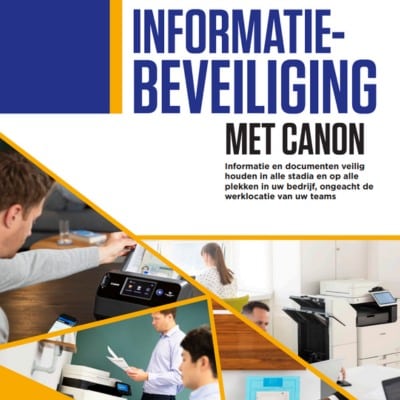
Bekijk hieronder 3 handige brochures met nuttige informatie over het belang van een adequate en up-to-date printerbeveiliging.
|

|

|
Op zoek naar veilige printoplossingen?
Veilig en tegelijkertijd toch efficiënt printen op uw kantoor of werkomgeving? De Canon printers en multifunctionals bieden de perfecte balans tussen beveiliging en gebruiksvriendelijkheid. Voor ieder bedrijf zijn passende printoplossingen te vinden; we adviseren u graag welke bedrijfsprinter het beste past binnen uw organisatie.
Meer weten over Canon’s printoplossingen? Bekijk alvast het aanbod op onze Canon pagina, of neem contact met ons op.